Microsoft’s September 2024 Patch Tuesday update has just arrived, addressing 79 vulnerabilities across a range of services and applications, including four zero-day exploits currently active in the wild. These vulnerabilities pose immediate risks to users, so patching them should be a top priority for all IT professionals.

Key Zero-Day Vulnerabilities

  1. CVE-2024-38014: This critical Windows Installer vulnerability allows attackers to elevate their privileges without user interaction. It can be particularly dangerous when combined with other flaws that provide access to a system.
  2. CVE-2024-38226: A security bypass flaw in Microsoft Publisher that allows attackers to exploit Office macro policies. This zero-day is being actively exploited to run malicious code.
  3. CVE-2024-38217: A vulnerability in Windows’ Mark of the Web (MoTW) feature, which attackers can exploit to bypass key security checks like SmartScreen. This leaves systems vulnerable to malicious files downloaded from the web.
  4. CVE-2024-43461: A spoofing flaw in Windows MSHTML that allows attackers to impersonate legitimate services and execute malicious code.

Why It Matters

The nature of these vulnerabilities, particularly the zero-days, makes them critical to address immediately. The affected software spans many essential Microsoft products, including Office, Azure, and core Windows services like Installer. Ignoring these patches leaves systems at risk for privilege escalation attacks, where attackers gain elevated access, or for remote code execution, which can lead to a full system compromise.

Besides the four zero-days, the remaining 75 vulnerabilities are just as concerning, covering areas like SharePoint, Power Automate, and Windows kernel. The potential for exploitation across these varied systems shows how diverse and far-reaching the threat landscape is, especially for enterprises reliant on Microsoft technologies.

What Is Exploit Wednesday?

The day after Microsoft’s Patch Tuesday—often dubbed Exploit Wednesday—is infamous in the cybersecurity world. While Patch Tuesday is when the fixes for vulnerabilities are released, Exploit Wednesday refers to the day when attackers often begin targeting the newly disclosed vulnerabilities, especially those that haven’t been patched yet. As soon as vulnerabilities are made public, malicious actors will rush to develop exploits, knowing that many organisations won’t have applied patches immediately.

For the layperson, Exploit Wednesday can be thought of as a race between attackers and defenders. On one side, hackers work to exploit the vulnerabilities revealed the day before, while on the other, IT teams scramble to apply the patches to prevent these exploits from being successful. If you haven’t patched your system by Wednesday, you’re essentially rolling the dice and hoping that your organisation isn’t targeted.

This race between attackers and IT administrators is why Patch Tuesday isn’t just an event for the security industry—it’s crucial for any business or individual using Microsoft products. By understanding and applying these updates quickly, you reduce your risk of becoming the next victim of cybercrime.

What You Should Do

  • Deploy Patches Immediately: These vulnerabilities, especially the zero-days, need to be addressed urgently. Ensure that all updates are applied across your network.
  • Prioritise Critical Systems: Focus on systems that are most at risk, particularly those utilising SharePoint, Windows Installer, and Microsoft Office, as these have been directly affected by zero-day vulnerabilities.
  • Monitor for Exploit Attempts: Even after patches are applied, monitoring systems for any signs of attack or unusual behaviour is crucial. Threat actors may have already exploited the vulnerabilities before patches were deployed.

By acting quickly and proactively applying these patches, you’ll protect your organisation from being compromised by these vulnerabilities. Microsoft has provided the necessary tools—now it’s up to businesses to ensure they’re used effectively.

For full details on the updates, refer to Microsoft’s official Patch Tuesday update notes​

New research from 2024 has revealed that UK universities are facing cyberattacks almost every week, with phishing and ransomware among the most common threats. Higher education institutions are more frequently targeted than other parts of the education sector, largely due to the sensitive data they hold and the complexity of their IT infrastructures.

According to reports, a growing number of universities have fallen victim to attacks that have crippled networks, compromised research, and disrupted learning. Many institutions struggle to keep up with the evolving sophistication of these attacks, as cybercriminals increasingly adopt new tactics.

One notable recent incident saw multiple universities forced offline after a ransomware group exploited vulnerabilities in their systems. The hackers demanded substantial payments in cryptocurrency in exchange for the decryption of vital data.

This concerning trend underscores the urgent need for stronger cybersecurity measures within higher education. The National Cyber Security Centre (NCSC) has urged universities to adopt multi-layered defense systems, conduct regular audits, and provide cybersecurity awareness training for both staff and students.

Universities that fall victim to these attacks often face severe financial and reputational damage. Additionally, with sensitive research and student data at risk, the consequences can be far-reaching. It is essential that higher education institutions invest in advanced threat detection and response systems to prevent future breaches.

For universities, securing adequate funding for cybersecurity improvements is a critical challenge, particularly in the face of budget constraints. However, as the number of cyberattacks continues to rise, the need for enhanced defenses has never been clearer.

Imagine this: you walk into your office on a busy Monday morning, ready to tackle the week. But something’s wrong. Computers are unresponsive. Phones are silent. The internet is a ghost town. Your business has come to a grinding halt – victim of an IT outage.

It’s a scenario every business owner fears. But beyond the initial frustration are expenses you may not immediately see. IT downtime carries hidden costs that can significantly impact your bottom line. Let’s peel back the layers and expose the true price of IT outages.

The Immediate Impact: Lost Productivity

When IT systems go down, your employees are effectively sidelined. Sales can’t be processed. Emails pile up unanswered. Deadlines are missed. Every minute of downtime translates to lost productivity. This is a cost measured in lost revenue and delayed projects.

Customer Impact: Frustration and Lost Trust

An IT outage isn’t just an internal inconvenience. It directly impacts your customers. Imagine an online store experiencing downtime during a peak sales period. Frustrated customers can’t place orders or access their accounts. This not only leads to lost sales but also damages customer trust. This can potentially drive your customers to competitors.

Reputational Damage: A Hit to Your Brand Image

IT outages can tarnish your brand image. Customers expect businesses to be reliable and accessible. Frequent downtime paints a picture of inefficiency and unpreparedness. In today’s competitive landscape, a damaged reputation can be difficult to repair.

Hidden Costs: Beyond the Obvious

The financial impact of IT downtime extends beyond lost productivity and sales. There are other costs that may not be on your radar. Here are some hidden costs of downtime to consider.

Employee Demoralization

Frustrated employees stuck waiting for systems to come online can be demoralized. They can also lose motivation. They can feel like they can’t get anything done, so why bother? Frequent downtime can cause employees to jump ship for more tech stability.

Emergency Repairs

IT outages often need emergency repair efforts. This can be costly and time-consuming. It can cost even more if you don’t have a managed IT service agreement in place. In the middle of an emergency is not when you should be choosing an IT provider to trust with your business IT.

Data Loss or Corruption

In severe cases, outages can lead to data loss or corruption. This can mean expensive recovery efforts. If the data can’t be recovered, it can mean hours of staff time entering data. All to just get you to where you were before the outage.

Compliance Issues

Depending on your industry, regulatory compliance might be at risk during an outage. If there is any data compromise, this could lead to fines and penalties. 

Calculating the Cost: It’s More Than You Think

The exact cost of IT downtime varies depending on your industry, size, and the duration of the outage. Studies estimate the average cost of IT downtime to be in the thousands of dollars per hour. For larger businesses, this figure can skyrocket into the millions.

A Ponemon Institute study estimates the average IT downtime cost from $5,600 to nearly $9,000 per minute.

Prevention is Key: Proactive Measures for Business Continuity

The good news? Most IT downtime is preventable. Here’s how to be proactive:

  • Invest in Reliable IT Infrastructure: Focus on high-quality hardware and software. Look for a proven track record of reliability.
  • Regular System Maintenance: Schedule regular maintenance to identify and address potential issues. This keeps them from snowballing into outages.
  • Data Backup and Recovery: Install robust data backup and recovery to mitigate data loss in case of an outage.
  • Disaster Recovery Plan: Develop a comprehensive disaster recovery plan. It should outline steps to take in case of an outage, ensuring a swift and efficient recovery.
  • Employee Training: Educate employees on cybersecurity best practices. This minimizes the risk of human error causing downtime.

Investing in Uptime: Building Business Resilience

IT downtime is a threat every business faces. But by understanding the true cost and taking proactive measures, you can reduce the risk. As well as build a more resilient business. Remember, downtime isn’t just an inconvenience. It’s a financial burden. It also has the potential to damage your reputation and customer relationships.

So, focus on IT security and invest in preventative measures. This helps ensure your business stays up and running. Every minute counts when it comes to technology operating smoothly.

Need Some Help Improving Your Downtime Resilience?

Don’t wait until after you’ve incurred the cost of downtime to put preventative measures in place. Our IT experts can help your business build an IT strategy that mitigates downtime. We’ll also put systems in place to get you back up and running fast, should it happen.

Contact us today to schedule a chat about your technology.

Featured Image Credit

This Article has been Republished with Permission from The Technology Press.

It’s a typical Monday morning. As I’m heading out the door, my phone buzzes with a message from a client. They’ve received an unexpected Microsoft Authenticator MFA request. In most cases, a situation like this could easily cause concern—was it a phishing attempt? Could someone be trying to hack into their account?

But instead of panic, the client did exactly what we hoped they would. They rejected the request and informed me immediately.

No drama. No breaches. Just a well-trained response.

Cybersecurity: More Than Just Tools

When you think of cybersecurity, technology naturally comes to mind—firewalls, antivirus software, multi-factor authentication. These are critical elements in defending any organisation against threats.

But here’s the reality: even the most advanced tools can’t always protect you from human error.

Every day, your employees are making decisions that can either strengthen your defences or leave the door wide open to cybercriminals. How confident are you that they’re making the right choices?

The greatest vulnerability in most organisations isn’t a lack of technology—it’s the people using that technology. And while technology continues to advance, cybercriminals are constantly evolving their methods too. The question is: are your people evolving alongside your tech?

Why Cybersecurity Training Works

Let’s face it, most employees don’t start their day expecting to deal with a cyberattack. However, threats don’t wait for the perfect moment—they can come at any time. That’s why training is crucial. Here’s what effective training can do:

  1. Prepare Your Team for Real Scenarios:
    Like in the situation I experienced, the client didn’t hesitate when faced with an unexpected MFA request. That wasn’t a lucky guess—it was the result of practice. By training your employees on how to spot threats and how to react, you make security part of their everyday mindset.
  2. Reduce the Risk of Error:
    Cybercriminals often exploit uncertainty. An employee who isn’t sure what to do when they receive a suspicious email or alert is far more likely to fall into a trap. Training removes that uncertainty. It provides the confidence and clarity needed to act quickly and effectively.
  3. Empower Action:
    When employees know how to handle potential threats, they become part of your defence strategy. Instead of being a weak link, they become your first line of protection. Imagine the peace of mind knowing your entire team is vigilant and equipped to respond.

The Impact of Inadequate Training

Now, let’s consider the flip side: what happens when your team isn’t properly trained?

  • Phishing Emails Slip Through:
    An untrained employee may open an innocent-looking email, only to click on a malicious link, unknowingly giving a cybercriminal access to your systems. The next thing you know, your data is compromised.
  • Weak Passwords Are Used:
    Without training, employees may fall back on bad habits—using weak passwords or, worse, reusing the same passwords across multiple accounts. One compromised account can lead to widespread access for attackers.
  • Suspicious Activity Is Ignored:
    When employees don’t know how to recognise a threat, even something as simple as an unexpected MFA request might get overlooked. That could be all it takes for a security breach to occur.

The cost of ignoring training is clear: your people can unintentionally expose your organisation to serious threats. And it’s not just about financial loss; it’s also about reputation, trust, and downtime.

A Real-World Example of What Works

Think back to the Monday morning scenario. The client who received the unexpected MFA request didn’t panic or need to escalate the issue—they knew exactly what to do. They had been trained to recognise this kind of threat and act on it immediately.

But this didn’t happen by chance. It was the result of consistent, relevant, and tailored cybersecurity training.

Imagine if all your employees were equipped with the same knowledge and confidence.

Would you sleep easier at night knowing your entire team could handle a similar situation

The Case for Prioritising Cybersecurity Training

Training isn’t just about preventing breaches (although that’s a big part of it). It’s about empowering your employees, building a culture of security, and creating an environment where threats are recognised and dealt with before they become major issues.

But it’s also about the long-term benefits:

  • Reduced Support Tickets: Employees who are well-trained can handle basic issues on their own, reducing the burden on your IT team.
  • Increased Customer Trust: Clients and customers will feel more secure knowing your organisation takes cybersecurity seriously, from the top down.
  • Avoiding Major Disruptions: A security breach doesn’t just affect your systems—it can halt operations, damage your reputation, and lead to costly legal implications. Training helps mitigate that risk.

What Can You Do Right Now?

Here’s where you take action. The question isn’t whether your organisation needs cybersecurity training—it’s whether you’re doing enough.

  • Are your employees equipped to handle today’s threats?
  • Are you confident they can recognise a phishing attempt, a suspicious email, or an unexpected MFA prompt?
  • When was the last time your team had meaningful cybersecurity training?

If you’re not 100% confident in your answers, it’s time to reassess your approach. The next threat could be just an email or a pop-up away.

We help organisations like yours bridge the gap between technology and the people using it. Our tailored training programmes are designed to fit your specific needs, empowering your employees to become a strong part of your security defence.

Let’s Talk About Your Training Programme

When you think about it, training is the most cost-effective way to protect your organisation from cyber threats. But it’s more than that—it’s about ensuring that your employees, the people who interact with your systems daily, are fully prepared to act when it matters.

If you’re ready to strengthen your team and your security, let’s have a conversation. Together, we can build a tailored training solution that ensures your people are prepared, alert, and confident in defending your business.

How secure is your team? It’s time to look closely at your cybersecurity training efforts and take steps to improve them. Let’s chat about how we can help.

#CyberSecurity #TrainingMatters #SecurityAwareness #MFA #ITLeadership #DataProtection

Running a small business is a whirlwind. You juggle a million tasks and wear countless hats. You also constantly fight the clock. What if you could reclaim some of that precious time? 

Enter task automation. It’s your secret weapon for streamlining your workflow and boosting productivity. By automating routine and repetitive tasks, small businesses can gain many benefits. Such as freeing up valuable time and resources. Every minute saved can translate to increased productivity and profitability.

This guide will walk you through the essentials of small business task automation. It’s designed to help you understand its benefits and identify tasks to automate. As well as choose the right tools and install automation effectively. 

What is Task Automation?

Task automation involves using technology to automate repetitive, manual tasks. Imagine software handling data entry, scheduling appointments, or sending out invoices. All this without your constant oversight. This frees you up to focus on strategic initiatives that drive growth.

88% of small business owners say that automation helps them compete with larger companies.

Why Automate in Your Small Business?

Here’s why task automation is a game-changer for small businesses:

  • Boosts Efficiency: Repetitive tasks take a huge chunk of time. Automation eliminates the need for manual effort. This allows your team to focus on higher-value activities.
  • Reduces Errors: Humans make mistakes. Automation minimizes errors in data entry. As well as calculations and other repetitive tasks. This ensures better accuracy and consistency.
  • Saves Money: Time saved is money saved. By automating tasks, you can free up your team’s time. As well as reduce the need for more manpower.
  • Improves Customer Service: Automation can handle routine customer inquiries. It can also send out order confirmations. This frees your team to focus on providing personalized service to customer needs.
  • Enhances Scalability: As your business grows, automation can handle the increased workload. You can grow without needing to add more staff immediately.

What Tasks Can You Automate?

You can automate many tasks across different departments in a small business. Here are some examples:

  • Marketing: Schedule social media posts and send automated email campaigns. You can also generate personalized marketing materials.
  • Sales: Generate quotes and send automated follow-up emails. Track sales performance through automated reports.
  • Customer Service: Set up chatbots to answer frequently asked questions. Automate email responses for order confirmations. Have automation manage appointment scheduling.
  • Human Resources: Automate payroll processing and manage employee onboarding tasks. Send out automated reminders for performance reviews.
  • Finance: Automate data entry for invoices and receipts. Schedule recurring payments and generate automated financial reports.

Getting Started with Task Automation:

Ready to automate? Successfully implementing automation requires careful planning and execution. Here’s how to get started.

Identify Repetitive Tasks

Analyze your daily workflows and pinpoint repetitive tasks. Look for tasks that consume a significant amount of time. Ask employees what manual tasks take them the most time.

Choose the Right Tools

There’s a vast array of automation tools available. You’ll find everything from simple scheduling apps to complex workflow management platforms. Research and choose tools that integrate seamlessly. They should be compatible with your existing software. Get expert IT help for guidance on ensuring the tools cater to your specific needs.

Start Small

Don’t try to automate everything at once. You and your team can easily get overwhelmed. Begin by automating a few key tasks. Then, gradually expand as you get comfortable with the technology.

Invest in Training

Provide your team with proper training on the new automation tools. Ensure they understand how to use them effectively. You want them to feel comfortable integrating them into their workflow.

Overcoming Common Challenges

Implementing task automation can come with challenges. Here are some common issues and how to overcome them:

  • Resistance to Change: Employees may resist new technologies. Address this by communicating the benefits of automation. Also, involve them in the process.
  • Technical Difficulties: Technical issues can arise during implementation. Work closely with your provider’s support team to resolve any problems quickly.
  • Integration Issues: Ensure your automation tools can seamlessly integrate with your existing systems. Test integrations thoroughly before full implementation.
  • Cost Concerns: The initial investment in automation tools can be high. Focus on the long-term savings and benefits to justify the cost.
  • Security Risks: Automating tasks can introduce security risks. Put in place strong security measures to protect sensitive data.

The Future of Automation for Small Businesses

Automation is not about replacing humans. It’s about empowering them. By automating repetitive tasks, you free up your team’s time and talent. This allows them to focus on the things that only they can do. Including strategic thinking, creative problem-solving, and building strong customer relationships. 

Automation technology will continue to evolve. Small businesses will have access to even more powerful tools to boost productivity. Automating now gets you ahead of the competition.

Ready to Embrace the Time-Saving Power of Automation?

We can help you reclaim your time and empower your team. Our technology experts can guide you in technology optimization. We’ll help you find the right automation areas for the biggest benefit. 

Contact our automation experts today to schedule a chat.

Featured Image Credit

This Article has been Republished with Permission from The Technology Press.

/

The UK government has introduced its shiny new Cyber Security and Resilience (CSR) Bill, aimed at safeguarding critical infrastructure from the ever-evolving cybercrime landscape. It sounds promising—like a step in the right direction. But, as with many cybersecurity regulations, it’s the details (or lack thereof) that tell the real story.

Promising, But Vague

The bill’s focus on increasing mandatory incident reporting and improving cross-sector collaboration sounds great. In theory, this could mean quicker response times and a more unified defence against cyber threats. However, when it comes to enforcement, the bill leaves much to be desired.

Without financial penalties or serious consequences for non-compliance, the CSR Bill lacks the necessary teeth. Unlike the GDPR, which struck fear into boardrooms with its hefty fines, this bill feels more like a friendly reminder than a game-changing regulation. If companies—especially smaller ones—don’t face meaningful consequences for inaction, why would they bother to invest in more robust defences?

The Cost of Inaction

At Equate Group, we’ve seen how small businesses can be exploited as weak links in cybersecurity chains. Take the recent Ministry of Defence data breach, where a smaller business may have been the weak point. Without clear financial or reputational consequences, many companies are likely to do the bare minimum to comply, especially when the costs of robust cybersecurity can be significant.

In our view, Cyber Essentials certification should be a mandatory baseline for all companies—especially those handling sensitive data. As we discussed in our post about the CSR Bill, smaller businesses are often entry points for larger breaches, and mandatory certification would at least ensure they have basic protections in place.

A Call for Accountability at Board Level

Cybersecurity is not just an IT issue—it’s a board-level responsibility, just like any other business risk. We believe that the CSR Bill needs to send a clear message: company boards must be accountable for their cybersecurity practices. It’s no longer enough to treat cyber threats as something for the IT department to handle; they are a fundamental risk that can impact the entire organisation.

Decision-makers at the top need to be held accountable, and GDPR-level fines should be imposed on companies where board-level ignorance or negligence leads to breaches. As we noted in our recent LinkedIn post, boards can no longer afford to turn a blind eye to cybersecurity. Accountability and clear consequences are essential for making cybersecurity a priority in the boardroom.

What’s Missing?

In addition to board-level accountability, the CSR Bill falls short in other key areas. For one, it lacks a requirement for the reporting of all breaches, including suspected ones. Right now, many companies are keeping breaches under wraps, much like an awkward wedding toast that no one wants to remember. However, without transparency, attacks will continue to escalate and compromise entire sectors. In today’s interconnected world, we’re only as strong as our weakest link.

Mandatory breach reporting would force organisations to confront their vulnerabilities head-on, and in doing so, it would improve collective resilience across industries.

Financial Penalties as a Deterrent

One of the most effective lessons learned from GDPR was that nothing grabs a board’s attention faster than the threat of a multi-million-pound fine. Without a similarly strong enforcement mechanism, the CSR Bill risks becoming toothless. We firmly believe that GDPR-level fines should be applied to companies that ignore or neglect cybersecurity best practices. If organisations are allowed to skirt responsibility without serious consequences, then we’re unlikely to see any meaningful improvements.

As we noted in our Ministry of Defence data breach analysis, cyber threats are increasing in both volume and sophistication. It’s time for companies, and especially their leadership teams, to recognise the gravity of the situation. Real penalties would force decision-makers to take cybersecurity seriously and implement effective safeguards.

Overlooking the Human Element

Perhaps the most glaring omission in the CSR Bill is its lack of emphasis on the human factor. While it’s important to strengthen technical defences, most breaches occur because someone clicks on a phishing email or makes a simple mistake—not because of some high-tech hacker breaking through complex systems. Yet, the bill focuses almost entirely on technical solutions and overlooks the need for employee education and training.

Without proper cybersecurity awareness across all levels of an organisation, we will continue to see breaches caused by human error. To truly reduce incidents, companies need to invest in training their staff to recognise and avoid threats before they lead to a larger issue.

A Step Forward, But More Needed

The CSR Bill is a step in the right direction, acknowledging the growing threat of cybercrime and the need for businesses to step up their defences. However, without strong enforcement mechanisms, board-level accountability, and a focus on the human element, it risks becoming more bark than bite.

At Equate Group, we advocate for tougher regulations, including mandatory Cyber Essentials certification, comprehensive breach reporting, and significant financial penalties for those who neglect cybersecurity. Until these gaps are addressed, we’ll likely see little more than compliance theatre from businesses.

For a deeper dive, you can explore our recent analysis of the Cyber Security and Resilience Bill and its potential impact on small businesses, and our LinkedIn discussion on the importance of board-level accountability in cybersecurity.

Only then will the UK’s cybersecurity defences move from a suggestion to a serious deterrent.

Ah, another day, another cybersecurity breach—and this time, it’s not some private company handling your online shopping data, but the UK’s Ministry of Defence (MoD). Yes, you read that correctly: the very institution responsible for defending the nation has found itself vulnerable to a cyberattack. But before we throw our hands up in despair (or worse, shrug our shoulders in apathy), let’s break down why this breach is more significant than just another blip on the data breach radar.

The Basics of the Breach

Let’s start with what we know so far. The breach came via a third-party payroll system, compromising the personal details of military personnel, including names, bank details, and a handful of home addresses. That’s right: highly sensitive information from individuals serving in the UK’s armed forces has been exposed, leaving them vulnerable to potential identity theft, fraud, and—given their roles—perhaps more sinister activities.

Speculation is rife that a foreign actor could be behind the attack. And while no official confirmation has come from the Ministry, the very fact that this is even a possibility should make every citizen a little uneasy. We’re not just talking about random hackers playing around for fun; this could very well be state-sponsored espionage.

Why Does This Matter?

So, what’s the big deal? After all, data breaches happen all the time, right? Wrong. While it’s true that breaches have become a depressingly regular occurrence, this isn’t a breach of your average corporate entity. This is the MoD we’re talking about—the heart of the UK’s national security apparatus.

A breach like this isn’t just about financial fraud (though that’s bad enough). This is about the exposure of people who are involved in the defence of the nation. These aren’t just private citizens; they are military personnel who may serve in sensitive roles, have access to classified information, or work on critical defence projects. By gaining access to their personal information, bad actors could potentially manipulate or blackmail them, creating security vulnerabilities that could ripple far beyond the individual.

Furthermore, this is a massive reputational blow to the MoD. If they can’t keep their own house in order when it comes to cybersecurity, how can we trust them to safeguard the nation against more complex and dangerous cyber threats?

The Real Issue: Third-Party Vulnerabilities

While the breach may have occurred within a third-party payroll system, the MoD is ultimately responsible for the protection of its data. This brings to light a crucial issue in cybersecurity today: third-party vulnerabilities. In an increasingly interconnected world, organisations—government or otherwise—are relying more on third-party service providers for everything from payroll to cloud storage to software development. And while this can make operations more efficient, it also opens up new avenues for cyberattacks.

The MoD’s breach is a perfect example of how even the most robust internal cybersecurity measures can be undermined by vulnerabilities in external systems. And let’s face it, private contractors don’t always hold themselves to the same rigorous security standards that government agencies (should) do. As the saying goes, you’re only as strong as your weakest link—and when it comes to third-party contractors, that link can be very, very weak indeed.

The Government’s Cybersecurity Track Record

This breach also calls into question the UK government’s overall cybersecurity posture. It wasn’t too long ago that we saw a surge in ransomware attacks across sectors, including healthcare and local government bodies. At the time, we were told that the government would be stepping up its game, investing in cybersecurity to prevent further attacks. Yet, here we are—another critical arm of the state has fallen victim to a cyberattack.

What’s worrying is that this isn’t the first time a government department has been breached, and it certainly won’t be the last. Whether it’s the NHS, local councils, or now the MoD, the UK’s track record on cybersecurity is, frankly, embarrassing. And while we’re assured that “steps are being taken” to mitigate future attacks, there’s little confidence that these measures will be enough, particularly when the government has a tendency to downplay the significance of these events.

The Role of Leadership: Ignoring the Red Flags

This breach raises serious questions about leadership and accountability within the MoD and the government at large. There’s no way that this vulnerability emerged overnight. You can bet that there have been warnings—both internal and external—about the security risks of using third-party contractors for something as critical as payroll services for military personnel.

And yet, here we are, dealing with the consequences of what seems to be a lack of proactive risk management. It makes you wonder: were the warnings ignored at a board level? Was there a conscious decision to take the risk because “it won’t happen to us”? If that’s the case, then heads need to roll. If corporate boards can be held accountable under GDPR for ignoring data protection advice, why should government departments be any different?

The Fallout: What Needs to Happen Next

In the wake of this breach, several things need to happen—and fast. First and foremost, the MoD must launch a full-scale investigation into how this breach occurred, including a detailed audit of its third-party contractors and their security protocols. If the investigation finds that any warnings were ignored or that contractors were not held to high enough standards, there needs to be real accountability.

Second, the UK government needs to revisit its cybersecurity strategy, particularly when it comes to critical national infrastructure. We can’t afford to be complacent, especially with foreign actors eyeing vulnerabilities in our national security systems. Mandatory Cyber Essentials certifications should be a baseline, even for the private contractors handling sensitive government data. And just like in the corporate world, a failure to comply with these standards should come with stiff penalties, GDPR-style.

Finally, let’s not forget about the individuals affected by this breach. Military personnel who have had their personal data compromised must be offered the highest level of support, including identity theft protection services and security briefings on how to mitigate personal risk in the wake of the breach.

Conclusion: A Wake-Up Call We Can’t Afford to Ignore

If the MoD breach teaches us anything, it’s that no organisation—no matter how powerful or well-resourced—is immune to cyberattacks. This is a wake-up call, not just for the Ministry of Defence but for every government department and organisation that handles sensitive data. We need stronger protections, greater accountability, and an acknowledgment that cybersecurity is a national security issue, not just an IT problem.

The question is: will the government listen, or will this be yet another breach swept under the rug, with nothing but vague promises of “lessons learned”? The clock’s ticking. Let’s hope they get it right this time.

Ah, the joy of opening Outlook, only to have it crash in your face. If you’re a Microsoft 365 user, you’re probably dealing with corrupted email rules. No worries—we’ve got the fix, and yes, it’s easier than reinstalling Outlook for the tenth time.

Step 1: Nuke the Rules

Outlook’s been hoarding bad email rules like a squirrel with a nut stash. Time to clear it out:

  1. Press Windows + R.
  2. Type outlook.exe /cleanrules and hit Enter.

That’ll wipe out all the problematic email rules that have been causing the crashes. Your inbox might feel a little “naked” without them, but at least it won’t keep closing on you.

Step 2: Create a New Profile

If that didn’t work, Outlook might need a fresh start (don’t we all?). Try creating a new profile:

  1. Go to Control Panel > Mail > Show Profiles.
  2. Add a new profile and set it as default.

This fresh setup could be just the trick to stop Outlook from its spontaneous shutdown routine.

Step 3: Use the Web Version

Still no luck? You can always bypass the desktop app for now and use Outlook Web Access. Just pop over to outlook.office.com and manage your emails like a pro from there. Sure, it’s not the desktop version, but it’s better than a crashing app.

Why Reinstalling Outlook Won’t Work

Look, we all love the ‘turn it off and on again’ approach, but reinstalling Outlook isn’t going to help you here. The problem lies with the email rules, not the app itself, so focus on clearing those out.

Get Help From the Pros at Equate

Let’s be honest—if your head’s about to explode from dealing with this, we’re here to help. Equate Group has a team of experts who can walk you through this process, or just fix it for you, fast. Whether it’s remote support or a more in-depth look at your system, we’ve got your back. Don’t let Outlook’s tantrum ruin your day—give us a shout, and we’ll sort it.

FAQs

Q: Is this affecting all Outlook versions?
Not quite. This issue is mainly hitting Microsoft 365 users.

Q: What happens after I clear the rules?
You’ll have to manually set up any email rules again, but at least your Outlook won’t keep crashing!

Q: When will Microsoft actually fix this?
There’s no exact timeline, but we expect a solution soon. In the meantime, these steps should keep things running.


Don’t let tech issues get you down—reach out to Equate Group for expert help that’ll have you back on track in no time!

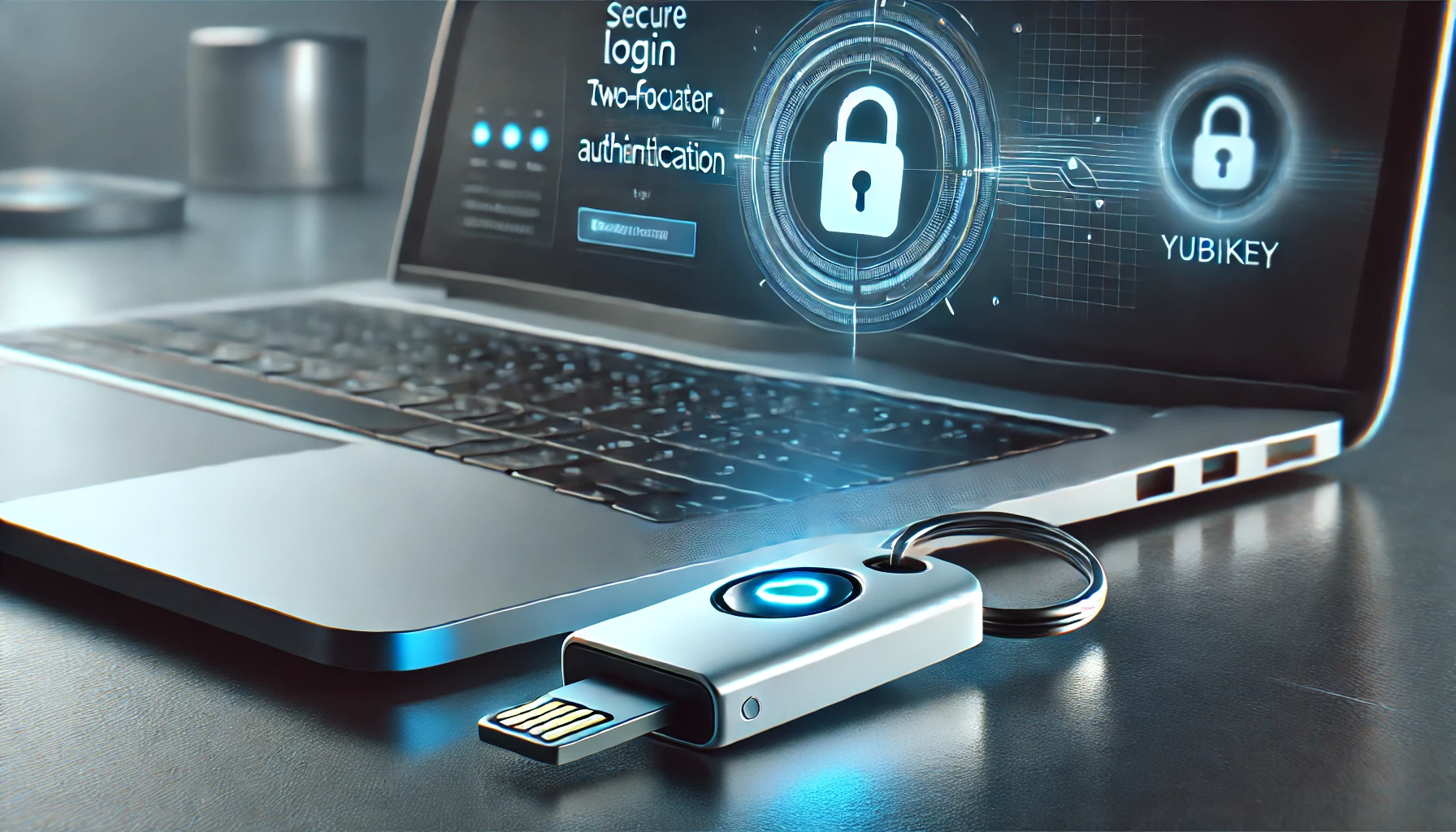
YubiKey has long been a go-to for secure logins, but with the recent discovery of a vulnerability called EUCLEAK, some people are starting to wonder if their trusty key is still doing its job. So, is it time to freak out? Not quite. Let’s get into the details.

What is EUCLEAK?

EUCLEAK is a vulnerability found in some YubiKey models, specifically in their cryptographic library. If someone has physical access to your YubiKey, they could theoretically extract its private key and create a clone. Sounds worrying, but there’s more to the story.

How Hard is this to Actually Pull Off?

Here’s the thing: exploiting this vulnerability isn’t as simple as someone snatching your key and hacking away. To clone your YubiKey, an attacker would need:

  1. Physical access to your YubiKey.
  2. Disassemble the device (yes, physically open it up).
  3. Use extremely expensive, specialised equipment—think £10,000 or more—to capture the electromagnetic signals the device emits during authentication.
  4. Reconstruct your private cryptographic key from those signals, which requires advanced cryptographic knowledge.

In other words, this isn’t something any old hacker can pull off. We’re talking serious investment in time, equipment, and expertise. This is more of a high-stakes, government-level attack scenario, not your run-of-the-mill cybercriminal.

Who’s Affected?

The vulnerability primarily affects YubiKey 5 Series devices with firmware older than version 5.7.0. If you’ve got a newer YubiKey or have updated your device recently, you’re safe. Yubico, the company behind YubiKey, has already addressed the issue with a firmware update that switches to a more secure cryptographic library.

Here’s the breakdown:

  • Firmware 5.7.0 or newer: No need to worry, you’re protected.
  • Firmware older than 5.7.0: There’s a theoretical risk, but it requires a lot of effort and expertise to exploit.

Should You Panic and Throw Out Your YubiKey?

Definitely not. Here’s why:

  1. The attack is highly specialised and expensive: The attacker needs physical access to your key, along with some very costly equipment and a lot of know-how.
  2. It’s a targeted attack: This isn’t something you’re going to run into unless you’re the subject of some very determined espionage.
  3. Newer YubiKeys are safe: If your YubiKey has the latest firmware, it’s already protected.

What If I’m Still Worried?

If you’re feeling uneasy about the potential risk, the simplest solution is to get a newer YubiKey. The latest versions, with firmware 5.7.0 and above, have already fixed the vulnerability. Upgrading to a new YubiKey will give you peace of mind without the need for any complicated workarounds.

What Should You Do?

  • Check your firmware: If you’re using a YubiKey with old firmware, consider upgrading.
  • Get a new YubiKey: If your device is running anything older than 5.7.0 and you’re concerned, just grab a new one. Problem solved.
  • Keep your key secure: As always, don’t leave your YubiKey lying around. Physical access is the only way this attack can even begin.

Final Thoughts

Is your YubiKey still safe? Absolutely, especially if you’ve got a newer model. Even if you’re using an older version, the chances of someone pulling off this attack are incredibly slim—unless you’re worried about being targeted by someone with a lot of resources and time on their hands.

If you’re still feeling anxious, just grab a newer YubiKey, update the firmware, and carry on knowing your accounts are as safe as ever.

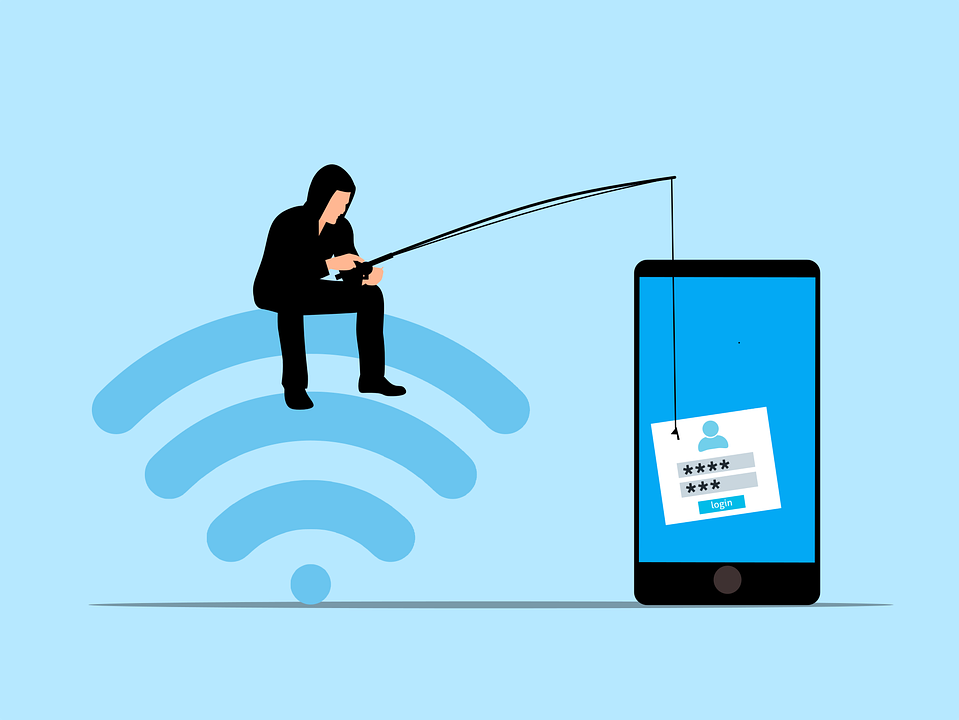
Phishing has always been a threat. Now, with AI, it’s more dangerous than ever. Phishing 2.0 is here. It’s smarter, more convincing, and harder to detect. Understanding this new threat is crucial. 

A recent study found a 60% increase in AI-driven phishing attacks. This is a wake-up call that phishing is only getting worse. Here’s how AI is amplifying phishing and what you can do to protect yourself.

The Evolution of Phishing

Phishing began simply. Attackers sent out mass emails. They hoped someone would take the bait. The emails were often crude, using poor grammar and obvious lies were common. Many people could spot them easily.

But things have changed. Attackers now use AI to improve their tactics. AI helps them craft convincing messages. It also helps them target specific individuals. This makes phishing more effective.

How AI Enhances Phishing

Creating Realistic Messages

AI can analyze huge amounts of data. It studies how people write and speak. This helps it create realistic phishing messages. These messages sound like they come from a real person. They mimic the tone and style of legitimate communications. This makes them harder to spot.

Personalized Attacks

AI can gather information from social media and other sources. It uses this information to create personalized messages. These messages mention details about your life. They might reference your job, hobbies, or recent activities. This personalization increases the chances that you’ll believe the message is real.

Spear Phishing

Spear phishing targets specific individuals or organizations. It’s more sophisticated than regular phishing. AI makes spear phishing even more dangerous. It helps attackers research their targets in depth. They can craft highly tailored messages. These messages are hard to distinguish from legitimate ones.

Automated Phishing

AI automates many aspects of phishing. It can send out thousands of phishing messages quickly. It can also adapt messages based on responses. If someone clicks a link but doesn’t enter information, AI can send a follow-up email. This persistence increases the likelihood of success.

Deepfake Technology

Deepfakes use AI to create realistic fake videos and audio. Attackers can use deepfakes in phishing attacks. For example, they might create a video of a CEO asking for sensitive information. This adds a new layer of deception. It makes phishing even more convincing.

The Impact of AI-Enhanced Phishing

Increased Success Rates

AI makes phishing more effective. More people fall for these sophisticated attacks. This leads to more data breaches. Companies lose money. Individuals face identity theft and other issues.

Harder to Detect

Traditional phishing detection methods struggle against AI-enhanced attacks. Spam filters may not catch them. Employees may not recognize them as threats. This makes it easier for attackers to succeed.

Greater Damage

AI-enhanced phishing can cause more damage. Personalized attacks can lead to significant data breaches. Attackers can gain access to sensitive information. They can also disrupt operations. The consequences can be severe.

How to Protect Yourself

Be Skeptical

Always be skeptical of unsolicited messages. Even if they appear to come from a trusted source. Verify the sender’s identity. Don’t click on links or download attachments from unknown sources.

Check for Red Flags

Look for red flags in emails. These might include generic greetings, urgent language, or requests for sensitive information. Be cautious if the email seems too good to be true.

Use Multi-Factor Authentication (MFA)

MFA adds an extra layer of security. Even if an attacker gets your password, they’ll need another form of verification. This makes it harder for them to access your accounts.

Educate Yourself and Others

Education is key. Learn about phishing tactics. Stay informed about the latest threats. Share this knowledge with others. Training can help people recognize and avoid phishing attacks.

Verify Requests for Sensitive Information

Never provide sensitive information via email. If you receive a request, verify it through a separate communication channel. Contact the person directly using a known phone number or email address.

Use Advanced Security Tools

Invest in advanced security tools. Anti-phishing software can help detect and block phishing attempts. Email filters can screen out suspicious messages. Keep your security software up to date.

Report Phishing Attempts

Report phishing attempts to your IT team or email provider. This helps them improve their security measures. It also helps protect others from similar attacks.

Enable Email Authentication Protocols

Email authentication protocols like SPF, DKIM, and DMARC help protect against email spoofing. Ensure these protocols are enabled for your domain. This adds an extra layer of security to your emails.

Regular Security Audits

Conduct regular security audits. This helps identify vulnerabilities in your systems. Addressing these vulnerabilities can prevent phishing attacks.

Need Help with Safeguards Against Phishing 2.0?

Phishing 2.0 is a serious threat. AI amplifies the danger, making attacks more convincing and harder to detect. Have you had an email security review lately? Maybe it’s time.

Contact us today to schedule a chat about phishing safety.

Featured Image Credit

This Article has been Republished with Permission from The Technology Press.