Working from your computer or smartphone is convenient, but it can also be distracting. To maintain productivity, you should install effective Google Chrome Extensions. 

Google Chrome is arguably the most popular browser on the planet. It’s best known for allowing faster loading of websites, optimized performance, and an intuitive interface. As a result, it can help your team complete their daily duties much faster. 

However, it raises the same concern as other browsers – ample room for distractions. 

Your team members can easily switch to YouTube videos or social media, lowering their productivity. And it can often get out of hand, preventing your staff from meeting deadlines and reducing customer satisfaction. 

That said, you can help your employees get back on track and maintain productivity. All you need to do is incorporate practical extensions into your browser. 

This article will list the 12 best Google Chrome extensions that can help increase office productivity in your business.

The 12 Extensions

Extension #1 – BlockSite

BlockSite can enable your team to stay focused by blocking harmful or distracting websites. This extension is perfect for team members who tend to drift away due to all the online activities that seek their attention. 

Some of the web pages you can block access to with BlockSite include social media platforms like Facebook, Twitter, and Instagram. But if you don’t wish to block them completely, you can limit access to them during breaks. 

Extension #2 – AdBlock

AdBlock is one of the most widely used extensions for Google Chrome. More than 10 million users rely on it to remove most ads by preventing them from showing up on their screens. 

It can also help your team avoid malware-ridden ads, improving their experience in turn by increasing browsing speed.

Extension #3 – LastPass

Remembering your passwords can be extremely challenging. Thankfully, LastPass can provide an efficient solution. 

LastPass is an effective alternative to your browser’s built-in password manager, generating new passphrases whenever you log into a web page. 

In addition, the extension can synchronize passwords across various devices, providing easy access to accounts, credit cards, and form filling. 

Extension #4 – Evernote Web Clipper
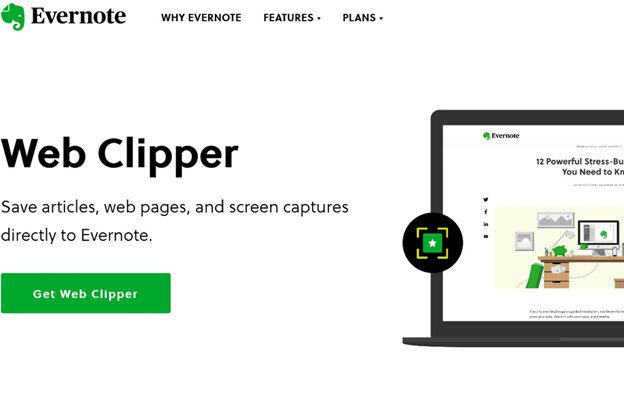
Although Chrome has a convenient bookmark feature, Evernote might be even more powerful. You can use Evernote Web Clipper to save your internet content for later viewing.

This extension enables you to easily save your web content and transfer it to your account. With just a few clicks, you can obtain images from any website, create summary links, save a distraction-free version of web pages, and make annotations. 

Extension #5 – Pocket

Another effective way to track your online content is through Pocket. This extension can also let you save articles, web pages, and videos for later use. 

Whenever you come across interesting content, hit your Pocket extension and you’ll automatically save it on all your devices. You’ll then be able to access it whenever you want, even if you’re offline. 

Extension #6 – Momentum

Momentum isn’t a standard extension. Rather, it’s a custom-made page to replace your default landing page. 

It has a robust, personalized dashboard with a beautiful scenic background, inspirational quotes, weather reports, widgets to favorite sites, and to-do lists. Therefore, it doesn’t just help enhance productivity – it can also motivate your team members to keep grinding. 

Extension #7 – Google Keep

Google Keep is a powerful extension that can allow your team to organize their data neatly. Its primary purpose is to help users create to-do lists and take notes. It also works great for saving pages, images and adding notes to them. Plus, it can make voice memos to simplify notetaking. 

To further improve note organization, users can market them with colors and labels. This way, there’s no time wasted when looking for crucial notes.

Extension #8 – Clockify Time Tracker

Monitoring workplace performance is critical, and Clockify Time Tracker is the ideal extension for this. 

As the name suggests, it tracks time spent on specific activities. Your staff can later use the results to analyze their productivity levels and determine their weaknesses. 

The extension lets users schedule break intervals, operate in pre-set work periods, detect idle time, set reminders, and integrate with more than 50 business apps. 

Extension #9 – StayFocused

If you want your team to stay away from distracting websites but don’t want to remove them altogether, StayFocused may be the answer. 

This extension can help your employees avoid distractions by limiting the time they can spend on them. 

What’s more, StayFocusd comes with a handy Nuclear Option. It sets the time during which your team can’t access certain websites. Once you activate this option, there’s no way to deactivate it until the time expires. 

Extension #10 – Noisli

The main purpose of Noisli is to enhance your team’s productivity. It allows you to select the sound combination your staff finds most inspiring. This can include falling rain, storms, wood noises, wind, crickets, fire crackling, and coffee shop chatter. 

Noisli can be particularly useful if your team works in open offices where background noises often cause distractions. 

Extension #11 – Hypercontext

Hypercontext is an extension that can help teams maintain high performance by combining engagement measures, quarterly priorities, and weekly meetings. 

The platform enables you to create collaborative, one-on-one meetings, access conversations starters, and elicit feedback from each team member. You also get a feature that can help limit social media distractions and encourage your staff to prepare for their meeting. 

Extension #12 – Todoist

Todoist is a straightforward yet helpful task manager. It can help users monitor their projects and tasks by delegating or organizing them from your browser. 

This extension is a terrific option for tracking multiple deadlines. After all, it can set due dates and help you prioritize specific tasks accordingly. 

Take Your Productivity to New Heights with Google Chrome

Streamlining office productivity isn’t just about providing your team with cutting-edge computers and advanced software. It also has to do with installing appropriate extensions on your web browser. 

We’ve given you many options for Google Chrome with this article. It’s now up to you to decide which ones work best for your company. Remember that by incorporating them into your business, your workforce should become more efficient. 

Give us a call if you want to find out other tips to help boost employee productivity. We can have a non-salesy chat about it.


Featured Image Credit

This Article has been Republished with Permission from .

Is your team also using their Android mobile devices to do their tasks? Incorporating an Android suite of apps into your workplace can dramatically improve productivity.  

Many organizations opt for Android to take their office productivity to the next level. After all, they can provide higher flexibility, better workflows, and efficient communication. 

All sectors in your business can even benefit from a high-quality suite of Android apps. 

For instance, your account representative can use an app to update client information while on sales calls instead of making notes and submitting the information later. This can save a lot of time and can reduce errors that can occur due to extra steps. 

Another great thing about these apps is that they help reduce paperwork. Your team won’t have to wait until they go back to the office to fax, print documents, and maintain hard-copy files. They can perform these tasks on the go with less effort, all while also lowering ink, power, and paper consumption. 

Numerous companies have gained a lot from using Android apps on their team’s devices, and you can reap the benefits, too. You just need to integrate a powerful yet intuitive suite of apps. 

To help you do so, this article will detail the three best Android app suites for boosting office productivity. 

The Three Apps

App #1 – Microsoft 365

Unlike Microsoft Office (a one-time purchase), Microsoft 365 is a subscription service. With Microsoft 365, you don’t have to worry about paying full price when a new update rolls out. 

Subscribers automatically gain access to new features, security updates, and tech support (at no additional cost). These can all be accessed through multiple PCs, tablets, smartphones, and Mac devices. 

How many devices exactly? This depends on which Microsoft 365 plan you subscribe to. There are currently 4 business plans and 4 enterprise plans, so you can always tailor your subscription to optimise your return on investment. 

Microsoft 365 is probably best described as a productivity hub. It provides much more than convenient access to the Office desktop apps that most people are familiar with: Word, Excel, Outlook, and PowerPoint. 

Subscribers also gain access to a holistic suite of productivity-boosting features:

  • Inbuilt professional email and calendaring
  • Store and share files from multiple devices, with 1 TB of online storage per user.
  • Collaboration tools: Microsoft 365 Groups, Yammer, and Microsoft Teams
  • Advanced security and device management: Microsoft 365 Defender

You can also consider pairing Microsoft 365 with other productivity tools like Windows 365 (aka “Cloud PC”) and Windows Analytics.

There is also the option of integrating third-party apps with Microsoft 365 In September 2021, Microsoft unveiled third-party integration options for Salesforce and Atlassian’s Confluence Cloud. They join other popular third-party apps like Slack, Mailchimp, Trello, and Evernote. 

App #2 – Google Workspace

Google Workspace (formerly G Suite) is probably Microsoft 365’s main competitor. Subscribers gain access to a suite of communication and collaboration apps.

These include worldwide favourites like Gmail, Gdrive, Google Meet, and Calendar, as well as Google Docs, Sheets, Slides, Forms, Sites, and more. 

Google offers three business plans (Business Starter, Standard, and Plus) and one Enterprise plan (with custom pricing). Since you subscribe to Google Workspace on a monthly basis, there is more flexibility here. You can easily change from one plan to another each month if your business changes considerably over time. Furthermore, all Google Workspace plans feature a free 14-day trial. This is probably the best way to discover if a particular plan is worth the monthly price tag.

It is worth noting, however, that Google Workspace’s entry-level plan (Business Basic) only comes with a measly 30GB of storage per user. (Microsoft 365’s equivalent offers 1TB). Google Workspace’s Business Standard and Business Plus plans are nevertheless very competitive as far as storage is concerned. And both Microsoft 365 and Google Workspace allow you to buy more storage on a per-user basis if you exceed your current quota. 

If your business needs specific apps that go beyond Google Workspace’s core and supporting apps, you can head over to The Google Workspace Marketplace. This directory of third-party apps contains hundreds of additional apps that are compatible with Google Workspace. For example, Dropbox, Trello, HelloSign, and MindMeister.  

App #3 – WPS Office

WPS Office can be a huge boon in your workplace, supporting nearly 50 languages. It’s free to install and consists of Spreadsheet, Presentation, and Writer. You can also purchase more features.

Unlike the other apps, WPS Office can even convert PDF to WPS and read Adobe files. This app supports several file types, including HTML, TXT, PPTX, DOT, RTF, and DOC. All documents are compatible with Google Docs and Microsoft Office. 

Furthermore, WPS Writer lets you securely store your documents with passwords. You can also edit your files without the risk of data loss due to the auto-save feature. Additionally, the app comes with a spell checker, comments, and it can track changes.

That said, WPS Writer might be the strongest app for boosting office productivity on the Android platform.

Optimize Your Workplace With Cutting-Edge Android Apps

While all three suites are an excellent choice for Android users, Microsoft 365 might be your best bet. 

It delivers the tools necessary for fruitful collaboration, including Word, Excel, Outlook, and PowerPoint. The ongoing customer support is admirable, too, meaning you can overcome setbacks quickly. With that said, it is always best to carefully consider all your options before committing to a productivity suite for the long run. 

Whichever app suite you choose, it is evident that addressing workplace productivity is pivotal. The trend towards digitisation has influenced even the most sceptical and change-resistant.

Furthermore, the COVID-19 pandemic has accelerated the adoption of remote and hybrid working across multiple industries and countries. While everyone is undoubtedly looking forward to a post-pandemic future where the virus has finally been vanquished, it is evident that a new paradigm of work, management, and productivity will also be at hand. 

If you wish to increase your business’s productivity and profitability, give us a call today. We can have a non-salesy chat to work out how we can be of help. 


Featured Image Credit

This Article has been Republished with Permission from .

Online reputation can make or break your chances of landing and retaining clients. That’s why managing this aspect in your business is critical.

Your store, whether brick-and-mortar or online, looks great. And your product or service may have struck a chord with the target audience. So, you might think there’s not much more you can do to optimize your business.

But you’re forgetting a crucial aspect – online reputation management. 

This is essential for many reasons. 

Primarily, most customers investigate your business’s online presence to decide whether they want to purchase your offerings. They check your reviews and social media posts, and anything negative that comes up can put them off your offerings. 

With several bad reviews, your online reputation diminishes, and people are less inclined to work with you. Thankfully, effective management can help you get back on track. 

This article will share eight tips on how you can improve your online reputation management (ORM).

The Eight Tips

Tip #1 – Modify Your Social Media Policy

The most important part of enhancing your online reputation is to build and follow effective social media policies in your business. They’ll determine how your company interacts online with your customers. 

There are a few things to remember when establishing and maintaining your policies. 

In particular, don’t let your staff members freely post whatever they want, especially if the information has to do with your organization. Besides keeping your reputation intact, this also helps eliminate liability concerns. 

Instead, create a stringent pre-approval procedure for your business content. Instruct your team members to label their work as “Personal” whenever necessary. 

In addition, you should never share sensitive data in public. This applies to your client, legal, and financial information. 

Tip #2 – Keep Track of Your Social Media Presence

Once you’ve modified your social media policy, you need to gauge the audience’s response. 

Twitter, Facebook, and LinkedIn are three of the most popular platforms you should focus on. Regularly search your brand or product on each social media to determine what users are saying about your organization. 

In doing so, you can diagnose and solve problems more easily. You can also gain invaluable insight into client sentiment towards your brand. 

Make sure to examine all relevant networks and not just the platforms you’re actively using. 

Tip #3 – Respond to Inquiries Promptly

People expect companies with an online presence to interact with them. That’s why when clients contact you through social media, you should respond to their queries quickly. 

Even if you can’t solve their problem immediately, be sure to acknowledge it. 

Furthermore, engage with customers who leave comments on your post. It can help foster strong relationships with your target audience. 

Tip #4 – Ask For Reviews

Online reviews are a powerful tool for polishing your ORM. So, if your customers are happy with you, ask them to describe their experience with reviews. 

If your customer base is large, you can set up email marketing campaigns to encourage your clients to post reviews. But if the strategy isn’t fruitful, try to improve it by incentivizing people with competitions or giveaways. 

In terms of the platforms you should use for reviews, Yelp and Google might be your best solution. They can also help you rank higher in search results, increasing your trustworthiness. 

Tip #5 – Promote Transparency

Transparency is key to building trust. Since anyone can track down your previous online statements, trying to cover them up can result in severe backlash. 

Therefore, practice honest marketing and communication online. Acknowledge your mistakes and try to make up for them. 

On top of that, don’t hide or delete negative comments. Apologize for any inconveniences and offer a solution. 

You should also avoid leaving fake reviews on the websites of your competitors to undermine their credibility. Apart from ethical issues, it can be a total waste of time. Google and other influential websites have powerful algorithms that can weed out fake customer feedback. Hence, posting them to present your business as superior usually comes to nothing. 

Instead, focus on streamlining your products or services to encourage authentic reviews. They can go a long way in boosting your online reputation. 

Tip #6 – Keep It Neutral

Letting your emotions dictate your online content is one of the biggest mistakes you can make when managing your online presence. 

Discussing politics, religion, and other controversial topics can lose you a lot of customers. Unless they play a pivotal role in your business, avoid mentioning them. 

Remember, your goal is to appeal to broader audiences. So, keep your tone neutral.

Tip #7 – Don’t Ignore or Respond Aggressively to Criticism

Negative feedback is painful. They might either offend you and make you want to ignore what was said or start a fight with the customer. However, both actions are ill-advised. 

Ignoring negative comments seems like you’re not taking client issues seriously. Irate customers can even post their complaints on various platforms. Since those platforms can reach millions of people, it can do a lot of harm to your online reputation. 

The same goes for aggressive responses. That’s why rather than sending angry emails or abusive rants to defend yourself, reply to your clients promptly and address their issues as well as you can.

Tip #8 – Consistently Post High-Quality Content 

Building and maintaining an admirable online reputation requires consistency. Remember, your customers follow your page because they expect you to post engaging content regularly. 

That’s why updating your social media with five posts one day and going silent for the next couple of weeks isn’t welcome. Establishing a clear routine is much more favorable. 

Moreover, be sure your content is valuable and niche-specific by using stronger headlines and appropriate keywords. They can help you rank higher on Google, generating greater engagement and additional traffic. 

Don’t Let Your Online Reputation Fend For Itself

Assuming your company doesn’t need ORM is one of the most serious mistakes you can make as a business leader. 

Your reviews might be positive today, but this doesn’t mean they’ll be positive tomorrow. It can change instantly if you neglect your social media presence. 

To avoid this scenario, adopt the most useful ORM practices. 

If you need help in ensuring your ORM is top-notch, reach out to us for a quick, obligation-free chat. Find out how we can be of help in ensuring your business has a great online reputation.


Featured Image Credit

This Article has been Republished with Permission from .

The reality is, mobile devices are less safe than desktop computers. Boosting security on such devices is essential if you use them in business. 

Technological breakthroughs have streamlined your operations in several ways. Primarily, you can now use mobile devices to make your communication and data sharing more convenient.

But this technological advancement also means that information on your team members’ mobile devices is no longer limited to just phone numbers and contacts. They now contain much more significant data, such as emails, passwords, and other account details. 

That’s why keeping those mobile devices secure is key to shielding your reputation and minimising the risk of losing money. 

Unfortunately, the protection of tablets and smartphones against cyberattacks isn’t as robust as that of desktops and laptops. Anti-malware applications may be present, but they’re not as powerful as their computer counterparts. In addition, many devices don’t support certain measures and applications that companies develop to enhance business security. 

Fortunately, you can still implement robust safety measures to protect your smartphones and tablets. 

This article will cover the nine best practices in improving cybersecurity on mobile devices.

The Nine Practices

Practice #1 – Establish a Sound Security Policy

Before issuing tablets or smartphones to your teams, create an effective usage policy. Define rules about acceptable use and determine the penalties for violating them. 

Your employees must be aware of the security risks and measures that can help them reduce the risks. They should know that they are the first line of defense against cybercrime. 

Furthermore, be sure to develop a BYOD (Bring Your Own Device) policy if you permit your team to use a personal device for business. Your company policy can include the following: 

  • Requirements for the installation and remote software wiping on any personal device that stores or accesses company data
  • Employee training and education on safeguarding company information when using wireless networks on their mobile devices
  • Data protection methods that include automatic locking or other security measures applicable after long inactivity periods
  • Protocols for lost and stolen devices 
  • The use of security software and antivirus platforms 
  • Backup requirements 

Practice #2 – Ensure the Operating System Is Up To Date

Updating Android and iOS operating systems improve overall user experience, but their most significant role is in addressing security vulnerabilities. 

Therefore, install updates as soon as the developer rolls them out to reduce exposure to cybersecurity threats. Delaying it may give criminals enough time to attack your weaknesses and take advantage of outdated operating systems.

Practice #3 – Enable Password Protection

A complex password or PIN can help prevent cybercriminals from accessing mobile devices. Besides using alphanumeric combinations, you can also use facial or fingerprint recognition, depending on what suits your employees. 

If you opt for digits and letters, don’t share the combination with people outside your company. On top of that, be sure that your staff doesn’t store them on their phones. Unmarked folders and physical wallets are a much safer option.

Practice #4 – Install Business Programs Only

Lenient download policies can allow your team members to install non-business apps. Downloading such apps might seem harmless, but they are also infamous for their harmful advertising codes and many other threats. 

To mitigate this risk, tell your employees they can only download and use apps necessary for their roles. 

Practice #5 – Avoid Public Wi-Fi Connections

Your team may need to use public Wi-Fi networks in emergencies to send crucial emails or schedule a meeting. However, connecting to such networks can expose confidential company information to cybercriminals using the same network. 

The easiest way to minimise this risk is to provide a high-quality internet plan that features roaming services for your remote workers. 

But if there’s no way to avoid public Wi-Fi connections, a reputable virtual private network (VPN) or secure global network (SGN) may do the trick. It can help shield your data by creating direct, secure links from your location to the intended website. 

Practice #6 – Leverage Phone Tracking

Losing company-issued mobile devices is unfortunate, but it’s not the end of the world. 

Enabling Android Phone Tracker, Find My Phone on iOS, or other device-tracking software can help locate your lost smartphones. Some programs also enable you to remove data on your stolen devices remotely. 

Installing these apps takes a couple of minutes and gives you much-needed peace of mind. With it, even if your staff loses their mobile device, cybercriminals are less likely to get their hands on the content. 

Practice #7 – Incorporate MDM (Mobile Device Management Software)

For even more security, you may want to integrate with reliable MDM. It’s an excellent way to separate personal and business information while allowing your team members to set up robust security measures on their devices. 

In most cases, cloud-based software is the most affordable, flexible, and manageable type of MDM. Many platforms let you check out device information, update and manage apps, configure your devices, create usage restrictions, and remove content remotely. 

If possible, implement MDM software that enforces security measures across all devices. As previously mentioned, this can include data encryption, strong passwords, and setting up containers to separate personal information from enterprise data.

Practice #8 – Screen Messages Carefully

Cybercriminals frequently employ SMS phishing to trick your team into clicking dangerous links. They pose as someone credible, asking your staff to share confidential information. 

If your employees encounter such messages, they should delete them or alert the IT department. Another great idea is to avoid opening the SMS and block the sender. 

Practice #9 – Blocking and Whitelisting

Many threats can compromise your company due to employee errors. For example, a team member may not realize they’re downloading a malicious app that allows thieves to steal data from their mobile devices. 

Blocking and whitelisting can enable you to protect your employees from these risks by determining which sites and apps are safe. 

On one hand, blocking certain applications can give your IT department peace of mind and alert them when someone tries to access those applications.

On the other hand, whitelists can work great for highlighting the tools your team should prioritize over social media and games.

Don’t Drop Your Guard

Securing your desktop computers and laptops only is a disaster waiting to happen. 

Your employees may still use their mobile devices to send emails and share sensitive information. That’s why shielding them from cybercriminals should be your top priority. 

So, develop a strict usage policy and follow other recommended practices to make your team’s smartphones and tablets virtually impervious to data theft. 

Get in touch with us today for even more cybersecurity tips. We can schedule a non-salesy chat to help you identify and address any potential security risks.


Featured Image Credit

This Article has been Republished with Permission from .

Skilled hackers can easily access your system and steal precious business information. Upgrading your cybersecurity can help address this problem.

Taking your cybersecurity seriously is a must. Otherwise, you leave the door open for criminals to compromise your business’s privacy and cause legal troubles. 

Now, you might think that cybercriminals only target large companies due to more resources. But that’s not the case. 

Whether you’re a small or medium-sized organization, you have a large amount of sensitive data that hackers can utilize. If it ends up in the wrong hands, your reputation can be in shambles, and you may lose access to invaluable information.

The good news is that every business leader can prevent this scenario. And the best way to do so is to take cybersecurity measures to the next level. 

This article will share the 13 most effective strategies for making your cybersecurity disaster-proof. 


The 13 Strategies

Strategy #1 – Upgrade Cloud Security

Data cloud storage is cost-effective and convenient, but that doesn’t mean you should use just any platform. 

Look for the most secure ones that prioritize safety features. Some of your best options include Icedrive, pCloud, and Sync.com.

Strategy #2 – Secure Each Part of Your Network

Mobile devices, computers, and laptops connected to your network can be ideal entry points for hackers. Safeguarding these devices with decisive authentication measures is a great way to prevent cyberattacks. 

You can benefit from having strong Wi-Fi and device passwords. They limit access and help ensure only your team members can enter your system. 

Here are a few guidelines for creating strong yet convenient passwords: 

  • Don’t go overboard while mixing letters, symbols, numbers, and upper-case characters. Instead, come up with something simpler, but it should still have a minimum of eight characters. 
  • Choose something you can easily memorize. 
  • Never leave your password hints publicly available. 
  • Reset your passwords whenever you forget them. In addition, change them once a year to keep things fresh.

Strategy #3 – Use Anti-Fraud Services for Card Payments

Seek advice from banks or your payment processor on selecting trustworthy, validated, and anti-fraud services. Besides protecting your information, they can also shield the data of your clients to help preserve your reputation. 

Strategy #4 – Incorporate Additional Security Measures 

Regardless of the number of your security measures, you can always consider adding more. 

Antivirus protection is a must and is the most common tool to combat cyberattacks. It can block malware from compromising your devices and data. Look for programs from reliable providers and only use one antivirus app per device. 

Investing in firewall protection is another great idea if you want to safeguard your business against hackers. They can screen out viruses and other harmful activities on the internet and determine the traffic that can enter your devices. 

That said, Mac OS X and Windows devices have their own firewalls, named Mac Firewall and Windows Firewall, respectively. But besides your computer, you may also want to set up a firewall on your router to minimize security threats. 

Finally, don’t forget about using virtual private networks (VPNs). They can stop web browsers, software, and people from accessing your connection, keeping the data you send and receive anonymous.

Strategy #5 – Don’t Ignore Upgrades and Updates

After receiving notifications that your technological tools need an update, you might consider ignoring it. However, this can be a huge mistake since outdated systems are more susceptible to hacking. 

To prevent this, regularly upgrade and update your devices and software. It can bolster their defenses against cyberattacks. 

Strategy #6 – Develop Sound Protocols With Your Customers and Suppliers 

Securing your communication and data sharing with suppliers and new clients is also paramount. If possible, only use direct contact channels via trustworthy personnel. Moreover, insist on codewords to denote changes in payments, terms, and other key details. 

To further lower the risk of data theft through suppliers and clients, vet each person before granting them access to your system.

Strategy #7 – Back Up Your Data

Ransomware attacks are a common form of hacking. It involves cybercriminals holding your business hostage by restricting your access to your data until they receive a ransom. 

To eliminate this concern, store your company information on multiple platforms and networks. Backing up your data can prevent your organization from crumbling due to inaccessibility.

Strategy #8 – Only Use Approved Devices and Connections

Remote work is becoming more popular than ever. Although it’s helped enterprises lower costs, it’s also increased security risks. In particular, your employees might be using their own devices or networks that aren’t secure. These are ideal gateways for thieves to steal your information. 

You can address this problem by rolling out your company mobile devices and allowing your team members to only work from them. 

Strategy #9 – Buy Similar Domains

Purchasing similar domains is an effective way to boost your cybersecurity. It can lower the risk of receiving emails with malicious attachments from spoofed addresses and links to spoofed websites. 

Strategy #10 – Train Your Team

A huge number of cyberattacks take place because of employee ignorance. Some employees often click on suspicious emails and fall for phishing schemes or share their passwords without any second thoughts. 

Hence, minimizing human error is a must. 

Set up phishing campaigns and simulations so you can prepare your team for potential security breaches.

Strategy #11 – Restrict Employee Access

Not all cyberattacks originate from outside your company – they can also come from within. 

To reduce the damage someone from your enterprise can inflict with hacking, restrict employee access to only some sections of your system. 

Strategy #12 – Foster a Culture of Security in Your Workplace

Cyber security should be the number one priority in all your departments and not just your IT provider. With everyone working together to shield their workplace from attacks, you’re much more likely to preserve your data. 

Strategy #13 – Regularly Check for Vulnerabilities

You don’t want to be idle after implementing all these defense mechanisms. Instead, conduct regular audits to identify weaknesses of your business’s cybersecurity. Doing so can help ensure that you patch up your vulnerabilities and upgrade your security system.

Keep Hackers at Bay

Enhancing your cybersecurity is a multifaceted procedure. It encompasses all parts of your system and numerous activities, such as incorporating software and backing up your data. 

This makes the process highly complex. 

If you need help in ensuring your cybersecurity is as effective as possible, contact us for a quick 10-15-minute, obligation-free chat. Let’s talk about how we can help you improve your cybersecurity and keep threats at bay. 


Featured Image Credit


This Article has been Republished with Permission from .
Public networks expose your business to security threats. Switching to a VPN can greatly help in reducing those threats.

Many companies rely on public networks for communication and data sharing. It allows them to cut costs and allocate their funds elsewhere. 

However, it also raises several security issues. 

For starters, the network provider might be monitoring the activity, which gives them access to customer details, emails, and critical files. As a result, sensitive information can end up in the wrong hands, compromising the organization’s reputation. 

Another potential consequence is losing access to bank accounts, credit cards, and invaluable resources. These issues can lead to huge losses for any business.

Your business might be facing the same risk whenever a team member connects to a public network. 

To eliminate it, you need to switch to a virtual private network (VPN) or secure global network (SGN). Both offer online anonymity and privacy, enabling you to conduct your operations away from prying eyes. 

Still, you can’t go for just any VPN or SGN. This article features the 10 factors to consider when choosing the right one.

The 10 Factors

Factor #1 – Location

The location of your VPN or SGN servers is essential for a few reasons. 

For example, the greater the distance between your server and your business, the higher the chances of facing latency issues. That’s why to ensure a seamless surfing experience, stick to the nearest server available. 

Furthermore, you can also consider a VPN or SGN from the same place as the content your team needs to access to overcome geographic restrictions. If your work requires research from the UK, for example, find servers from that country. 

Factor #2 – Price

Using free VPNs or SGNs might be tempting, but they deliver a lackluster experience. To start with, they can log you out of internet activities and are often chock-full of disruptive ads. 

You’re much better off investing in a paid platform. They come with various robust features, a larger number of servers, and configurations to bolster your security. 

Factor #3 – Device Compatibility

Another detail you should consider is the compatibility of your VPN or SGN. 

In most cases, you need software that can work with several devices, such as your smartphone, laptop, and tablet. Otherwise, cross-platform work will suffer. 

Factor #4 – Capacity

Before choosing your VPN or SGN, make sure to determine the amount of data you can use. That means if your operations warrant tons of online resources, you should pick a solution that supports considerable data allocation. 

Moreover, check the number of online servers. The higher the number, the more efficiently your platform can support resource-intensive tasks. 

Factor #5 – Protocol Support 

Protocols are rules that stipulate connections between the client (software on your device) and the server. 

There are different protocols, but the most widely used ones include PPTP, OpenVPN, IPSec, SSL, SSH, and SSTP. Each offers varying speeds and levels of security, both of which are vital to your company. 

For instance, OpenVPN is an open-source protocol and one of the safest options for enterprises. It runs on 256-bit encryption keys and advanced ciphers, offering robust protection against cyberattacks. Plus, it features excellent firewall compatibility.

Factor #6 – Data Logging Policies

VPNs and SGNs log user data to streamline customer support and limit available connections. However, you need to consider what information they’re logging. 

In most cases, this includes session times and IP addresses. But some providers can also log your software, downloaded files, and web pages you visit. 

When looking for a suitable VPN or SGN, be sure to read the data logging policy to determine the information the app will store. You should also verify the company is transparent; if someone tries to deceive you, turn down their offer.

Factor #7 – Availability of a Kill Switch

No cybersecurity measure is fail proof – VPNs and SGNs are no exception. Overloaded platforms can trigger IP leaks, interrupting your private connection and exposing your true address when online. 

To avoid this scenario, look for platforms with a built-in kill switch. It disrupts your devices’ access to the internet in case of IP leaks. The kill switch stops transfers of unencrypted information and can help prevent cybercriminals from obtaining your data. 

Factor #8 – Updates

Your VPN or SGN provider needs to roll out regular updates to ensure you can perform your operations safely and efficiently. 

If they don’t openly specify the update frequency on their webpage, find out when the last update was on your app store. It should give you a clue on how frequently the updates get sent out.

Factor #9 – Centralized Management

Centralized management enables you to control VPN or SGN distribution more easily, allowing you to manage access permissions and user accounts. Some of the best apps even feature gateway or role-based access management. It permits users to access only those segments of the network they need to perform their jobs. 

Another important consideration here is control from your console. IT administrators should have permission to open and delete accounts as well as check the devices linked to the platform. 

Lastly, your organization might benefit from VPNs or SGNs with IP whitelisting. They allow administrators to approve the IP addresses of your enterprise to ensure only members with a verified IP can use corporate resources. This feature provides granular control over network accessibility. 

Factor #10 – Customer Support

Customer support might be the most significant factor. Your provider should be easy to contact through different portals, such as telephone, live chat, and email. 

Easy accessibility lets you inform the VPN or SGN developer about various issues. For instance, they can help restore your network if it goes down and prevents unwanted exposure. 

Most client support teams are highly accessible, but make sure to verify this by reading customer reviews. 

Safeguard Against Cyberattacks With a Bulletproof VPN

The digital world is rife with challenges, especially if your business uses public networks. Loss of data can happen at any time, which can give your competitors the upper hand and tarnish your reputation.

That’s why switching to a VPN or SGN is one of the wisest investments you can make. 

To make the most of your service, find an app with dependable security features, customer support, and suitable configurations for your operations. 

You’ll also want to patch up any other cybersecurity vulnerabilities. And we can help you make that happen. 

If you’d like a quick, non-salesy chat to discuss your cybersecurity and find out where you might have any potential risks, contact us today.


Featured Image Credit

This Article has been Republished with Permission from .

Phishing can lose you a lot of money and expose sensitive information. Microsoft 365 Defender can dramatically mitigate this risk with several features. 

Phishing attacks are a severe threat to your business. These fraudulent actions can cause your team members to accidentally share financial, customer, and account information with cybercriminals. 

How does this happen?

The issue is that the attackers seem credible since they’re impersonating trusted sources and high-level executives. As a result, your team members may not even have second thoughts about distributing sensitive personnel or corporate data. 

Despite the attempts to raise user awareness of this fraud, phishing emails are still widespread. 

They’re the starting point of most hacking activities and can make organizations lose millions of dollars. In addition, the victim may face legal action, diminished reputation, reduced customer confidence, and business disruption. 

That’s why protecting your business from phishing attacks is paramount. 

Numerous safety mechanisms are available, but Microsoft 365 Defender might be your best option. It comes with various security layers to safeguard against successful phishing attempts.

This article will list the seven key features of Microsoft 365 Defender that can help protect your business from phishing.

The Seven Key Features

Feature #1 – Phishing Email Protection

The most dangerous type of phishing scam involves emails whose sender seems to be an actual entity. The attacker often uses cunning tactics, like referring to the victim by their name or nickname. Sometimes, they can even use real accounts and use them to trick businesses. 

Using machine learning, Microsoft Defender 365 lists the contacts you regularly communicate with. Then, it uses advanced tools to differentiate suspicious from acceptable behavior. The result is more accurate detection of phishing emails. 

Feature #2 – Malware Defense

Different types of malware can spread through phishing emails. 

For example, ransomware locks your files and systems until the attacker receives a ransom. 

Spyware can be even more dangerous. It steals your information by copying clipboards, taking screenshots, or recording keystrokes. 

Microsoft Defender 365 addresses such malware with robust safety mechanisms, namely: 

  • Layered malware defense – The platform comes with multiple malware scan engines to help diagnose potential threats. They provide a robust heuristic inspection to shield your system even in the earliest stages of an outbreak. This type of protection is superior to using just one anti-malware program. 
  • Real-time response – During outbreaks, the platform provides your team with instant access to devices, allowing you to investigate and contain threats in real-time. It also enables your team to collect data and proactively tackle malware. 
  • Rapid definition deployment – The Microsoft 365 Defender team maintains a close relationship with anti-malware engine developers. Consequently, users of the platform receive malware definitions on time. Plus, the company checks for definition updates every hour to help protect you against the latest malware. 
  • Common attachments filter – Some file types aren’t meant for emails, such as executable documents. With that in mind, the common attachment filter lets you automatically block them without any scanning. Some of the file types it can remove include .ace, .exe, .app, .ani, and .scr.

Feature #3 – Spam Block

Another common culprit for phishing campaigns is spam emails. Blocking them is an excellent way to shield your organization from attacks. 

Defender boasts powerful anti-spam technology to address spam emails by examining the source of the message and the contents. If the email comes from untrustworthy sources or contains suspicious information, it automatically goes to your spam folder. 

On top of that, this feature examines your team members’ activity to help make sure they don’t send spam emails to other users. 

Feature #4 – Safe Links

Phishing emails don’t only contain attachments. They can also include URLs to lead your team members to a fraudulent website. 

These web pages often look legitimate, but they generally require the victim to provide some information. Furthermore, they can lead to websites that install or download malware on your computers. 

Safe Links shield your system from malware transmissions using URL detonation. It scans email links and checks for suspicious behavior. 

Microsoft Defender 365 warns you not to visit links that open malicious websites. Otherwise, you can open your destination URLs normally. It’ll also rescan the service sometime later and look for any security problems. 

Another great thing about this feature is that it scans email links from all personnel within your organization. Moreover, it works great on documents uploaded to SharePoint and Microsoft Teams. 

Feature #5 – Sandbox Isolation

Some users, especially if they’re reckless, commonly open malicious email attachments without second thoughts. They can expose company data to prying eyes as a result, which can ruin your reputation and give your competitors the edge. 

Defender can reduce this risk by opening all email attachments in a sandbox. It serves as isolation, meaning that malicious files can only affect the sandbox rather than your system. 

Once the program isolates malware, it’ll warn you not to open it. But if the attachment is safe, you’ll be able to use it normally.

Feature #6 – Enhanced Filtering

Enhanced Filtering is perfect for enterprises that route emails to on-premises environments with third-party services before sending them to Microsoft 365. 

The platform comes with inbound connectors that verify whether your email sources are trustworthy. The higher the complexity of the routing scenario, the higher the chances are that email connectors don’t reflect their real source. 

What’s more, this feature preserves the authentication signals that may have disappeared while routing emails. It enhances the filtering capabilities of Microsoft 365, allowing it to detect phishing and spam emails more effectively. 

Feature #7 – User Submissions

Microsoft Defender lets you set specific mailboxes where you can send any threatening emails. 

This feature allows you to determine the criteria for safe and malicious email while identifying the mailboxes that will store these messages. Thus, your administrators have more control over flagging emails and reporting them to Microsoft. 

Microsoft 365 Defender Is a Sure-Fire Solution

Phishing attacks can spell disaster for your company. To neutralize the threat, integrate your office’s computers with Microsoft 365 Defender. 

This platform can keep your system intact with dependable security measures. It can also detect malicious activity on time, enabling you to address it before it spreads and compromises your privacy. 

Using Microsoft 365 Defender is just one part of your cybersecurity. If you’d like a non-salesy chat to help determine other potential risks in your network, reach out to us today.


Featured Image Credit

This Article has been Republished with Permission from .
The only way to continue your operations in case of setbacks is to enforce a well-thought-out business continuity plan. However, you’ll need to avoid several mistakes when developing your strategy.

Your operations may seem efficient and failproof, but the reality is that obstacles can happen at any time. Whether you’ve lost a major client or can’t achieve good team dynamics, it’s essential to keep going. 

That’s where your business continuity plan (BCP) comes into play. 

Your BCP outlines how your company will continue its operations during unplanned service disruptions. It’s more detailed than disaster recovery plans and features contingencies for processes, human resources, assets, and partners. It can also include checklists for equipment and supplies, data backups, and information on emergency responders. 

The contents may vary, but a BCP can help you overcome various issues and re-establish productivity to meet critical needs. However, the only way to reap the benefits of your BCP is to avoid making mistakes in the development stage. 

This article will outline the eight biggest mistakes you need to avoid when creating your business continuity plan.

The Eight Mistakes

Mistake #1 – Disregarding Your Employees

Organizations who want to get back on track after an unexpected incident should focus on the needs of their employees when devising a BCP. Otherwise, they may be running serious safety risks. 

So, plan for every situation that can affect your employees during disruptions. The list includes emergency communication protocols, evacuation routes, and many other key details. In doing so, you’ll ensure your team has all they need to weather the storm. 

Moreover, discuss the plan with your staff and elicit their input in critical safety matters. You can also tell them you’ll be there for support if a crisis takes place. This gives them peace of mind, knowing their leader cares about them. 

Mistake #2 – Not Considering Small Details

After creating a general BCP, many enterprises fail to think about specific details that ensure they can execute their plan. This is a huge mistake, as it can result in loss of data. 

The minor points you should incorporate into your BCP include logistical considerations, such as technology and medical aid support. 

For example, informing your medical providers about the plan is crucial because it enables them to make their arrangements on time. You should also tell your key personnel who to contact if they need medical assistance during accidents. Another great idea is to determine how your team can access data securely if they can’t make it to their office. 

Taking the smallest details into account can protect your data and even save your staff’s lives. Therefore, don’t leave the development to chance – go through the BCP regularly to make sure it’s effective and up to date. 

Mistake #3 – Failure To Show Your Staff How the Plan Works

While many leaders brood on downtime, they often fail to demonstrate to their team members how to execute the plan and minimize productivity decrease. 

As previously indicated, your employees are integral to the efficacy of your BCP. And the only way to perform their roles correctly is to become well-versed in the plan. 

To ensure this, explain how the staff should respond during crises. Tell them how to handle their clients if your systems go down. Don’t forget about the location and schedules that will be effective while the main office is off-limits. 

The final part is to have your team practice these tasks so they can complete them more easily when disasters strike. 

Mistake #4 – Prioritising Operational Continuity Over Team Safety

When accidents occur, it’s understandable why business owners focus on assessing the effects on their business. Nevertheless, considering operational continuity only and neglecting your staff’s safety well-being can have dire consequences. 

Your people are crucial to executing your BCP appropriately, so check on them first. Data plans that nobody can facilitate are useless, regardless of their effectiveness. 

You have to make sure your staff is safe and reachable after a crisis. The crisis management task force should be able to contact them easily and see if they can help them. 

This will help guarantee your team can bounce back after an accident and go back to work quickly.

Mistake #5 – Having Improper Tech Solutions

Waiting for natural disasters to strike before establishing toll-free hotlines for your employees is a huge mistake. Likewise, failure to set up data backups might render your systems useless in case of data breaches. 

If you have no proper technology to mitigate accidents, you could be exposing your business to higher risks, revenue loss, and prolonged downtime. 

To avert this, consult technology specialists or your IT sector to verify your system has all features and components that can keep your networks intact. Such a system should allow you to streamline communications, minimize downtime, and secure your workloads

Mistake #6 – Only One Person Manages the Plan

Developing a BCP all by yourself is possible, but it’s also more prone to error. A much better approach is to gather people across all your departments to account for all contingencies. Otherwise, you’ll restrict your team’s insight into all the processes and risks under your plan. 

Forming a BCP management team that involves multiple functions and departments offers a company-wide perspective to your planning. This diversity can help resolve problems and streamline your strategy.

Mistake #7 – Using Broad Generalizations

Continuity plans with broad generalizations often lead to uncertainty and confusion. A BCP needs to be concise and, if possible, explain each detail in short steps. Such forms enable anyone to understand the directions and visualize their roles. 

Mistake #8 – Skipping Risk Assessment

Risk assessments are a critical step that must take place before developing your BCP. As the name suggests, they can you help discover the potential risks in your area. 

Depending on the size of your organization, location, and activities, your company faces different risks. For example, there’s no need to plan for disaster recovery after a hurricane if your region isn’t prone to them. It would only increase your costs and waste time. 

Don’t Let Your Operations Grind to a Halt

A detailed BCP goes a long way in improving your response to disasters. Avoiding the above-mentioned mistakes will put you on the right track and help your staff cope with new conditions more easily. 

If you need help in creating your BCP, give us a call today. Let’s have an obligation-free chat to determine how we can help you.  


Featured Image Credit

This Article has been Republished with Permission from .

Cybercriminals can take advantage of various vulnerabilities in your company. Patching them up is crucial to protecting your reputation.

Taking your cybersecurity seriously is essential regardless of your organization. Otherwise, criminals can easily halt your operations. 

Take the University of Sunderland as an example. 

At first, it seemed like they had a standard IT issue that they would quickly resolve. But they soon realized that they were a victim of a cyberattack. 

As a result, the university had to cancel all its online classes. Its employees also had trouble accessing emails. Their telephone lines and website also went down.

It was a significant setback, as the university couldn’t resume its activities. 

This proves that even academic institutions have vulnerabilities in their cybersecurity systems, leaving them open to attacks. 

Your business might have similar vulnerabilities. 

But the main difference is instead of just disruptions to your operations, such attacks and loss of access to emails can cost you thousands of dollars and entail legal ramifications. 

Therefore, you need to check for weaknesses in your solutions regularly. And this article will share what you should look out for. 

The Six Vulnerabilities

Vulnerability #1 – Lack of Endpoint Defenses

Many enterprises fail to set up endpoint defense mechanisms such as antivirus tools. This means their organization is more susceptible to cyberattacks, allowing targets to easily access their servers. 

Another problem is inadequate endpoint defenses. Several factors can turn them into vulnerabilities, including the use of signature-based antivirus platforms. They’re no longer efficient since many tech-savvy criminals can quickly bypass them. 

Additionally, many programs don’t monitor unexpected or unusual behavior. They may also be unable to investigate or respond to endpoints, especially on larger scales. 

The best way to address these issues is to invest in cutting-edge endpoint defense tools that involve next-generation antivirus, response, and behavioral analysis capabilities. They provide a comprehensive evaluation of malicious actions and flexible prevention options.

If you’re operating a traditional antivirus platform, consider upgrading it to a version with in-depth behavioral inspections. You could also use detailed compromise indicators, forensic details, and real-time response functionality. 

Vulnerability #2 – Poor Account Privilege Control

Limiting the access privileges of your software users is the tenet of controlling vulnerabilities. The less information they can access, the less harm they can do if they have a compromised account. 

The problem comes if your company doesn’t control your user account access, enabling practically any user to have administrator-level privileges. It gets even worse if your configuration allows unprivileged members to set up admin-level accounts. 

Therefore, you should grant access only to those team members who can’t carry out their duties without the access. 

You also need to ensure new accounts don’t have administrator-level access. This helps prevent less-privileged users from creating additional privileged accounts.

Vulnerability #3 – Compromised or Weak Credentials

Your password and username may be the most widely used access credential. And cybercriminals can easily compromise them, exposing your user credentials. 

This usually happens when an unsuspecting team member falls victim to phishing and enters their login information on a fake website. And with compromised credentials, an intruder gains insider access. 

Even though analyzing and monitoring can help identify malicious activity, these credentials can bypass security and impede detection. The consequences vary, depending on the access they provide. 

For example, privileged credentials offer administrative access to systems and devices, posing a higher risk than consumer accounts. 

Keep in mind that humans aren’t the only ones who own credentials. 

Security tools, network devices, and servers generally have passwords to enable communication and integration between devices. Intruders can utilize them to activate movements throughout your enterprise both horizontally and vertically – their access is almost unlimited. 

To avoid this scenario, you should implement stringent password controls. Another great idea is to include longer and complex passwords, as well as frequent changes. Combining these principles is another effective method to prevent compromised credentials. 

Vulnerability #4 – Lack of Network Segmentation

Cybercriminals can target inadequate network monitoring and segmentation to obtain full access to your system. This is a huge vulnerability as it enables attackers to maintain their access longer. 

One of the leading causes of this weakness is the failure to develop subnet monitoring or outbound activity control. 

Overcoming this obstacle in a large company can be challenging if hundreds of systems send outbound traffic and communicate with each other. Nevertheless, solving the problem is a must. 

To do that, you should primarily focus on controlling your network access in systems within your subnets and building robust detection strategies for lateral movements. Plus, make sure to pinpoint strange DNS lookups, behavioral traffic trends, and system-to-system communication. 

Also, microsegmentation, firewalls, and proxies can help create restrictive policies for system communications and traffic. 

Vulnerability #5 – Misconfiguration

Misconfiguration refers to errors in your system configuration. For instance, enabled setup pages and default usernames or passwords can result in breaches. 

If you don’t disable setup or application server configuration, hackers can recognize hidden vulnerabilities, giving them extra information. It’s because misconfigured apps and devices are an easy gateway for cybercriminals to exploit. 

To prevent this, establish systems and procedures to tighten the configuration process and employ automation whenever possible. Monitoring device and application settings and comparing them to the best practices also reveal potential threats across the network.

Vulnerability #6 – Ransomware

Ransomware is cyber extortion that prevents users from accessing their data until the attacker receives a ransom. They instruct the victim to pay a certain fee to obtain their decryption key. The costs can reach thousands of dollars, but many criminals also opt for Bitcoin payments. 

Making sure your system is ready to address a ransomware issue is integral to protecting your data. To do that, keep your system up to date with the latest security standards as it reduces the number of vulnerabilities. Another recommended defense mechanism is to stick to trusted software providers only. 

Neutralize Threats for Peace of Mind

Successfully running a company with poor cybersecurity measures is virtually impossible. The risk of losing precious data and reputation is just too high. 

To ensure your organization isn’t a sitting duck for cyberattackers, you must implement reliable defense strategies. 

If your IT provider can’t take appropriate precautions, know that you’re taking a gamble. You might be paying them a tremendous amount of money for security tactics that aren’t fruitful to your business. 

To figure out the problem with your IT, reach out to us for a quick, obligation-free chat. We’ll see if we can help you boost their performance and set up an impregnable system for your business. 


Featured Image Credit

This Article has been Republished with Permission from .

Conducting business operations in the digital world is prone to security risks. Mitigating them would be impossible if you don’t have an IT compliance policy.

Setting up a robust IT compliance policy in your business is more important now than ever. And it’s because most organizations now depend on digitized services. 

Online companies rely on e-commerce websites to do business by taking orders and receiving payments. Even brick-and-mortar organizations utilize software to perform various activities, such as order management and back-office accounting. 

In such tech-driven environments, a lack of proper security measures jeopardizes the business leader’s position. Their IT systems get abused, and their technology often becomes a source of scandals. 

The only way to avoid this possibility is to create a strong IT compliance policy. 

This article will cover key considerations when developing your system of IT compliance.

What You Need to Consider for IT Compliance Policies

Factor #1 – People, Processes, and How They Align to Tech

IT compliance isn’t just about technology – it also involves people and processes. And the reality is that many organizations focus heavily on their tech, resulting in failed audits due to their failure to consider the other two aspects. This makes the compliance world more complex. 

Taking the correct approach can help ensure your enterprise abides by the necessary standards.

Factor #2 – Relevant Laws and Regulations

Laws and regulations stipulate the policies that govern IT compliance requirements. Here are the most common ones: 

  • The Sarbanes-Oxley Act – regulating financial reporting
  • The Gramm-Leach-Bliley Act – governing non-public personal information and financial data
  • The Health Insurance and Accountability ACT – regulating health information that healthcare organizations process

Ultimately, you can’t start your compliance process without understanding the laws and regulations applicable to your organization.

You should also ascertain the controls that apply to these laws and regulations. They are process-oriented and technical means to adhere to your policies. 

There are various industry and government standards that specify them, including: 

  • Control Objectives for Information and Related IT 
  • National Institute of Standards and Technology 
  • Payment Card Industry Data 

These can have a massive bearing on your sector. Therefore, make sure to familiarize yourself with all relevant controls. 

Factor #3 – Raising Employee Awareness of the Importance of the Policy

One of the biggest threats to your data security is having untrained employees. Their actions can have a huge impact on cybersecurity. For instance, improper software upload, sharing, download, and storing can jeopardize critical information.

The reality is, many employees opt for insecure data transfer methods due to their convenience. Some of the tools they use are personal emails, consumer-grade collaboration apps, and instant messaging. All of these are ideal targets for cybercriminals. 

To prevent your business from becoming a victim, your users must learn and understand where various threats originate from. They should especially understand the actions that can give rise to vulnerabilities. 

Making file sharing a top priority and investing in proper education demonstrates the significance of IT compliance. Your efforts can help team members willing to adopt the best practices in this field. 

When developing your training plan, make sure to include several key topics: 

  • How insecure file transfer methods expose your company to risks 
  • Avoiding phishing scams
  • Precautions to exercise before using or downloading unsanctioned applications
  • The conditions for using and creating strong passwords

Factor #4 – How Your IT Policy Aligns With the Company’s Security Policies

Aligning IT compliance with your business operations involves understanding the culture of your organization. For example, your environment can revolve around either processes or ad-hoc ways of doing things. 

Enterprises aligning with the former are best off issuing in-depth policies to ensure compliance. 

By contrast, companies that match the latter require detective and preventive controls. They need to address specific risks associated with your policy. It helps various auditors understand why you’ve deployed a particular control or decided to face certain risks. 

Factor #5 – Understanding of the IT Environment

IT environments directly affect your IT policy compliance design. That said, there are two main kinds of environments: 

  • Homogeneous environments – These consist of standardized vendors, configurations, and models. They’re largely consistent with your IT deployment. 
  • Heterogeneous environments – The other type uses a wide range of security and compliance applications, versions, and technologies. 

Generally, compliance costs are lower in homogeneous environments. Fewer vendors and technology add-ons provide less complexity and fewer policies. As a result, the price of security and compliance per system isn’t as high as with heterogeneous solutions.

Regardless of your environment, your policy needs to appropriately tackle new technologies, including virtualization and cloud computing. 

Factor #6 – Establishment of Accountability

IT policy compliance doesn’t function without accountability. It entails defining organizational responsibilities and roles that determine the assets individuals need to protect. It also establishes who has the power to make crucial decisions. 

Accountability begins from the top and encompasses executives. And the best way to guarantee involvement is to cast IT policy compliance programs in terms of risks instead of technology. 

As for your IT providers, they have two pivotal roles: 

  • Data/system owners – The owner is part of your management team that’s responsible for data usage and care. Plus, they’re accountable for protecting and managing information. 
  • Data/system custodians – Custodial roles can entail several duties, such as system administration, security analysis, legal counseling, and internal auditing. 

These responsibilities are essential for IT policy compliance. For example, auditors need to carefully verify compliance activity execution. Otherwise, there’s no way to ensure the implementation is going according to plan. 

Factor #7 – Automation of the Compliance Process

Your IT continually evolves and grows. Internal auditors can only review a small number of user accounts and system configurations. 

Automation is the only way to ensure you can evaluate enough systems regularly. 

Breeze Through Your Business’s IT Compliance

Setting up well-designed IT compliance may be a long process, but it can make a world of difference in terms of business security. It keeps your business reputation intact and allows you to avoid penalties and fines. 

However, you’ll need to pay special attention to several aspects. And one of the most significant ones is your IT provider. 

If your IT isn’t living up to its potential, you’re bound to face compliance issues. This can cause tremendous stress and halt your operations. 

Luckily, there might be an easy way out of your predicament. Schedule a quick chat with us to discuss your IT problems and find out how to get more out of your provider. 


Featured Image Credit

This Article has been Republished with Permission from .