These days, everything is digital. We deal with data every day: from personal photos to work files that hold a lot of value. What happens if you lose that? Well, this is the reason behind doing secure backups of data. Let’s go through some best practices to keep your data safe and secure.

What is Data Backup?

Data backup refers to the creation of a copy of your data. The copy can be used in the event of loss or destruction of the original data. Backups can be stored on various devices, such as external hard drives, or in the cloud. Having a backup ensures you don’t lose important information.

Why is Secure Backup Important?

Backing up will save your data from being lost forever. Sometimes computers crash or get viruses. Other times, you may delete some important files accidentally. If you do not have a backup, then you could lose everything. Backing up your data keeps it safe from these problems.

How Often Should You Back Up Your Data?

Backing up your data is very important and should be done regularly. Some people back up their data every day, while others do it on a weekly basis. It depends on how often your data changes. If you have important files that change daily, then you should back them up every day. Regular backups mean you will always have the latest version of your files.

What Are the Different Types of Backups?

There are several types of backups you can use:

Full Backup

A full backup copies all your data. It takes more time and space but is very thorough.

Incremental Backup

An incremental backup only copies new or changed files since the last backup. It saves time and space.

Differential Backup

A differential backup copies all changes made since the last full backup. It’s faster than a full backup but takes more space than an incremental one.

Where to Store Your Backups

The place of storage for your backups is an important consideration:

External Hard Drives

These are physical devices you can store at home or at work. It’s convenient, but they can get lost or damaged.

Cloud Storage

It keeps your backups online, so it is safe from any form of physical damage. It’s also easily accessible from any location.

Offsite Storage

Offsite storage means keeping backups in a different location than your main data. This protects against theft or natural disasters.

How Can You Ensure Your Backups Are Secure?

Keeping your backups secure is as important as making them:

Use Encryption

Encryption scrambles your data so only you can read it. This keeps it safe from hackers.

Set Strong Passwords

Use strong passwords for all your backup accounts and devices. This prevents unauthorized access.

Regularly Test Your Backups

Testing ensures that your backups work properly. Try restoring a file to make sure everything is correct.

What Tools Can Help With Data Backup?

Many tools can help automate and manage backups:

Backup Software

Backup software can schedule and perform backups automatically. This makes it easier to keep up with regular backups.

Cloud Services

Many cloud services include automatic backups in their package. They provide extra security features too.

What Should You Avoid In Data Backup?

Here are some of the common mistakes to avoid while backing up your data:

Not Having Multiple Copies

Always have more than one copy of your backup in different places.

Ignoring Security Updates

Keep all backup software and devices updated to protect against new threats.

How Can You Make A Backup Plan?

Creating a backup plan helps you get organized by:

  1. Determining what data should be backed up.
  2. Frequency of backups.
  3. Where the backups will be located.
  4. Reminders to test regularly.

Take Action To Protect Your Data Today!

Don’t wait until it’s too late to protect your data. Start backing up today! Secure your important files by following these best practices for data backup. If you need help setting up a secure backup system, contact us today!

Featured Image Credit

This Article has been Republished with Permission from The Technology Press.
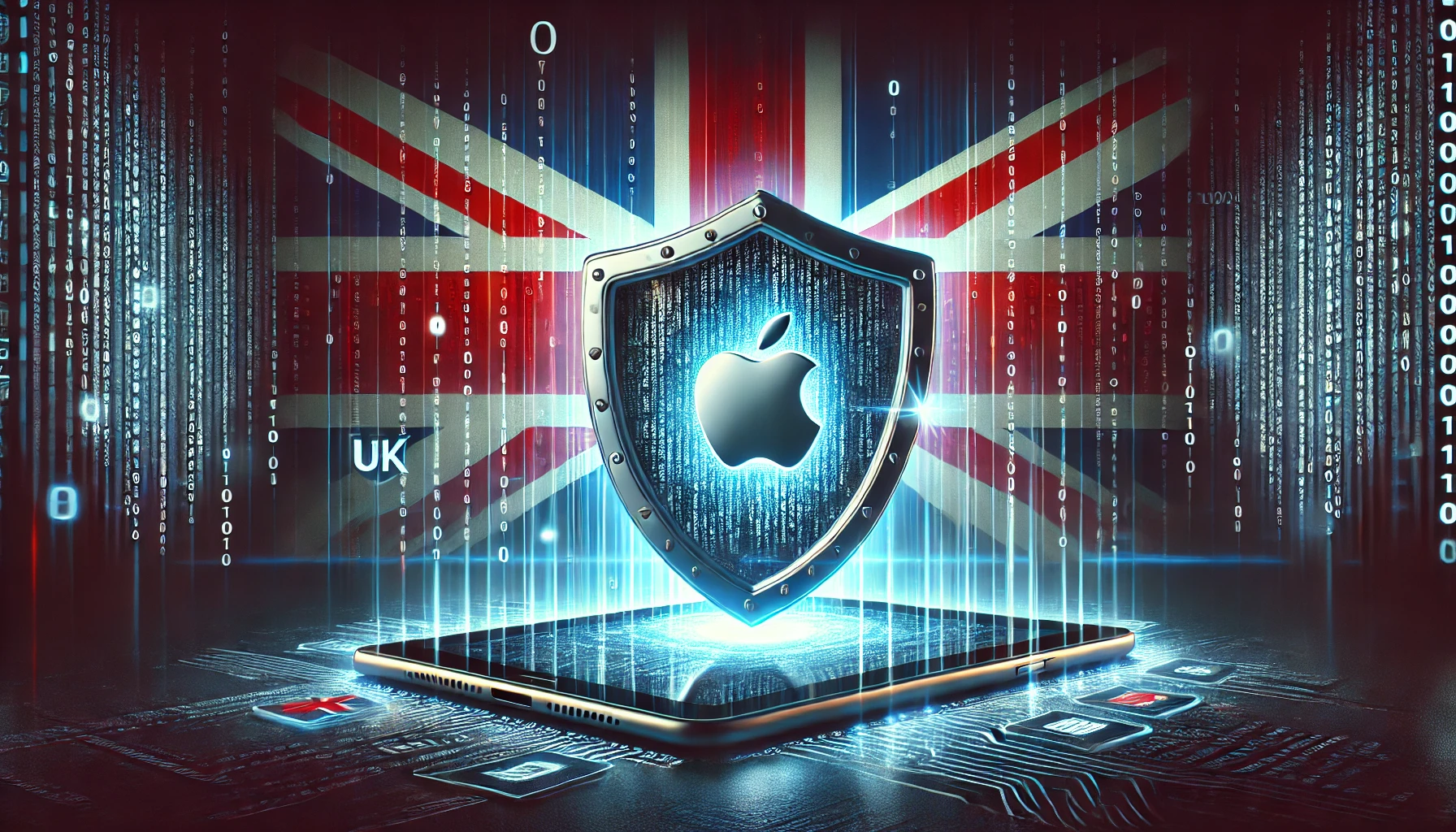
Apple’s Encryption vs. the UK’s “Snooper’s Charter”

In a dramatic standoff over user privacy, Apple faced a significant challenge. Apple decided to withdraw its Advanced Data Protection (ADP) feature from the UK market. This decision was made rather than bow to government pressure. ADP is Apple’s optional setting. It extends end-to-end encryption to iCloud backups, photos, notes, and more. This means only the account holder can access that cloud data. Not even Apple can access it. Cybersecurity experts lauded this extra security layer as a critical step to protect users amid rising data breaches.

The UK government’s Home Office issued a secret demand under the Investigatory Powers Act (IPA) 2016. This law is often dubbed the “Snooper’s Charter” for its sweeping surveillance powers. It required Apple to build a backdoor so authorities could access even those encrypted iCloud contents. Apple’s response? A firm “No, thank you” – followed by the total removal of ADP for UK users.

As of February 2025, new UK users can’t enable end-to-end iCloud encryption. Existing users will be informed that they need to turn it off to keep using iCloud. Apple stated it is “gravely disappointed” to be forced into this move. Apple emphasizes that it will never create backdoors or master keys for any of its products. In Apple’s view, weakening encryption even just for the “good guys” would fundamentally undermine the security of all users.

The Home Office demand, reportedly made under IPA’s provisions, wasn’t limited to UK iCloud accounts either. It sought the ability to access any Apple user’s encrypted cloud data worldwide, effectively asking for a universal skeleton key. One expert described this as “a brazen, imperialist manoeuvre” by the UK. They suggested it is the overreach you’d sooner expect from an authoritarian regime than a Western democracy. Faced with such an ultimatum, Apple’s drastic countermeasure is to pull ADP entirely. This action sends a sharp message. Rather than weaken its encryption for one country, it would sooner withdraw a security feature. This choice even means leaving UK customers with less protection.

Experts Warn: Weakening Encryption Leaves Brits Exposed

Apple’s hard line stance has been met with widespread agreement among cybersecurity experts. Privacy advocates have criticized the UK government’s approach. They see it as short-sighted and dangerous. Professor Alan Woodward, a computer security expert, argued that strong encryption is non-negotiable for safety. He said Apple’s refusal delivers a “strong message”. According to him, compromising security for government access is unacceptable.

Digital rights organisations are even more scathing. Big Brother Watch said the secret order is “outrageous.” They stated, “from today Apple’s UK customers are less safe and secure.” The Open Rights Group echoed that sentiment. They criticised the government for depriving millions of Britons of a key security feature.

Those on the front lines of privacy litigation agree. Andrew Crocker, surveillance litigation director at EFF, said the UK had put Apple in an “untenable position”. Apple’s choice to disable ADP for UK users “could well be the only reasonable response” given the circumstances. Still, this decision “leaves those people at the mercy of bad actors.”

Even globally, alarm bells are ringing. The Global Encryption Coalition includes over 100 tech companies, experts, and civil society groups. They called on the UK to reverse course. Privacy advocacy group Access Now likewise slammed the order as “equivalent to mandating vulnerability” in UK products. By forcing a major provider to remove end-to-end encryption, the UK creates a significant gap in security. It is now “the weakest link in the chain” of international data security.

Lessons from Real-World Breaches

The UK authorities insist their intentions are to fight crime and threats. But, security experts counter that you can’t build a “good guys only” backdoor. Any weakness will eventually be found and exploited by bad actors. There have been multiple real-world examples where government-mandated vulnerabilities have been exploited by hackers:

  • Juniper Networks Incident (2015): A hidden backdoor in Juniper firewall software, allegedly introduced by a government agency, was later hijacked by attackers, exposing corporate and government data.
  • FREAK & DROWN Attacks: These attacks exploited old encryption standards that governments had originally mandated to be weak, demonstrating that intentionally weakening encryption has long-term consequences.
  • Salt Typhoon Hack: Chinese state-linked hackers reportedly hijacked law enforcement backdoors in the US telephone network, proving that backdoors built for one government can and will be exploited by others.

UK vs The World: How Do Data Protection Laws Compare?

The UK’s approach to encrypted data access is increasingly making it an outlier among liberal democracies:

  • EU: The General Data Protection Regulation (GDPR) protects encryption as a fundamental right. The European Commission has explicitly stated it will “not weaken encryption (no backdoors).”
  • US: While law enforcement has lobbied for backdoors, no law like IPA exists. Apple successfully resisted the FBI’s demands to unlock an iPhone in the San Bernardino case.
  • Australia: Passed a law allowing authorities to force companies to decrypt data. Yet, it has not yet tested the law at scale. Apple has strongly opposed these measures.

What Can UK Consumers Do to Protect Their Data?

With Apple’s ADP gone, UK consumers should take proactive steps:

  • Manually encrypt files before uploading to the cloud using services like Boxcryptor, Cryptomator, or VeraCrypt.
  • Use local backups with encrypted storage options rather than relying solely on iCloud.
  • Allow multi-factor authentication (MFA) on all accounts to add an extra layer of security.
  • Consider privacy-focused services like ProtonMail or Signal, which still offer end-to-end encryption.
  • Stay informed and engaged with digital rights organisations advocating for stronger privacy protections.

Conclusion

Apple’s UK encryption pull-out is a watershed moment in the global privacy vs. surveillance debate. The UK government claims this is about national security. Yet, security experts argue that forcing backdoors into encryption exposes everyone to greater risks. The tech world will be watching closely. They want to see whether this decision sparks a rethink in Westminster. It also sets a dangerous precedent for other countries to follow.


Sources:

SourceDescription
TechRoundCoverage of Apple’s ADP withdrawal and expert commentary
The GuardianReports on the UK government’s secret demands under IPA 2016
Big Brother WatchAdvocacy statements against encryption backdoors
Open Rights GroupCriticism of the UK government’s approach to encryption
European CommissionOfficial stance on encryption within GDPR
Electronic Frontier FoundationExpert analysis on encryption and legal implications
Global Encryption CoalitionIndustry-wide response to UK policy
Access NowInternational perspective on encryption vulnerabilities
WiredReports on historical encryption backdoor abuses
The RegisterAnalysis of UK surveillance laws and global comparisons

In 2025, cyber threats are in almost every nook and corner. They might be with the intent to destroy computers, steal data, or take money. Understanding what they are and how protection against them works will come in handy.

What Are the Most Common Cyber Threats?

They come in so many forms, some old, some new, and very tricky. Here are some of the most common ones you should know about.

Phishing Attacks

Phishing attacks will always be in vogue. They make you give away your personal data. It may involve a phony message or fake websites. Always check the sender’s email address. Do not click on suspicious links.

Ransomware

Ransomware locks your files and demands money to unlock them. It can spread through email attachments or unsafe downloads. Keep your software updated and back up your files regularly.

Malware

Malware is bad software that may cause damage to your computer. It can steal data or spy on you. Use antivirus software and avoid downloading files from unknown sources.

How Can You Protect Yourself Online?

Safety online is important. Here are some simple steps to take to protect yourself from cyber threats.

Use Strong Passwords

Use strong and unique passwords for each account. A strong password includes letters, numbers, and symbols. Change your password regularly.

Enable Two-Factor Authentication

Two-factor authentication is an added layer of security. When it is in place, one has to take an extra step to log in-for example, getting a code on one’s phone. Whenever possible, turn that on.

Be Careful with Public Wi-Fi

Public Wi-Fi is not secure. It is easy for hackers to hack into the data of people who use public networks. Always connect your VPN when using any public Wi-Fi network.

Why is Cybersecurity Important for Everyone?

Cybersecurity doesn’t only apply to big corporations. Everyone should be knowledgeable about cyber threats and their prevention techniques.

Protect Personal Information

Your personal information is worth something. Cybercriminals can use it for identity theft or fraud. Be careful about what you share online.

Secure Financial Transactions

Online banking and shopping are convenient but risky if not done securely. Use secure websites and monitor your accounts regularly for any suspicious activity.

What Should You Do If You Are a Victim of a Cyber Attack?

Sometimes, despite all precautions, you may still become the victim of a cyber attack. Knowing your next step is paramount.

Report the Incident

An immediate report of the cyber attack should be made to the authorities. This could help in investigations and reduce damage.

Change Your Passwords

Immediately change all your passwords if you suspect a breach. This prevents further unauthorized access to your accounts.

How Will Cyber Threats Evolve in the Future?

Cyber threats will continually change with emerging technologies. It’s recommended to stay up-to-date on new threats for better protection.

AI-Powered Attacks

Cybercriminals will leverage artificial intelligence for more sophisticated attacks. AI supports them in selecting the right victims.

Internet of Things (IoT) Vulnerabilities

There are more and more devices connecting via the internet. They start to become the main targets of hackers. Make sure that all devices have updated security measures on them.

Stay Safe Online: Contact Us for More Tips!

Cyber threats are real and growing every day. In this digital age, it is very important to protect yourself online.

For more tips on staying safe online, contact us today! We are here to help you keep your digital life secure.

Featured Image Credit

This Article has been Republished with Permission from The Technology Press.
Password managers keep our online accounts safe. They store all our passwords in one place. But are they hackable?

What Are Password Managers?

Password managers are like digital vaults: they save all your passwords inside themselves. You need only remember one master password, of course. This makes keeping a lot of accounts much easier to handle.

How Do They Work?

You make one main password. The manager scrambles your passwords. What this means is, it changes them into an unreadable format without a key.

Why Use Them?

People use password managers out of convenience and security. One single factor is the difficulty in remembering several strong passwords. A password manager allows you to generate and securely store all these.

Can Password Managers be Hacked?

They always hunt for ways to steal your information. However, breaking into a password manager is not easy.

Security Measures

Password managers use very strong encryption. This makes them barely readable by hackers. They are also using two-factor authentication-2FA. The addition of this adds a layer of security.

No system is perfect. If a hacker gets your master password, then they can access your vault. A few managers have had security issues in the past, but these are rare.

How Can You Protect Your Password Manager?

You can take steps to keep your password manager safe.

Choose a Strong Master Password

Make your master password long and unique. Use a mix of letters, numbers, and symbols.

Enable Two-Factor Authentication

2FA adds a layer of security. Even if someone knows your password, they need another code to log in.

Keep Software Up-to-Date

Always update your password manager. Updates fix security issues and keep your data safe.

What Happens If a Password Manager Gets Hacked?

If a password manager gets hacked, it can be serious. Hackers could access all your passwords.

Immediate Actions

Change your master password immediately. Decide which accounts could be affected and change their passwords as well.

Long-Term Solutions

Consider shifting to another password manager if it has been compromised anytime earlier. Keep up to date with any security news about your manager.

Is the Use of Password Managers Worth the Risk?

Despite the risks, many people still use password managers. They make managing passwords much easier. It’s also safer than trying to remember them all yourself.

Benefits Outweigh Risks

The benefits of using a password manager usually outweigh the risks. They help you create strong, unique passwords for each account.

Trustworthy Options

Choose a reputable password manager with good reviews and security features. Do some research before deciding which one to use.

Take Control of Your Online Security Today!

Using a password manager will go a long way in enhancing your online security. Remember to choose a strong master password. You should also use two-factor authentication and keep your software updated.

If you have any questions or need help in the selection of a password manager, contact us today!

Featured Image Credit

This Article has been Republished with Permission from The Technology Press.
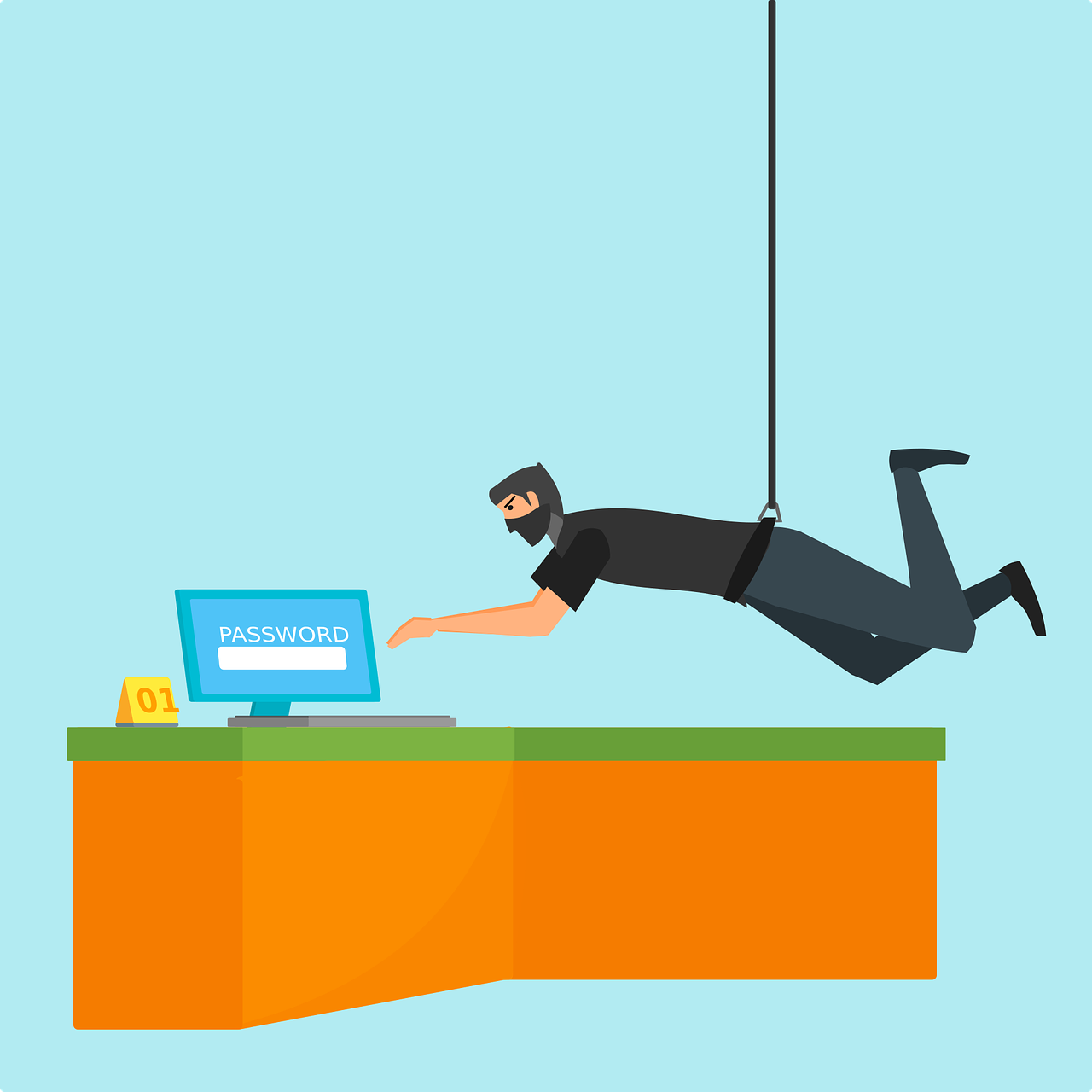
In today’s fast-moving world, everyone wants to work wiser, not harder. The involvement of AI tools will definitely help you do just that. They can make your work easier and faster. Let’s explore some AI tools that can boost productivity in your office.

What Are AI Tools?

AI tools are software programs that use artificial intelligence. They help users in completing their tasks in an efficient and effective manner. Over time, these tools are able to learn from data. These tools are like intelligent assistants that assist you in completing your work.

In What Ways Can AI Tools Help with Time Management?

Time management is crucial for productivity. AI tools can help you manage your day better. They can schedule meetings, remind you of events, and even suggest the best times to take breaks.

Smart Calendars

Smart calendars use AI to manage your schedule. They can determine the best times for meetings based on everyone’s availability. They can also send reminders so you don’t forget important tasks.

Task Managers

Task managers keep you on track about what to do. AI-enabled task managers can even put your tasks in order by deadline or urgency. That way, you focus on what really matters.

Can AI Improve Communication?

Communication is key in any office. AI tools can make communication faster and clearer. They can help with emails, meetings, and even language translation.

Email Assistants

Email assistants use AI to sort your inbox. They can filter important emails and even draft replies for you. This saves time and reduces stress.

Virtual Meeting Helpers

Virtual meeting helpers use AI to transcribe meetings in real time. They can also highlight key points and action items. This makes it easy to review what was discussed later.

How Do AI Tools Enhance Data Analysis?

Data analysis is a core element of informed decision-making. AI-powered tools can analyze large volumes of data in the shortest time. They provide insights that will help you make better choices.

Data Visualization Tools

Data visualization tools create simple charts and graphs that are easy to understand. AI helps them identify trends and patterns in the data.

Predictive Analytics

Predictive analytics make use of AI to forecast the future with the help of data related to the past. It helps the businesses plan in a better way and move ahead of the competition.

Does AI Help in Creative Tasks?

It’s not just about numbers and schedules. AI can be helpful in creative tasks too, such as writing, designing, and coming up with new ideas.

Writing Assistants

Writing assistants can help with grammar checks and content ideas.

Design Tools

Design tools powered with AI will create stunning visuals in a jiffy. They offer templates, and design suggestions based on current trends.

Are There AI Tools for Customer Service?

Customer service is vital for any business. AI tools can improve how you interact with customers. They give quick responses and solutions to questions. 

Chatbots

Chatbots are AI programs that chat with customers online. They answer questions instantly and are available 24/7.

Sentiment Analysis Tools

Sentiment analysis tools use AI to understand customer feelings from their messages or reviews. This helps businesses respond appropriately and improve customer satisfaction.

What are the Advantages of AI tools?

Using AI tools in your office has several advantages. They save you from tedious work and give you much more time to devote to something more important.

Most AI tools are very easy to use, and many integrate well with other software. This makes them convenient for adding into your setup.

The type of AI tool you choose would depend on your needs. First, identify the areas where you need help, like time management or communication.

Next, research different tools available in those areas. Look for user reviews and try free trials if available.

Ensure that the tool is easy to use and fits within your budget. Also, ensure it integrates well with other tools you use in your office.

Boost Office Productivity

AI-driven productivity tools are changing the way we do things daily. The result? Easier, faster, and more efficient execution.

Ready to give productivity in your office a boost? It may be time to integrate some of these smart tools into your workflow today! Contact us for more information on how we can help you determine what tools best suit your needs.

Featured Image Credit

This Article has been Republished with Permission from The Technology Press.

Well, here we are. Another year, another cybercrime tsunami, and yet somehow, a frightening number of businesses are still treating cybersecurity like an afterthought—right up until they find themselves explaining to customers why their personal data is now for sale on the dark web.

According to the National Cyber Security Centre (NCSC), 2024 has been an absolute train wreck for UK cybersecurity. If last year felt bad, this year has been the worst on record—which, considering the disasters we’ve already seen, is quite the achievement. The numbers aren’t just bad; they’re downright embarrassing for anyone still pretending that cyber threats aren’t a big deal.

So, let’s take a deep dive into what went wrong, who got hammered, and why, despite endless warnings, businesses are still ignoring basic security hygiene like it’s an optional extra.

Cybercrime in the UK: The Stats (Brace Yourself)

The Cyber Security Breaches Survey 2024 has laid it all out in soul-crushing detail. Here are the lowlights:

  • 50% of UK businesses reported a cyber breach or attack. That’s just the ones willing to admit it. The rest? Either shockingly lucky or blissfully unaware.
  • 84% of those breaches were phishing attacks—because, apparently, people still think their CEO urgently needs them to buy £500 in Amazon gift cards.
  • Ransomware attacks are at an all-time high, with 13 of them serious enough to be considered “nationally significant.” In non-government speak, that means crippling infrastructure, disrupting businesses, and generally making life hell.
  • UK businesses have lost £44 billion to cybercrime in the past five years. Yes, that’s a billion with a B. But sure, let’s keep pretending that a free antivirus program and some wishful thinking will do the trick.

And it’s not just the usual criminals cashing in. State-sponsored attacks from Russia, China, and North Korea have surged, targeting everything from infrastructure to financial systems. If your company has noticed an increase in “unusual login attempts,” congrats—you’re now part of an international cyber espionage problem.

Education: Now a Hacker’s Favourite Target

If businesses are getting hammered, universities and schools are being absolutely steamrolled. The Cyber Security Breaches Survey: Education Institutions Annex revealed that:

  • 97% of universities reported cyber breaches in the last 12 months. Yes, you read that right. Nearly every single university in the country has been targeted.
  • 86% of further education colleges have also been attacked.
  • 71% of secondary schools have been hit, which, considering how badly they’re already struggling for funding, is just insult to injury.

Cybercriminals aren’t targeting education for fun. They’re after student and staff data, research, and financial records. And because so many institutions have terrible IT policies and underfunded security teams, it’s like handing a burglar your house keys and leaving the front door open for good measure.

The Government’s Response: Finally, Some Action (Sort of)

Faced with this relentless onslaught, the UK government has finally decided to act, introducing a few measures that might actually help—if implemented properly.

Here’s what’s changing:

  • Mandatory reporting for ransomware incidents. No more keeping quiet and hoping no one notices that all your systems have been encrypted.
  • Data centres are now classified as critical infrastructure. Which is great, considering they’ve been a prime target for years.
  • More AI-driven security. Because if criminals are going to use AI to automate attacks, we might as well use AI to fight back.
  • Cyber Essentials is now mandatory for further education institutions. That’s right—thanks to the ESFA/DfE mandate, every college that wants funding from the government must now meet Cyber Essentials requirements. It’s almost as if securing educational institutions should have been a priority years ago.

This last point is a huge deal. Schools and colleges have long been sitting ducks for cybercriminals, relying on underfunded IT departments and patchy security policies. Now, with the Cyber Essentials for Further Education (CE4FE) mandate, institutions finally have no choice but to take security seriously.

Of course, this also means plenty of schools and colleges are now scrambling to get their cyber defences in order before the deadline. If your institution still isn’t compliant, start now—because the deadline isn’t going anywhere, and neither are the hackers.

The Real Problem: People (Yes, You, Steve in Accounting)

Here’s the harsh reality: most cyber-attacks succeed because of fundamental human error.

  • If your company still has “Password123” in use anywhere, I don’t know what to tell you. You deserve what’s coming.
  • If you think multi-factor authentication (MFA) is too much hassle, imagine how much hassle it’ll be when your entire system is encrypted by a ransomware gang demanding £200,000.
  • If your IT team has been begging to update ancient, unsupported software and you’ve ignored them—you are the reason your company is a target.

Cybercriminals aren’t hacking into businesses using some Hollywood-style super virus. They’re getting in because people are lazy, security policies are ignored, and businesses don’t want to invest in proper defences.

How to Avoid Being Next Year’s Statistic

If this year’s cybercrime figures haven’t scared you into action, let’s try a different approach:

🔹 Get Cyber Essentials certification. If you’re running a business and don’t have it, why not?
🔹 Train your staff. Because all it takes is one person clicking the wrong link, and your whole company could be toast.
🔹 Enable MFA. Seriously. Right now. Go do it.
🔹 Patch your systems. If you’re running Windows 7 in 2024, I assume you also drive a car without seatbelts.
🔹 Backup your data properly. Ransomware isn’t scary if you can just restore everything and tell the hackers to get lost.

Final Thoughts: It’s Time to Get Serious

2024 has been the worst year on record for cybercrime, and if businesses, schools, and institutions don’t take cybersecurity seriously, next year will be even worse.

So, if you’ve been putting off that security review, ignoring best practices, or pretending that cyber insurance is a substitute for actual security—stop. Now.

Because cybercriminals aren’t slowing down. They’re getting smarter, faster, and more aggressive.

The only question is: are you going to do something about it before it’s too late?

Blockchain technology is changing the world. It is a system designed to keep records safe and secure. But how does it work? Let’s find out more about this amazing technology.

What is Blockchain?

Blockchain is some kind of digital ledger. In it, information is stored in a manner that makes it hard to change. This ledger is shared among many computers, each one having a copy of the same ledger.

Information is kept within blocks. Each block maintains a list of transactions. As the block gets filled, it connects to the previous block, forming a linked chain of blocks or a blockchain.

How Does Blockchain Work?

Blockchain works by mining. Miners are computers that solve complex math problems. Once they solve these problems, they add new blocks to the chain.

Each block has a unique code called a hash. This hash helps keep the information secure. If anyone tries to change the information, the hash also changes. That way, it’s easy to spot any tampering.

Why is Blockchain Secure?

The blockchain is secure because it is made using cryptography. Cryptography is like a secret code used to protect information. Only the ones who have the right key will be able to read it.

Besides, blockchain is decentralized. That means no one controls it. Several computers are working together to keep it safe.

What Are the Uses of Blockchain?

Many other uses of blockchain exist beyond money. It can track goods in a supply chain, store medical records safely, and even help with voting in elections.

In finance, blockchain powers cryptocurrencies such as Bitcoin. These are digital currencies that people can use online.

How Does Blockchain Impact Our Lives?

Blockchain makes transactions faster and cheaper. It removes the need for middlemen like banks. This saves time and money.

It also introduces transparency. Users can view all the transactions made on the blockchain. These actions help to establish trust among users.

What Are the Challenges of Blockchain?

There are challenges regarding the use of blockchain. Much of the mining is power-consuming. This might not be suitable for the environment.

Besides these issues, there are even more regulatory ones. Governments and agencies don’t yet know how to deal with blockchain technology.

What’s Ahead for Blockchain?

The future of blockchain is very bright. More and more industries are exploring its potential each day. From healthcare to entertainment, blockchain may change the way we do things.

Developers are also working on making blockchain more efficient and eco-friendly.

Want to Learn More About Blockchain?

Blockchain technology is interesting and full of potential. It can change many aspects of our lives for the better.

Contact us to learn more about how blockchain can benefit your business or personal projects.

Featured Image Credit

This Article has been Republished with Permission from The Technology Press.
Encryption is a method of securing information. It converts readable data into secret code. Only the right key can decode it. This guide will help you understand different encryption methods.

What is Encryption?

Encryption is like a secret language. It converts regular text into unreadable text. This unreadable text is called ciphertext. Only people who have the right key will be able to convert it into normal text, called plaintext.

Why Do We Use Encryption?

We use encryption to keep our information safe. It makes our data safe from hackers. This is very important for privacy and security.

How Does Encryption Work?

Encryption uses algorithms and keys. An algorithm is a set of rules for solving problems. A key is somewhat like a password that unlocks the secret message.

Symmetric vs Asymmetric Encryption

There are two main types of encryption: symmetric and asymmetric.

Symmetric encryption uses the same key for encryption and decryption. The same key is shared between the sender and receiver. It’s fast but less secure when the key is shared.

Asymmetric encryption uses two keys: a public key and a private key. A public key can encrypt a message, while a private key can decrypt it. It’s more secure since only the private key unlocks the message.

What Are Some Common Encryption Methods?

There are numerous encryption methods in use today. Here are some of the most common ones:

AES (Advanced Encryption Standard)

AES is one of the most secure forms of encryption. It is symmetric encryption. AES can have 128, 192, or 256-bit keys. The longer the key, the harder it is to break.

RSA (Rivest-Shamir-Adleman)

RSA is an asymmetric encryption method. It uses two keys: a public and a private key. RSA is widely used for secure data transmission.

DES (Data Encryption Standard)

DES was once a popular symmetric encryption method. It uses a 56-bit key, which is now considered weak. DES has mostly been replaced by AES.

ECC (Elliptic Curve Cryptography)

ECC is an asymmetric technique that offers better security and more compact key sizes. It is efficient and widely adopted in various mobile gadgets.

How Do We Use Encryption in Everyday Life?

Encryption plays a major role in our daily life routines.

Online Shopping

When you purchase online, your payment information is encrypted. This protects your credit card information against hackers.

Messaging Apps

Apps like WhatsApp use encryption to keep your messages private. Only you and the person you are chatting with can read them.

Email Security

Many email services use encryption to protect your emails from being read by others.

What Are the Challenges of Encryption?

Encryption has many benefits, but it also faces challenges.

Key Management

Managing keys securely is a challenge. If some person loses their key, they probably will lose their data.

Performance Issues

Encryption could slow down the systems since it needs processing power for encryption and decryption.

How Can You Stay Safe with Encryption?

You can take some steps to securely use encryption.

Use Strong Passwords

Always use strong passwords for accounts and devices. That will make hacking difficult as it will take time to access.

Keep Software Up-to-Date

Regularly update your software to protect against security vulnerabilities in software.

Use Caution with Public Wi-Fi

If you need to use public Wi-Fi, avoid sensitive transactions unless you can encrypt your internet connection using a VPN.

Ready to Secure Your Data?

Encryption helps protect your personal information from threats. Understanding different methods can help you choose the right one for your needs.

If you want more information or need help securing your data, contact us today!

Featured Image Credit

This Article has been Republished with Permission from The Technology Press.

How Microsoft is Redefining Digital Security

For decades, passwords have been both a necessity and a burden, we ask is it time for passwordless authentication?

They were meant to be the keys that kept our digital worlds secure, yet they have long been the weakest link in the security chain.

Who hasn’t struggled to remember a complex string of characters only to use the same password across multiple accounts?


Cybercriminals have exploited this flaw relentlessly, leading to data breaches, financial fraud, and the erosion of trust in online systems.

But what if passwords were no longer necessary? What if we could authenticate ourselves in a seamless and far more secure way?

Microsoft believes that the future is already here.

A World Without Passwords

The concept of a passwordless world may seem like science fiction, but it’s quickly becoming a reality. Microsoft has been laying the groundwork for years, developing authentication methods that don’t rely on easily compromised credentials. Now, the company is urging businesses and individuals to embrace a new era where security doesn’t come at the cost of convenience.

The shift away from passwords isn’t just a technological evolution; it’s a necessary response to a growing crisis. Statistics paint a bleak picture: 80% of hacking-related breaches are due to compromised credentials. Phishing attacks are more sophisticated than ever, and traditional password policies—requiring frequent changes, special characters, and unique strings—often lead users to create weak, easily guessed passwords instead.

The New Standard: Passwordless Authentication

So, how does a world without passwords work? Microsoft has introduced several technologies that make authentication both more secure and effortless:

  • Windows Hello – Biometric authentication using facial recognition or fingerprints to log in instantly.
  • Microsoft Authenticator – A mobile app that replaces passwords with secure push notifications.
  • FIDO2 Security Keys – Physical security keys that verify identity without a password.
  • Passkeys – A next-generation authentication method that eliminates the risk of phishing and credential theft.

Each of these technologies is built on the principle that authentication should be stronger and more straightforward. Instead of relying on something you know (a password), they use something you have (a device) or something you are (biometric data). The result? A significantly reduced attack surface for cybercriminals.

Why Businesses Must Take Note

For businesses, the transition to passwordless authentication isn’t just an opportunity—it’s an imperative. The financial and reputational costs of a data breach can be catastrophic, and weak password practices remain the single largest vulnerability. By adopting passwordless solutions, companies can:

  • Reduce security risks – Eliminating passwords removes a common attack vector for hackers.
  • Lower IT costs – Helpdesk requests for password resets are a drain on time and resources.
  • Enhance user experience – Employees and customers benefit from a smoother, frictionless authentication process.

In industries where compliance and security are paramount—such as finance, healthcare, and legal—passwordless authentication is not just a convenience; it’s a necessity. Organisations that fail to adapt risk being left behind in an increasingly hostile cybersecurity landscape.

How to Make the Transition

The good news is that Microsoft has made the transition to passwordless authentication more accessible than ever. Businesses can take the following steps to begin their journey:

  1. Enable Windows Hello for Business – Modern devices support biometric authentication, eliminating the need for passwords.

  2. Deploy Microsoft Authenticator – Employees can use push notifications for quick and secure sign-ins.

  3. Adopt FIDO2 Security Keys – USB or NFC-based security keys add an extra layer of protection.

  4. Implement Conditional Access Policies – Define security requirements to ensure only the right people can access critical systems.

For organisations already leveraging Microsoft 365 and Azure Active Directory, passwordless authentication is a natural progression towards a more secure infrastructure.

A Future Without Passwords

The days of remembering and resetting passwords are numbered. Microsoft’s push towards passwordless authentication signals a shift in how we approach digital security—prioritising ease of use and robust protection. The writing is on the wall: businesses that continue relying on traditional password-based security will fight a losing battle against cyber threats.

At Equate Group, we help businesses implement cutting-edge security solutions, including Microsoft’s passwordless technologies. If your organisation is ready to step into the future and leave passwords behind, now is the time to act.

The future of authentication is here. Are you ready to embrace it?

Cyber hygiene is super important. It’s like brushing your teeth but for your online life. 

Good cyber habits help keep you safe from hackers on the internet. Let’s check some easy ways to stay safe online in 2025. 

What is Cyber Hygiene?

Cyber hygiene means the care you give to your online stuff. This includes keeping your devices and information clean and safe. Washing your hands stops germs. Good cyber behavior stops digital germs like viruses and hackers.

Why is it Important?

Criminals online always try new tricks to get your info or mess up your gadgets. Good cyber hygiene stops them. It keeps your stuff private and your devices working well.

How Can You Improve Your Passwords?

Passwords are like keys to your online home. You want them to be strong. Here are some tips:

Use Long Passwords

Longer passwords are harder to guess. Try using a sentence. For example, “I love eating pizza on Fridays!” is a good password.

Mix it Up

Use different types of characters. Mix in numbers, symbols, and both big and small letters. “I<3EatingPizza0nFridays!” is even better.

Don’t Reuse Passwords

Use a unique password for each account. If someone steals one, the others stay safe.

Why Should You Update Your Software?

Updating your software is like getting a flu shot. It protects you from new threats. Here’s why it’s important:

Fix Security Holes

Updates usually fix problems in your software. These are holes that bad guys can use to get in. Updating closes these holes.

Get New Features

Updates can also give you new cool stuff. Your apps may work better or do more things.

Set Automatic Updates

Turn on automatic updates when you can. Then you don’t have to remember to do it.

How Does Two-Factor Authentication Work?

Two-factor authentication is like putting two locks on your door. It makes it harder for bad guys to break in. Here’s how it works:

What is 2FA?

2FA needs two things to prove it’s you. Usually, one thing is your password. The second thing might be a code sent to your phone or your fingerprint.

Why Use 2FA?

If someone steals your password, they still can’t get in. They don’t have the second thing. It’s much safer.

Where to Use 2FA

Use 2FA on all your important accounts. These include email, banking, and even social media.

Are You Being Careful on Public Wi-Fi?

Public Wi-Fi can be very dangerous. It’s like yelling in a crowded place. Anyone could listen. Here’s how to stay safe:

Using a VPN

A VPN is like a secret tunnel to the internet. It keeps your information private, even on public Wi-Fi.

Avoid Sensitive Tasks

Don’t do banking or shopping on public Wi-Fi. Wait until you’re on a safe network.

Turn Off Auto-Connect

Don’t let your device connect to any Wi-Fi network by itself. It might connect to a fake, bad network.

How To Identify Phishing Scams?

Phishing is when a bad guy tries to trick you into giving away your information. It’s like a fake fisherman trying to catch you. Here’s how to avoid the hook:

Check the Sender

Look closely at who sent the message. Scammers often use names that look real but aren’t.

Don’t Click Suspicious Links

If a link looks weird, don’t click it. Move your mouse over it to see where it really goes.

Be Wary of Urgent Messages

Scammers often say you need to act fast. Real companies rarely do this.

Are You Backing Up Your Data?

Backing up is like making copies of your important papers. If something bad happens, you don’t lose everything. Here’s why it’s important:

Against Ransomware

Ransomware can lock up your files. With backups, you can tell them to go away.

Recover from Accidents

Sometimes we delete things by mistake. Backups let you get them back.

Use the 3-2-1 Rule

Keep 3 copies of your data, on 2 different types of storage, with 1 copy off-site.

How Often Should You Review Your Privacy Settings?

Your privacy settings are like curtains on your windows. They let you control what others see. Check them often:

Schedule It

Check your privacy settings every few months. Write it down so you don’t forget.

Check All Your Accounts

Don’t forget about old accounts. If you don’t use them, close them.

Limit What You Share

Only share what you need to. The less you share, the safer you are.

Are You Teaching Your Family About Cyber Safety?

Cyber safety is for everyone in your family. It’s like teaching kids to look both ways before crossing the street. Here’s how to spread the knowledge:

Make it Fun

Use games or tell stories to teach about cyber safety. It’s easier to remember that way.

Lead by Example

Show good cyber habits to your family. They learn by watching you.

Talk About Online Experiences

Have open talks about what happens online. That keeps everyone in your house safe.

Want to Level Up Your Cyber Hygiene?

Good cyber hygiene protects you from online bad guys in 2025. Use strong passwords, update your software, and be careful on public Wi-Fi. Watch out for phishing scams. Always back up your data. Check your privacy settings and teach your family about online safety.

Want to know more about staying safe online? We can help! Contact us for more tips on cyber hygiene. Let’s make your online life easier and safer together!

Featured Image Credit

This Article has been Republished with Permission from The Technology Press.