The modern office extends far beyond traditional cubicles or open-plan spaces. Since the concept of remote work became popularized in the COVID and post-COVID era, employees now find themselves working from their homes, libraries, bustling coffee shops, and even vacation destinations. These environments, often called “third places,” offer flexibility and convenience but can also introduce risks to company IT systems.

With remote work now a permanent reality, businesses must adapt their security policies accordingly. A coffee shop cannot be treated like a secure office, as its open environment exposes different types of threats. Employees need clear guidance on how to stay safe and protect company data.

Neglecting security on public Wi-Fi can have serious consequences, as hackers often target these locations to exploit remote workers. Equip your team with the right knowledge and tools, and enforce a robust external network security policy to keep company data safe.

The Dangers of Open Networks

Free internet access is a major draw for remote workers frequenting cafes, malls, libraries, and coworking spaces. However, these networks rarely have encryption or strong security, and even when they do, they lack the specific controls that would be present in a secure company network. This makes it easy for cybercriminals to intercept network traffic and steal passwords or sensitive emails in a matter of seconds.

Attackers often set up fake networks that look legitimate. They might give them names such as “Free Wi-Fi” or give them a name resembling a nearby business, such as a coffee shop or café, to trick users. Once connected, the hacker who controls the network sees everything the employee sends. This is a classic “man-in-the-middle” attack.

It is critical to advise employees never to rely on open connections. Networks that require a password may still be widely shared, posing significant risks to business data. Exercise caution at all times when accessing public networks.

Mandating Virtual Private Networks

The most effective tool for remote security is a VPN. A Virtual Private Network encrypts all data leaving the laptop by creating a secure tunnel through the unsecured public internet. This makes the data unreadable to anyone trying to snoop.

Providing a VPN is essential for remote work, and employees should be required to use it whenever they are outside the office. Ensure the software is easy to launch and operate, as overly complex tools may be ignored. Whenever possible, configure the VPN to connect automatically on employee devices, eliminating human error and ensuring continuous protection.

At the same time, enforce mandatory VPN usage by implementing technical controls that prevent employees from bypassing the connection when accessing company servers.

The Risk of Visual Hacking

Digital threats are not the only concern in public spaces since someone sitting at the next table can easily glance at a screen. Visual hacking involves stealing information just by looking over a shoulder, which makes it low-tech but highly effective and hard to trace.

Employees often forget how visible their screens are to passersby, and in a crowded room full of prying eyes, sensitive client data, financial spreadsheets, and product designs are at risk of being viewed and even covertly photographed by malicious actors. 

To address this physical security gap, issue privacy screens to all employees who work remotely. Privacy screens are filters that make laptop and monitor screens appear black from the side, and only the person sitting directly in front can see the content. Some devices come with built-in hardware privacy screens that obscure content so that it cannot be viewed from an angle. 

Physical Security of Devices

Leaving a laptop unattended is a recipe for theft. In a secure office, you might walk away to get water or even leave the office and expect to find your device in the same place, untouched. In a coffee shop, that same action can cost you a device, since thieves are always scanning for distracted victims and are quick to act.

Your remote work policy should stress the importance of physical device security. Employees must keep their laptops with them at all times and never entrust them to strangers. A laptop can be stolen and its data accessed in just seconds.

Encourage employees to use cable locks, particularly if they plan to remain in one location for an extended period. While not foolproof, locks serve as a deterrent, especially in coworking spaces where some level of security is expected. The goal is to make theft more difficult, and staying aware of the surroundings helps employees assess potential risks.

Handling Phone Calls and Conversations

Coffee shops can be noisy, but conversations still travel through the air. Discussing confidential business matters in public is risky, as you never know who might be listening. Competitors or malicious actors could easily overhear sensitive information.

Employees should avoid discussing sensitive matters in these “third places.” If a call is necessary, they should step outside or move to a private space, such as a car. While headphones prevent others from hearing the other side, the employee’s own voice can still be overheard.

Creating a Clear Remote Work Policy

Employees shouldn’t have to guess the rules. A written policy clarifies expectations, sets standards, and supports training and enforcement.

Include dedicated sections on public Wi-Fi and physical security, and explain the reasoning behind each rule so employees understand their importance. Make sure the policy is easily accessible on the company intranet.

Most importantly, review this policy annually as technology changes. As new threats emerge, your guidelines must also evolve to counter them. Make routine updates to the policy, and reissue the revised versions to keep the conversation about security alive and ongoing.

Empower Your Remote Teams

While working from a “third place” offers flexibility and a morale boost, it also requires a higher level of vigilance. This makes prioritizing public Wi-Fi security and physical awareness non-negotiable, and you must equip your team to work safely from anywhere.

With the right tools and policies, you can manage the risks while enjoying the benefits of remote work. Success comes from balancing freedom with responsibility, and well-informed employees serve as your strongest line of defense. Protect your data, no matter where your team works.

Is your team working remotely without a safety net? We help businesses implement secure remote access solutions and policies, ensuring your data stays private, even on public networks. Call us today to fortify your remote workforce.

Featured Image Credit

This Article has been Republished with Permission from The Technology Press.

Guest Wi-Fi is a convenience your visitors expect and a hallmark of good customer service. But it’s also one of the riskiest points in your network. A shared password that’s been passed around for years offers virtually no protection, and a single compromised guest device can become a gateway for attacks on your entire business. That’s why adopting a Zero Trust approach for your guest Wi-Fi is essential.

The core principle of Zero Trust is simple but powerful: never trust, always verify. No device or user gains automatic trust just because they’re on your guest network. Here are some practical steps to create a secure and professional guest Wi-Fi environment.

Business Benefits of Zero Trust Guest Wi-Fi

Implementing a Zero Trust guest Wi-Fi network is not just a technical necessity; it’s a strategic business decision that delivers clear financial and reputational benefits. By moving away from a risky shared password system, you significantly reduce the likelihood of costly security incidents. A single compromised guest device can act as a gateway for attacks on your entire business , leading to devastating downtime, data breaches, and regulatory fines. The proactive measures of isolation, verification, and policy enforcement are an investment in business continuity.

Consider the Marriott data breach where attackers gained access to their network through a third-party access point, eventually compromising the personal information of millions of guests. While not specifically a Wi-Fi breach, it serves as a stark reminder of the massive financial and reputational damage caused by an insecure network entry point. A Zero Trust guest network, which strictly isolates guest traffic from corporate systems, would prevent this lateral movement and contain any threat to the public internet.

Build a Totally Isolated Guest Network

The first and most crucial step is complete separation. Your guest network should never mix with your business traffic. This can be achieved through strict network segmentation by setting up a dedicated Virtual Local Area Network (VLAN) for guests. This guest VLAN should run on its own unique IP range, entirely isolated from your corporate systems.

Then, configure your firewall with explicit rules that block all communication attempts from the guest VLAN to your primary corporate VLAN. The only destination your guests should be able to reach is the public internet. This strategic containment ensures that if a guest device is infected with malware, it cannot pivot laterally to attack your servers, file shares, or sensitive data.

Implement a Professional Captive Portal

Get rid of the static password immediately. A fixed code is easily shared, impossible to track, and a hassle to revoke for just one person. Instead, implement a professional captive portal, like the branded splash page you encounter when connecting to Wi-Fi at a hotel or conference. This portal serves as the front door to your Zero Trust guest Wi-Fi.

When a guest tries to connect, their device is redirected to the portal. You can configure it securely in several ways. For example, a receptionist could generate a unique login code that expires in 8 or 24 hours, or visitors could provide their name and email to receive access. For even stronger security, a one-time password sent via SMS can be used. Each of these methods enforces the ‘never trust’ principle, turning what would be an anonymous connection into a fully identified session.

Enforce Policies via Network Access Control

Having a captive portal is a great start, but to achieve true guest network security, you need more powerful enforcement, and that is where a Network Access Control (NAC) solution comes into play. NAC acts like a bouncer for your network, checking every device before it is allowed to join, and you can integrate it within your captive portal for a seamless yet secure experience.

A NAC solution can be configured to perform various device security posture checks, such as verifying whether the connecting guest device has a basic firewall enabled or whether it has the most up-to-date system security patches. If the guest’s device fails these posture checks, the NAC can redirect it to a walled garden with links to download patch updates or simply block access entirely. This proactive approach prevents vulnerable devices from introducing risks into your network. 

Apply Strict Access Time and Bandwidth Limits 

Trust isn’t just about determining who is reliable, it’s about controlling how long they have access and what they can do on your network. A contractor doesn’t need the same continuous access as a full-time employee. Use your NAC or firewall to enforce strict session timeouts, requiring users to re-authenticate after a set period, such as every 12 hours.

Similarly, implement bandwidth throttling on the guest network. In most cases, a guest only needs basic internet access to perform general tasks such as reading their emails and web browsing. This means limiting guest users from engaging in activities such as 4K video streaming and downloading torrent files that use up the valuable internet bandwidth needed for your business operations. While these limitations may seem impolite, they are well in line with the Zero Trust principle of granting least privilege. It is also a good business practice to prevent network congestion by activities that do not align with your business operations.

Create a Secure and Welcoming Experience

Implementing a Zero Trust guest Wi-Fi network is no longer an advanced feature reserved for large enterprises, but a fundamental security requirement for businesses of all sizes. It protects your core assets while simultaneously providing a professional, convenient service for your visitors. The process hinges on a layered approach of segmentation, verification, and continuous policy enforcement, and effectively closes a commonly exploited and overlooked network entry point.

Do you want to secure your office guest Wi-Fi without the complexity? Contact us today to learn more. 

Featured Image Credit

This Article has been Republished with Permission from The Technology Press.

Modern businesses depend on third-party apps for everything from customer service and analytics to cloud storage and security. But this convenience comes with risk, every integration introduces a potential vulnerability. In fact, 35.5% of all recorded breaches in 2024 were linked to third-party vulnerabilities. 

The good news? These risks can be managed. This article highlights the hidden dangers of third-party API integrations and provides a practical checklist to help you evaluate any external app before adding it to your system.

Why Third-Party Apps Are Essential in Modern Business 

Simply put, third-party integrations boost efficiency, streamline operations, and improve overall productivity. Most businesses do not create each technology component from scratch. Instead, they rely on third-party apps and APIs to manage everything from payments to customer support, analytics, email automation, chatbots, and more. The aim is to speed up development, cut costs, and gain access to features that might take months to build internally. 

What Are the Hidden Risks of Integrating Third-Party Apps? 

Adding third-party apps to your systems invites several risks, including security, privacy, compliance, and operational and financial vulnerabilities.

Security Risks

Third-party integrations can introduce unexpected security risks into your business environment. A seemingly harmless plugin may contain malware or malicious code that activates upon installation, potentially corrupting data or allowing unauthorized access. Once an integration is compromised, hackers can use it as a gateway to infiltrate your systems, steal sensitive information, or cause operational disruptions.

Privacy and Compliance Risks

Even with strong contractual and technical controls, a compromised third-party app can still put your data at risk. Vendors may gain access to sensitive information and use it in ways you never authorized, such as storing it in different regions, sharing it with other partners, or analyzing it beyond the agreed purpose. For instance, misuse of a platform could lead to violations of data protection laws, exposing your organization to legal penalties and reputational damage.

Operational and Financial Risks

Third-party integrations can affect both operations and finances. If an API fails or underperforms, it can disrupt workflows, cause outages, and impact service quality. Weak credentials or insecure integrations can be exploited, potentially leading to unauthorized access or costly financial losses.

What to Review Before Integrating a Third-Party API 

Before you connect any app, take a moment to give it a careful check-up. Use the checklist below to make sure it’s safe, secure, and ready to work for you.

  1. Check Security Credentials and Certifications: Make sure the app provider has solid, recognized security credentials, such as ISO 27001, SOC 2, or NIST compliance. Ask for audit or penetration test reports and see if they run a bug bounty program or have a formal vulnerability disclosure policy. These show the vendor actively looks for and addresses security issues before they become a problem.
  2. Confirm Data Encryption: You might not be able to inspect a third-party app directly, but you can review their documentation, security policies, or certifications like ISO 27001 or SOC. Ask the vendor how they encrypt data both in transit and at rest, and make sure any data moving across networks uses strong protocols like TLS 1.3 or higher.
  3. Review Authentication & Access: Make sure the app uses modern standards like OAuth2, OpenID Connect, or JWT tokens. Confirm it follows the principle of least privilege, giving users only the access they truly need. Credentials should be rotated regularly, tokens kept short-lived, and permissions strictly enforced.
  4. Check Monitoring & Threat Detection: Look for apps that offer proper logging, alerting, and monitoring. Ask the vendor how they detect vulnerabilities and respond to threats. Once integrated, consider maintaining your own logs to keep a close eye on activity and spot potential issues early.
  5. Verify Versioning & Deprecation Policies: Make sure the API provider maintains clear versioning, guarantees backward compatibility, and communicates when features are being retired.
  6. Rate Limits & Quotas: Prevent abuse or system overload by confirming the provider supports safe throttling and request limits.
  7. Right to Audit & Contracts: Protect yourself with contractual terms that allow you to audit security practices, request documentation, and enforce remediation timelines when needed.
  8. Data Location & Jurisdiction: Know where your data is stored and processed, and ensure it complies with local regulations.
  9. Failover & Resilience: Ask how the vendor handles downtime, redundancy, fallback mechanisms, and data recovery, because no one wants surprises when systems fail.
  10. Check Dependencies & Supply Chain: Get a list of the libraries and dependencies the vendor uses, especially open-source ones. Assess them for known vulnerabilities to avoid hidden risks.

Vet Your Integrations Today 

No technology is ever completely risk-free, but the right safeguards can help you manage potential issues. Treat third-party vetting as an ongoing process rather than a one-time task. Continuous monitoring, regular reassessments, and well-defined safety controls are essential.

If you want to strengthen your vetting process and get guidance from experts with experience building secure systems, we can help. Our team has firsthand experience in cybersecurity, risk management, and business operations, and we provide practical solutions to help you protect your business and operate more safely.

Build your confidence, tighten your integrations, and ensure that every tool in your stack works for you rather than against you. Call us today and take your business to the next level.

Featured Image Credit

This Article has been Republished with Permission from The Technology Press.

Have you ever been concerned about your credit card or personal data getting stolen while shopping online? You’re not alone. Each holiday season, as millions of shoppers flock online for convenience, hackers ramp up their activity. The Federal Trade Commission (FTC) has warned that scammers often create fake shopping websites or phishing emails to steal consumers’ money and personal information, especially during the holidays.

If you’re planning to shop this holiday season, now is the perfect time to boost your online security. Two simple tools, password managers and virtual cards, can make a big difference. But how exactly? This article will show you how to use them to enjoy zero-risk online holiday shopping.

Why People Prefer Password Managers and Virtual Cards for Online Shopping

Shopping online is quick, easy, and often cheaper than going to physical stores. However, it is fraught with security risks. Many people now use password managers and virtual cards for safer transactions. 

A password manager creates and keeps complicated, distinct passwords for all accounts. This minimizes the chance of unauthorized access and theft. The Cybersecurity and Infrastructure Security Agency (CISA) recommends using password managers to reduce password reuse and protect sensitive data from hackers.

Virtual cards also add an extra layer of protection when shopping online. Although the card numbers are linked to your real credit or debit card account, the merchant never sees your card details. This helps prevent identity theft and financial fraud.

Tips for Using Password Managers and Virtual Cards for Zero-Risk Holiday Shopping

Before you start adding items to your cart, the safety of your money comes first. Here are smart ways to use these tools to improve online security during the holidays.

Choose a Reputable Password Manager

Select a trusted provider with strong encryption and a solid reputation. Popular options include 1Password, Dashlane, LastPass, and Bitwarden. Fake versions are everywhere, so make sure you only download from the official website or app store.

Create a Strong Master Password

Your master password protects all your other passwords and should be the most secure. “Secure” means making it unusual and not something that can be guessed. You can achieve this by combining letters, numbers, and special characters. 

Turn On Two-Factor Authentication (2FA)

2FA adds another protection step by requiring two verification steps. Besides your password, you can choose to receive a verification code on your phone. Even if hackers steal your password, they can’t access your account without your verification code.

Generate Virtual Cards for Each Store

Set up a separate virtual card for each online retailer, many banks and payment apps offer this feature. That way, if one store is compromised, only that temporary card is affected, your main account stays safe.

Track Expiration Dates and Spending Limits

Virtual cards often expire after a set time or after one purchase. This is good for security, but make sure your card is valid before placing an order. Set spending limits as well, as this helps with holiday budgeting and prevents unauthorized charges.

Shop Only on Secure Websites

Be sure to purchase only from websites you are familiar with. Don’t shop from any link in an advertisement or email. You may end up on phishing sites that target your information. The URL of a safe site starts with “https://.”

Also, pay attention to data encryption. Look for the padlock symbol on your browser address bar. This indicates that the site has employed SSL/TLS encryption, which encrypts data as it is passed between your device and the site.

Common Mistakes to Avoid for Safer Online Shopping

Even with the best security tools, simple mistakes can put your data at risk. Developing strong security awareness is key to safer online habits. Here are some common pitfalls to watch out for when shopping:

Reusing Passwords

One hacked password can put all your accounts at risk. Keep them safe by using a different password for every site, your password manager makes it easy.to generate and store strong, distinct passwords for each one.

Using Public Wi-Fi for Shopping

Hackers can easily monitor public Wi-Fi networks, making them unsafe not just for shopping but for any online activity. To protect your data, avoid using Wi-Fi in coffee shops, hotels, or airports for online shopping. Instead, stick to your mobile data or a secure private network.

Ignoring Security Alerts

Many people overlook alerts about unusual activity but ignoring them can be risky. If your bank, password manager, or virtual card provider alerts you to suspicious activity, act immediately. Follow their instructions to protect your data, for example, changing your password and reviewing recent transactions for any signs of fraud.

Saving Card Details in Your Browser

While browsers allow card information to be saved, it is less secure than virtual cards. If hackers access your browser, your saved cards are compromised.

Shop Smarter and Safer This Holiday Season

The holidays should be about celebration, not about worrying over hacked accounts or stolen card details. Using tools like password managers and virtual cards lets you take control of your online shopping security. These tools make password management easier, protect you from phishing scams, and add extra protection against cybercriminals. As you look for the best holiday deals, include security in your shopping checklist. Peace of mind is the best gift you can give yourself.

Need help improving your cybersecurity before the holiday rush? We can help you protect your data with smarter, easy-to-use security solutions. Stay safe, stay secure, and shop online with confidence this season. Contact us today to get started.

Featured Image Credit

This Article has been Republished with Permission from The Technology Press.

During an era of digital transformation, data and security are king. That is why, as cyber threats evolve in this age of digital transformation, businesses need to be prepared. Credential theft has become one of the most damaging cyber threats facing businesses today. Whether through well-crafted phishing scams or an all-out direct attack, cybercriminals are continually honing their skills and adapting their tactics to gain access to system credentials. They seek to compromise the very fabric of the corporate digital landscape and access sensitive corporate resources.

The stakes are incredibly high. According to Verizon’s 2025 Data Breach Investigations Report, over 70% of breaches involve stolen credentials. The implications for businesses of every size are crippling financial loss and reputational damage. The days of relying solely on passwords to secure systems and devices are long gone. With the new age of cyber threats lingering just beyond the gates, organizations have to take advanced measures to properly secure the authentication infrastructure. Only by doing this can they hope to mitigate the risk of credential-based attacks.

Understanding Credential Theft

Credential theft is not a single act, but rather a symphony that builds from the first note and rises in intensity and intent over the course of weeks or months. It typically begins with cyber attackers gaining access to usernames and passwords using a variety of methods:

  • Phishing Emails: These can trick users into revealing their credentials via fake login pages or official-looking correspondence. 
  • Keylogging: This is a malware attack that records each keystroke to gain access to the login and password information.
  • Credential Stuffing: This is the application of lists of leaked credentials from other data breaches to try to breach security measures.
  • Man-in-the-middle (MitM) Attacks: These occur when attackers are able to intercept credentials on unsecured networks.

Traditional Authentication Limitations

Organizations have historically depended on username and password combinations to provide their primary means of authentication. This is not adequate any longer. There are several reasons why organizations need to up the ante on their authentication processes:

  • Passwords are often reused across platforms.
  • Users tend to choose weak, guessable passwords.
  • Passwords can be easily phished or stolen.

Advanced Protection Strategies for Business Logins

To effectively combat credential theft, organizations should adopt a multi-layered approach that includes both preventive and detective controls. Below are several advanced methods for securing business logins:

Multi-Factor Authentication (MFA)

This is one of the simplest yet most effective methods to prevent credential theft. It requires users to provide two verification points. This typically includes a password, coupled with an additional piece of information sent to a secure device or email account that needs to be entered. It could also require a biometric measure for authentication, usually a fingerprint scan. 

There are hardware-based authentication methods as well, including YubiKeys or app-based tokens like those required by Google Authenticator or Duo. These are highly resistant to phishing attempts and recommended for high-value accounts.

Passwordless Authentication

In a move to further secure systems, some of the emerging frameworks have completely abandoned the username and password authentication method entirely. Instead, they employ the following:

  • Biometrics employ fingerprint or facial recognition for authentication purposes.
  • Single Sign-On (SSO) is used with enterprise identity providers.
  • Push notifications employ mobile apps that approve or deny login attempts.

Privileged Access Management (PAM)

High-level accounts like those held by executives or administrators are also targeted by attackers because of the level of their access to valuable corporate information. PAM solutions offer secure monitoring and the enforcement of ‘just-in-time’ access and credential vaulting. This helps minimize the attack surface by offering stricter control for those who access critical systems.

Behavioral Analytics and Anomaly Detection

Many modern authentication systems employ artificial intelligence-driven methods to detect unusual behavior surrounding authentication attempts. Some of the anomalies these methods look for include: 

  • Logins from unfamiliar devices or locations
  • Access attempts at unusual times
  • Multiple failed login attempts

Organizations that provide continuous monitoring of login patterns can proactively prevent damage before it occurs. 

Zero Trust Architecture

This architecture adopts the simple principle of “never trust, always verify.” This basis is the opposite of most traditional methodologies. Instead of trusting users inside the network, Zero Trust authenticates and authorizes on a continuous basis. Every request made by a given user is determined by contextual signals such as device location and identity. 

The Role of Employee Training

While digital methods to secure digital landscapes are vital, they can all be undone by simple human intervention. In fact, human error is the leading cause of data breaches. To curb this trend, organizations should train personnel to be diligent in their system use. They should be aware of:

  • Recognize phishing attempts
  • Use password managers
  • Avoid credential reuse
  • Understand the importance of MFA

An informed workforce is a critical line of defense against credential theft.

Credential Theft Will Happen

Attackers are becoming increasingly sophisticated in their attempts to compromise system credentials. Today, credential theft is no longer a matter of if, it’s a matter of when. Organizations can no longer rely on outdated defenses; stronger protection is essential. By implementing multi-factor authentication, adopting Zero Trust policies, and prioritizing proactive security strategies, businesses can stay ahead of emerging threats. Contact us today for the resources, tools, and expert guidance you need to build stronger defenses and keep your business secure.


Featured Image Credit

This Article has been Republished with Permission from The Technology Press.

Sometimes the first step in a cyberattack isn’t code. It’s a click. A single login involving one username and password can give an intruder a front-row seat to everything your business does online. 

For small and mid-sized companies, those credentials are often the easiest target. According to MasterCard, 46% of small businesses have dealt with a cyberattack, and almost half of all breaches involve stolen passwords. That’s not a statistic you want to see yourself in.

This guide looks at how to make life much harder for would-be intruders. The aim isn’t to drown you in tech jargon. Instead, it’s to give IT-focused small businesses a playbook that moves past the basics and into practical, advanced measures you can start using now.

Why Login Security Is Your First Line of Defense

If someone asked what your most valuable business asset is, you might say your client list, your product designs, or maybe your brand reputation. But without the right login security, all of those can be taken in minutes.

Industry surveys put the risk in sharp focus: 46% of small and medium-sized businesses have experienced a cyberattack. Of those, roughly one in five never recovered enough to stay open. The financial toll isn’t just the immediate cleanup, as the global average cost of a data breach is $4.4 million, and that number has been climbing.

Credentials are especially tempting because they’re so portable. Hackers collect them through phishing emails, malware, or even breaches at unrelated companies. Those details end up on underground marketplaces where they can be bought for less than you’d spend on lunch. From there, an attacker doesn’t have to “hack” at all. They just sign in.

Many small businesses already know this but struggle with execution. According to Mastercard, 73% of owners say getting employees to take security policies seriously is one of their biggest hurdles. That’s why the solution has to go beyond telling people to “use better passwords.”

Advanced Strategies to Lock Down Your Business Logins

Good login security works in layers. The more hoops an attacker has to jump through, the less likely they are to make it to your sensitive data.

1. Strengthen Password and Authentication Policies

If your company still allows short, predictable logins like “Winter2024” or reuses passwords across accounts, you’ve already given attackers a head start.

Here’s what works better:

  • Require unique, complex passwords for every account. Think 15+ characters with a mix of letters, numbers, and symbols.
  • Swap out traditional passwords for passphrases, strings of unrelated words that are easier for humans to remember but harder for machines to guess.
  • Roll out a password manager so staff can store and auto-generate strong credentials without resorting to sticky notes or spreadsheets.
  • Enforce multi-factor authentication (MFA) everywhere possible. Hardware tokens and authenticator apps are far more resilient than SMS codes.
  • Check passwords against known breach lists and rotate them periodically.

The important part? Apply the rules across the board. Leaving one “less important” account unprotected is like locking your front door but leaving the garage wide open.

2. Reduce Risk Through Access Control and Least Privilege

The fewer keys in circulation, the fewer chances there are for one to be stolen. Not every employee or contractor needs full admin rights.

  • Keep admin privileges limited to the smallest possible group.
  • Separate super admin accounts from day-to-day logins and store them securely.
  • Give third parties the bare minimum access they need, and revoke it the moment the work ends.

That way, if an account is compromised, the damage is contained rather than catastrophic.

3. Secure Devices, Networks, and Browsers

Your login policies won’t mean much if someone signs in from a compromised device or an open public network.

  • Encrypt every company laptop and require strong passwords or biometric logins.
  • Use mobile security apps, especially for staff who connect on the go.
  • Lock down your Wi-Fi: Encryption on, SSID hidden, router password long and random.
  • Keep firewalls active, both on-site and for remote workers.
  • Turn on automatic updates for browsers, operating systems, and apps.

Think of it like this: Even if an attacker gets a password, they still have to get past the locked and alarmed “building” your devices create.

4. Protect Email as a Common Attack Gateway

Email is where a lot of credential theft begins. One convincing message, and an employee clicks a link they shouldn’t.

To close that door:

  • Enable advanced phishing and malware filtering.
  • Set up SPF, DKIM, and DMARC to make your domain harder to spoof.
  • Train your team to verify unexpected requests. If “finance” emails to ask for a password reset, confirm it another way.

5. Build a Culture of Security Awareness

Policies on paper don’t change habits. Ongoing, realistic training does.

  • Run short, focused sessions on spotting phishing attempts, handling sensitive data, and using secure passwords.
  • Share quick reminders in internal chats or during team meetings.
  • Make security a shared responsibility, not just “the IT department’s problem.”

6. Plan for the Inevitable with Incident Response and Monitoring

Even the best defenses can be bypassed. The question is how fast you can respond.

  1. Incident Response Plan: Define who does what, how to escalate, and how to communicate during a breach.
  2. Vulnerability Scanning: Use tools that flag weaknesses before attackers find them.
  3. Credential Monitoring: Watch for your accounts showing up in public breach dumps.
  4. Regular Backups: Keep offsite or cloud backups of critical data and test that they actually work.

Make Your Logins a Security Asset, Not a Weak Spot

Login security can either be a liability or a strength. Left unchecked, it’s a soft target that makes the rest of your defenses less effective. Done right, it becomes a barrier that forces attackers to look elsewhere.

The steps above, from MFA to access control to a living, breathing incident plan, aren’t one-time fixes. Threats change, people change roles, and new tools arrive. The companies that stay safest are the ones that treat login security as an ongoing process, adjusting it as the environment shifts.

You don’t have to do it all overnight. Start with the weakest link you can identify right now, maybe an old, shared admin password or a lack of MFA on your most sensitive systems, and fix it. Then move to the next gap. Over time, those small improvements add up to a solid, layered defense.

If you’re part of an IT business network or membership service, you’re not alone. Share strategies with peers, learn from incidents others have faced, and keep refining your approach.

Contact us today to find out how we can help you turn your login process into one of your strongest security assets.

Featured Image Credit

This Article has been Republished with Permission from The Technology Press.

A ransomware attack on Kido International nurseries has exposed the personal records of 8,000 children, but the breach itself represents only part of the story. What happened afterwards reveals a troubling evolution in cybercriminal tactics that should concern every organisation handling sensitive data.

The Radiant ransomware group didn’t just steal the data. They posted it online, then systematically began telephoning parents at their homes, informing them their children’s information had been compromised and instructing them to pressure the nursery into paying the ransom.

This represents a significant escalation. Criminals are no longer content to negotiate with organisations. They’re now directly contacting victims to manufacture psychological pressure and accelerate payment timelines.

What Happened at Kido International

Kido International operates 18 nursery locations across Britain, serving 15,000 families globally. The organisation markets itself as one of the country’s top-rated nursery chains, with parents paying premium fees for childcare services they trusted would include proper data protection.

The Radiant ransomware group gained access to Kido’s network and maintained that access for several weeks. During this period, attackers methodically identified and extracted the most sensitive information available: children’s names, photographs, home addresses, medical records, and safeguarding notes documenting vulnerable family situations and protective arrangements.

After exfiltrating the data, the criminals posted it online and began their direct contact campaign. Parents received calls from strangers who knew their child’s name, recognised their photograph, understood their medical history, and possessed their home address.

When the BBC tracked down the group for comment, a representative stated: “We do it for money, not for anything other than money. I’m aware we are criminals.” The group characterised their activities as a “penetration test,” a claim that holds no legitimacy given the deliberate theft and weaponisation of children’s personal information.

The Security Failures That Enabled Extended Access

The most concerning aspect of this incident isn’t that a breach occurred. It’s that criminals operated inside Kido’s systems for weeks without detection. That timeline reveals fundamental gaps in the organisation’s security infrastructure.

Monitoring absence: When attackers can spend weeks exploring a network without triggering alerts, it indicates security monitoring is either nonexistent or not being actively reviewed. Detection capabilities are as critical as preventive measures, yet many organisations implement security tools without establishing processes to actually monitor and respond to the alerts those tools generate.

Network segmentation failure: The attackers accessed everything from children’s photographs to employee National Insurance numbers, suggesting data wasn’t properly compartmentalised. Effective security architecture should ensure that breaching one system doesn’t automatically grant access to all information. Kido’s network appears to have lacked this basic protective structure.

Data loss prevention gaps: 8,000 children’s records were exfiltrated without triggering any data movement alerts. Proper data loss prevention (DLP) systems should flag unusual data transfers, particularly large-scale extraction of sensitive files. This capability either didn’t exist or wasn’t configured to detect the attack.

These aren’t exotic security requirements. They’re fundamental protective measures that organisations of any size can implement. The fact that a premium nursery chain serving thousands of families lacked these basics raises serious questions about how security decisions were prioritised.

Why Direct Victim Contact Changes the Ransomware Equation

Previous ransomware attacks focused on organisational pressure: encrypted systems, disrupted operations, threats to publish stolen data. Negotiations occurred between criminals and company representatives, keeping individual victims somewhat insulated from direct contact.

That barrier no longer exists. By telephoning parents directly, the Radiant group created immediate, personal pressure that traditional ransomware tactics couldn’t achieve. Parents experienced multiple psychological shocks simultaneously: violation of family privacy, fear about how the information might be used, helplessness to protect their children from consequences that had already occurred, and natural instinct to demand the organisation resolve the situation immediately.

This psychological manipulation serves the criminals’ purposes perfectly. When enough affected individuals demand their organisation pay the ransom, leadership faces tremendous pressure to comply, even when payment offers no guarantee of data deletion or protection from future exploitation.

More troublingly, this tactic’s success will encourage adoption by other criminal groups. The Radiant gang demonstrated that attacking organisations holding children’s data and directly harassing families generates results. Other ransomware operations will take note.

The Three Attack Vectors That Keep Working

Analysis of successful ransomware incidents consistently identifies the same entry points. Understanding these patterns helps organisations prioritise defensive measures effectively.

Phishing emails remain the dominant initial access method. Someone receives a message that appears legitimate and clicks a link or downloads an attachment. Attackers don’t need sophisticated technical capabilities. They need convincing emails and enough volume that eventually someone clicks. Statistics favour the criminals: if they send 1,000 emails and achieve a 1% click rate, they’ve gained 10 potential entry points.

Unpatched software vulnerabilities provide reliable access routes. Software vendors release security updates specifically because vulnerabilities have been discovered. When organisations delay installing those updates, they leave known security weaknesses unaddressed. Criminals maintain databases of these vulnerabilities and systematically scan for organisations that haven’t implemented patches. The lag between patch release and deployment creates a window of opportunity that attackers actively exploit.

Weak authentication enables credential-based access. Passwords that follow predictable patterns (company name plus year, department names with numbers) or get reused across multiple systems create opportunities for credential stuffing attacks. Once criminals obtain one set of credentials, they test whether those same credentials work elsewhere. Without multi-factor authentication, a compromised password provides complete system access.

None of these attack vectors requires nation-state capabilities. Standard criminal operations exploit these weaknesses daily because organisations continue treating security as a periodic consideration rather than a continuous operational requirement.

What the Kido Breach Reveals About Data Protection Compliance

Kido International faces potential regulatory action from the Information Commissioner’s Office, which could impose fines up to £17.5 million or 4% of annual turnover under GDPR regulations. The ICO is currently “assessing the information provided” to determine whether the organisation met its data protection obligations.

Several GDPR requirements appear relevant to this incident:

Article 32 requires appropriate technical and organisational measures to ensure security appropriate to the risk, including encryption of personal data and the ability to restore availability of data following an incident. The extended attacker presence suggests these measures were inadequate.

Article 33 requires breach notification to the supervisory authority within 72 hours of becoming aware of the breach. Kido’s timeline for detection and reporting will factor into the ICO’s assessment.

Article 5 establishes accountability principles, requiring organisations to demonstrate compliance with data protection requirements. The question isn’t just whether security measures existed on paper, but whether they were effectively implemented and maintained.

Financial penalties, however, don’t address the fundamental problem. Those 8,000 children’s records remain in criminal hands permanently. The stolen information doesn’t expire or become less valuable over time. A child’s medical records stolen at age five could be exploited for social engineering attacks when that person is 15, 25, or 35. Safeguarding notes about vulnerable family situations remain exploitable indefinitely.

Law Enforcement Limitations and the Russia Problem

The Metropolitan Police are investigating the incident, but practical law enforcement options remain limited. The Radiant group claims to operate from Russia, which significantly constrains what UK authorities can achieve.

Russia maintains a consistent policy of not extraditing cybercriminals who target Western organisations. In many cases, these criminal operations appear to operate with tacit state approval, provided they don’t target Russian interests. This creates a consequence-free environment for ransomware groups, who can attack UK businesses with minimal risk of prosecution.

International cooperation mechanisms exist, but they prove ineffective when one jurisdiction refuses to participate. The criminals understand this protection and exploit it deliberately. Unless the geopolitical dynamics change substantially, prosecution of ransomware operators based in Russia or other non-cooperative jurisdictions remains unlikely.

This reality makes prevention the only reliable defence. Organisations cannot depend on law enforcement to recover stolen data or punish attackers after a breach occurs. Effective security must stop attacks before they succeed.

Implementing Fundamental Security Controls

Preventing attacks like the Kido breach doesn’t require enterprise security budgets. It requires consistent implementation of protective measures that address the most common attack vectors.

Multi-factor authentication (MFA) across all systems containing sensitive data. Don’t limit MFA to email. Apply it to every system that holds personal information or provides administrative access. MFA creates a substantial barrier that forces most attackers to seek easier targets. Even if credentials are compromised through phishing, MFA prevents unauthorised access without the second authentication factor.

Systematic patch management with defined deployment timelines. Establish processes for reviewing, testing, and deploying security updates within specific timeframes. “We’ll update when we have time” isn’t a strategy. It’s a vulnerability. Critical security patches should be deployed within days, not weeks or months. Less critical updates should still follow a defined schedule.

Offline backup systems isolated from primary networks. Backups must be protected from ransomware that encrypts production systems. This requires either physical disconnection (tape backups stored offline) or immutable backup systems that prevent deletion or encryption even if attackers gain administrative access. Test restoration procedures regularly. Untested backups are theoretical protection that may prove worthless during an actual incident.

Network segmentation to limit lateral movement. Structure systems so that accessing one area doesn’t automatically grant access to everything else. Different data types should reside in separate network segments with controlled access between them. When breaches occur, proper segmentation limits how far attackers can spread and what information they can access.

Security monitoring with active alert response. Implement tools that detect unusual access patterns, unexpected data movements, or irregular system behaviour. More importantly, establish processes to actually review and investigate those alerts. Monitoring tools that nobody watches provide no protection. The Kido attackers operated undetected for weeks specifically because nobody was monitoring for suspicious activity.

Regular security awareness training for all staff. Employees need to recognise phishing attempts, understand social engineering tactics, and know how to report suspicious communications. Training significantly reduces successful phishing attacks. Once people understand manipulation tactics, they become naturally more resistant.

Verification procedures for sensitive requests. Any request involving money transfers, credential sharing, or access to sensitive data should require verification through a separate, trusted channel. A two-minute phone call to confirm an unusual request could prevent a successful attack.

Questions Every Business Should Be Asking

The Kido breach provides a framework for assessing your own organisation’s security posture. Consider these questions honestly:

How long could an attacker operate inside your network before someone noticed? If you can’t answer confidently, your monitoring capabilities need improvement.

Could criminals access all your sensitive data by compromising a single system? If yes, your network segmentation is inadequate.

When did you last test your backup restoration procedures? Untested backups are assumptions, not protections.

Do all systems containing sensitive data require multi-factor authentication? If not, you’re one phishing email away from a credential compromise.

How quickly do you deploy critical security patches? If the answer is “whenever we get around to it,” you’re leaving known vulnerabilities exploitable.

Could your staff reliably identify a sophisticated phishing email? If you’re not sure, your security awareness training needs enhancement.

These aren’t theoretical questions. They’re the practical realities that determine whether your organisation will withstand the attack methods that successfully breached Kido International.

The Wider Implications for Organisations Handling Sensitive Data

This incident matters beyond the nursery sector. The security failures that enabled the Kido breach exist across businesses in every industry. The tactics criminals used, the psychological pressure they created through direct victim contact, and the permanent consequences for affected families all provide lessons for any organisation holding personal data.

Consider the information your business maintains: customer records, employee data, financial information, medical records, legal documents, proprietary business intelligence. All of it has value to criminals. All of it could be weaponised if stolen.

The question isn’t whether your organisation will eventually face sophisticated attack attempts. The question is whether your current security posture will prove adequate when those attempts occur.

Most businesses discover their security gaps after an incident occurs. At that point, the damage is done, and the focus shifts to incident response, regulatory compliance, and damage control. Prevention is consistently more effective and less costly than response, yet organisations continue underinvesting in security until an incident forces the issue.

Moving Forward: Prevention Versus Response

The Kido International breach demonstrates that fundamental security measures remain absent in organisations handling highly sensitive data. Extended attacker presence, lack of detection capabilities, and inadequate network segmentation aren’t sophisticated security challenges. They’re basic protective measures that should be standard practice for any organisation handling personal information.

The direct victim contact tactics represent an evolution in ransomware operations that will likely become more common. Criminals discovered that creating immediate, personal pressure on affected individuals generates results. Other groups will adopt similar approaches.

For organisations, this creates an imperative: implement effective security controls before an incident occurs. The regulatory consequences, reputational damage, and operational disruption from a successful ransomware attack far exceed the investment required for proper prevention.

The Metropolitan Police investigation will proceed. The ICO will assess potential regulatory action. The families affected will live with the consequences for years. And businesses across the UK will decide whether they’ll learn from this incident or wait until they become the next headline.

Prevention requires action. Response requires explaining why prevention wasn’t implemented. Which position would you rather defend?

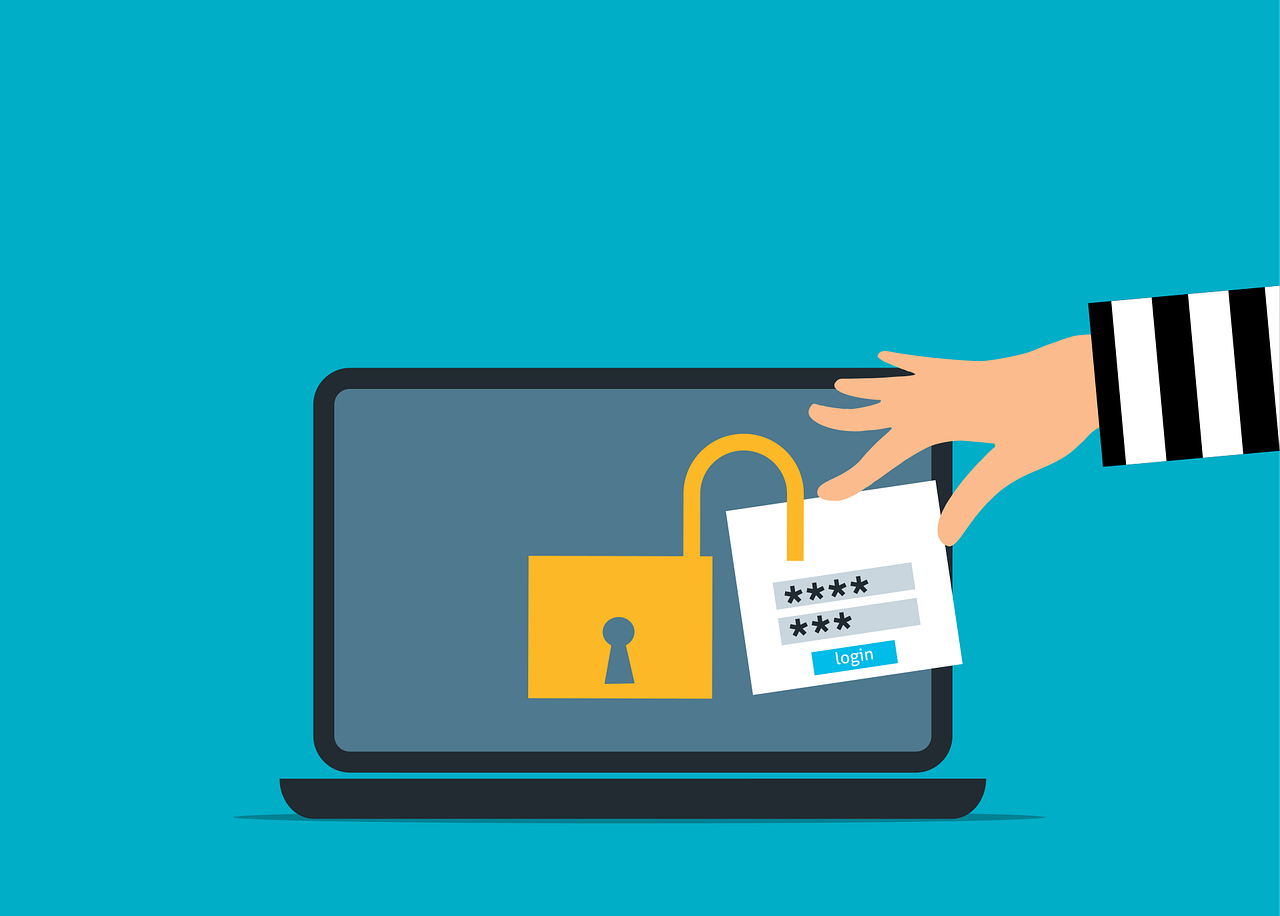
Your office thermostat, conference room speaker, and smart badge reader are convenient, but they’re also doors into your network. With more devices than ever in play, keeping track can be tough, and it only takes one weak link to put your entire system at risk.

That’s why smart IT solutions matter now more than ever. A trusted IT partner can help you connect smart devices safely, keep data secure, and manage your whole setup without stress.

Here’s a practical guide designed for small teams getting ready to work with connected tech.

What is IoT?

IoT, or the Internet of Things, is all about physical devices, like sensors, appliances, gadgets, or machines, being connected to the internet. These smart tools can collect and share data, and even act on their own, all without needing someone to constantly manage them. IoT helps boost efficiency, automate tasks, and provide useful data that leads to smarter decisions for both businesses and individuals. But it also comes with challenges, like keeping data secure, protecting privacy, and keeping track of all those connected devices.

Steps To Manage IoT Security Risks for Small Businesses

1. Know What You’ve Got

Begin with all of your network’s smart devices, such as cameras, speakers, printers, and thermostats. If you are not aware of a gadget, you cannot keep it safe.

  • Walk through the office and note each gadget
  • Record model names and who uses them

With a clear inventory, you’ll have the visibility you need to stay in control during updates or when responding to issues.

2. Change Default Passwords Immediately

Most smart devices come with weak, shared passwords. If you’re still using the default password, you’re inviting trouble.

  • Change every password to something strong and unique
  • Store passwords securely where your team can consistently access them

It takes just a minute, and it helps you avoid one of the most common rookie mistakes: weak passwords.

3. Segment Your Network

Let your smart printer talk, but don’t let it talk to everything. Use network segmentation to give each IoT device space while keeping your main systems secure.

  • Create separate Wi-Fi or VLAN sections for IoT gear
  • Block IoT devices from accessing sensitive servers
  • Use guest networks where possible

Segmented networks reduce risk and make monitoring easy.

4. Keep Firmware and Software Updated

Security flaws are found all the time, and updates fix them. If your devices are out of date, you’re wide open to cyberattacks.

  • Check for updates monthly
  • Automate updates when possible
  • Replace devices that are no longer supported

Even older gadgets can be secure if they keep receiving patches.

5. Monitor Traffic and Logs

Once your devices are in place, watch how they talk. Unexpected activity could signal trouble.

  • Use basic network tools to track how often and where devices connect
  • Set alerts for strange activity, like a badge reader suddenly reaching the internet
  • Review logs regularly for odd patterns

You don’t need an army of security experts, just something as simple as a nightly check-in.

6. Set Up a Response Plan

Incidents happen; devices can fail or malfunction. Without a plan, every problem turns into a major headache. Your response plan should include:

  • Who to contact when devices act weird
  • How you’ll isolate a problematic device
  • Available standby tools or firmware 

A strong response plan lets you respond quickly and keep calm when things go wrong.

7. Limit What Each Device Can Do

Not every device needs full network access. The key is permission controls.

  • Turn off unused features and remote access
  • Block internet access where not needed
  • Restrict device functions to exact roles only

Less access means less risk, yet your tools can still get the job done.

8. Watch for Devices That Creep In

It’s easy to bring in new devices without thinking of security risks, like smart coffee makers or guest speakers.

  • Have a simple approval step for new devices
  • Ask questions: “Does it need office Wi-Fi? Does it store data?”
  • Reject or block any gear that can’t be secured

Catching these risks early keeps your network strong.

9. Encrypt Sensitive Data

If your smart devices transmit data, ensure that data is encrypted both during transmission and while stored.

  • Check device settings for encryption options
  • Use encrypted storage systems on your network

Encryption adds a layer of protection without slowing things down.

10. Reevaluate Regularly

It’s easy to secure your office tech once and assume it stays that way. But tech changes fast, and so do threats.

  • Do a full check-in every six months
  • Reassess passwords, network segments, and firmware
  • Replace devices that don’t meet today’s standards

With a regular schedule, you keep ahead without overthinking it.

Why This Actually Matters

Smart devices simplify work but can pose risks if not properly secured. More businesses are experiencing cyberattacks through their IoT devices than ever before, and these attacks are rising rapidly. Protecting your systems isn’t about expensive high-tech solutions, it’s about taking simple, smart steps like updating passwords, keeping devices up to date, and knowing what’s connected.

These simple steps can protect your business without getting in the way. Plus, with the right IT support, staying ahead of threats is simpler than you might expect.

Your Office Is Smart, Your Security Should Be Too

You don’t need to be a cybersecurity expert to protect your small office. As more smart devices like printers, thermostats, and security cameras connect to your network, hackers have more opportunities to get in. The good news? Keeping your space secure doesn’t have to be complicated or costly.

With the right IT partner who understands the unique challenges small businesses face, you can take simple steps to protect what matters. Ready to get serious about IoT security? Contact us today and partner with a team that protects small offices, without the big-business complexity.

Featured Image Credit

This Article has been Republished with Permission from The Technology Press.

Picture this: your business’s front door is locked tight, alarm systems are humming, and firewalls are up, but someone sneaks in through the back door, via a trusted vendor. Sound like a nightmare? It’s happening more often than you think. Cybercriminals aren’t always hacking directly into your systems anymore. Instead, they exploit the vulnerabilities in the software, services, and suppliers you rely on every day. For small businesses, this can feel like an impossible puzzle. How do you secure every link in a complex chain when resources are tight?

That’s where reliable IT solutions come in. They help you gain visibility and control over your entire supply chain, providing the tools to spot risks early and keep your business safe without breaking the bank.

A report shows that 2023 supply chain cyberattacks in the U.S. affected 2,769 entities, a 58% increase from the previous year and the highest number reported since 2017.

The good news is you don’t have to leave your business exposed. With the right mindset and practical steps, securing your supply chain can become manageable. This article walks you through easy-to-understand strategies that even the smallest business can implement to turn suppliers from a risk into a security asset.

Why Your Supply Chain Might Be Your Weakest Link

Here’s the harsh truth: many businesses put a lot of effort into protecting their internal networks but overlook the security risks lurking in their supply chain. Every vendor, software provider, or cloud service that has access to your data or systems is a potential entry point for attackers. And what’s scarier? Most businesses don’t even have a clear picture of who all their suppliers are or what risks they carry.

A recent study showed that over 60% of organizations faced a breach through a third party, but only about a third trusted those vendors to tell them if something went wrong. That means many companies find out about breaches when it’s already too late, after the damage is done.

Step 1: Get a Clear Picture: Map Your Vendors and Partners

You might think you know your suppliers well, but chances are you’re missing a few. Start by creating a “living” inventory of every third party with access to your systems, whether it’s a cloud service, a software app, or a supplier that handles sensitive information.

  • List everyone: Track every vendor who touches your data or systems.
  • Go deeper: Look beyond your direct vendors to their suppliers, sometimes risks come from those hidden layers.
  • Keep it current: Don’t treat this as a one-time job. Vendor relationships change, and so do their risks. Review your inventory regularly.

Step 2: Know Your Risk: Profile Your Vendors

Not all vendors carry the same weight in terms of risk. For example, a software provider with access to your customer data deserves more scrutiny than your office supplies vendor.

To prioritize, classify vendors by:

  • Access level: Who can reach your sensitive data or core infrastructure?
  • Security history: Has this vendor been breached before? Past problems often predict future ones.
  • Certifications: Look for security certifications like ISO 27001 or SOC 2, but remember, certification isn’t a guarantee, dig deeper if you can.

Step 3: Don’t Set and Forget: Continuous Due Diligence

Treating vendor security like a box to check once during onboarding is a recipe for disaster. Cyber threats are evolving, and a vendor who was safe last year might be compromised now.

Here’s how to keep your guard up:

  • Go beyond self-reports: Don’t rely only on questionnaires from vendors, they often hide problems. Request independent security audits or penetration testing results.
  • Enforce security in contracts: Make sure contracts include clear security requirements, breach notification timelines, and consequences if those terms aren’t met.
  • Monitor continuously: Use tools or services that alert you to any suspicious activity, leaked credentials, or new vulnerabilities in your vendor’s systems.

Step 4: Hold Vendors Accountable Without Blind Trust

Trusting vendors to keep your business safe without verification is a gamble no one should take. Yet, many businesses do just that.

To prevent surprises:

  • Make security mandatory: Require vendors to implement multi-factor authentication (MFA), data encryption, and timely breach notifications.
  • Limit access: Vendors should only have access to the systems and data necessary for their job, not everything.
  • Request proof: Ask for evidence of security compliance, such as audit reports, and don’t stop at certificates.

Step 5: Embrace Zero-Trust Principles

Zero-Trust means never assuming any user or device is safe, inside or outside your network. This is especially important for third parties.

Key steps include:

  • Strict authentication: Enforce MFA for any vendor access and block outdated login methods.
  • Segment your network: Make sure vendor access is isolated, preventing them from moving freely across your entire system.
  • Verify constantly: Recheck vendor credentials and permissions regularly to ensure nothing slips through the cracks.

Businesses adopting Zero-Trust models have seen a huge drop in the impact of vendor-related breaches, often cutting damage in half.

Step 6: Detect and Respond Quickly

Even the best defenses can’t guarantee no breach. Early detection and rapid response make all the difference.

Practical actions include:

  • Monitoring vendor software: Watch for suspicious code changes or unusual activity in updates and integrations.
  • Sharing threat info: Collaborate with industry groups or security services to stay ahead of emerging risks.
  • Testing your defenses: Conduct simulated attacks to expose weak points before cybercriminals find them.

Step 7: Consider Managed Security Services

Keeping up with all of this can be overwhelming, especially for small businesses. That’s where managed IT and security services come in.

They offer:

  • 24/7 monitoring: Experts watch your entire supply chain non-stop.
  • Proactive threat detection: Spotting risks before they escalate.
  • Faster incident response: When something does happen, they act quickly to limit damage.

Outsourcing these tasks helps your business stay secure without stretching your internal resources thin.

Ignoring supply chain security can be costly. The average breach involving a third party now tops $4 million, not to mention the damage to reputation and customer trust.

On the flip side, investing in proactive supply chain security is an investment in your company’s future resilience. It protects your data, your customers, and your bottom line.

Taking Action Now: Your Supply Chain Security Checklist

  • Map all vendors and their suppliers.
  • Classify vendors by risk and access level.
  • Require and verify vendor security certifications and audits.
  • Make security mandatory in contracts with clear breach notification policies.
  • Implement Zero-Trust access controls.
  • Monitor vendor activity continuously.
  • Consider managed security services for ongoing protection.

Stay One Step Ahead

Cyber attackers are not waiting for a perfect moment, they are scanning for vulnerabilities right now, especially those hidden in your vendor ecosystem. Small businesses that take a proactive, strategic approach to supply chain security will be the ones that avoid disaster.

Your suppliers shouldn’t be the weakest link. By taking control and staying vigilant, you can turn your supply chain into a shield, not a doorway for attackers. The choice is yours: act today to protect your business or risk being the next headline.

Contact us to learn how our IT solutions can help safeguard your supply chain.

Featured Image Credit

This Article has been Republished with Permission from The Technology Press.

Podcasts
blendBoard

The world of cybersecurity moves at the speed of light, so we are proud to present the 10 Minute Cyber Fix podcast your Daily catch up on what is important right now an more importantly what you can do about it.

No technical mumbo jumbo, or hard sell, just well researched information you can use.

When Your Webcam Becomes The Weapon

Episode Summary Cybersecurity researchers reveal how thousands of trusted Lenovo webcams can be remotely converted into persistent BadUSB attack weapons that survive complete system wipes. Host Lucy Harper breaks down the BadCam vulnerability (CVE-2025-4371) and provides immediate protection strategies for UK businesses using affected devices. Full Equate Article is here

Read More »

Beware the QR Code: How Quishing is Costing UK Businesses Millions

Episode Summary QR codes have become a weapon of choice for cybercriminals, with UK businesses losing £3.5 million in just one year to “quishing” attacks. This episode breaks down the alarming surge in QR code phishing, how these sophisticated attacks work, and provides five actionable steps every SME can take

Read More »

When Your Firewall Becomes the Threat

Breaking: Critical SonicWall Vulnerability Threatens UK Small Businesses Arctic Wolf researchers identified a surge in ransomware attacks targeting SonicWall devices since July 15th, 2025. The Akira ransomware gang exploits a zero-day vulnerability bypassing traditional security measures, affecting thousands of UK SMEs. Why This Attack Is Different: Impact on UK Small

Read More »