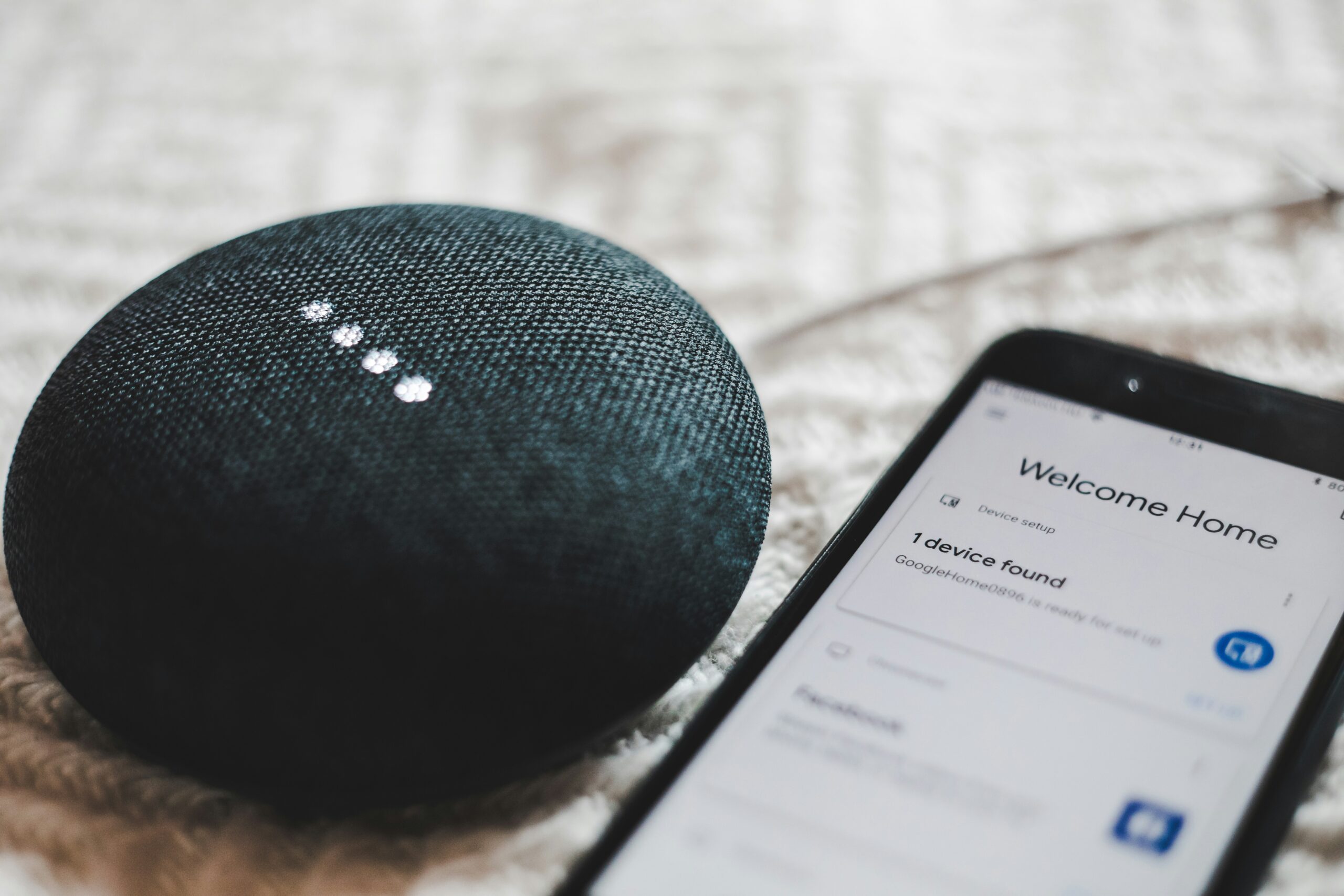
Is your smart home turning into a smart mess? Do your smart office devices speak different languages? You’re not alone. The current smart home and office technology landscape is riddled with incompatibility issues. This forces you to juggle several apps and deal with frustrating setup processes.

Smart home adoption is skyrocketing. Experts expect household penetration to be 18.9% in 2024. By 2028, that number nearly doubles to 33.2%. But these devices are not only becoming home standards. Smart speakers, sensors, and more are increasingly in use by businesses.

But fear not, there’s a light at the end of the tunnel. A new standard called Matter is here to unify the smart tech world. As a homeowner or business owner invested in smart technology, “Matter” matters. Let’s break down what this means for you.

The Smart Home Struggle is Real: A Tower of Babel

Imagine this: you buy a fancy new smart lock. Then you discover it doesn’t work with your existing smart light bulbs. Or you try to create automated routines in your office. But your devices can’t seem to communicate with each other. This is the reality for many smart home and office owners today.

The culprit? A lack of a universal standard. Different brands use different protocols, creating a fragmented mess. There’s Alexa, Google Assistant, Siri, and others – each with its pros and cons. But not exactly working seamlessly together. 

This translates to:

  • Limited Functionality: Your devices might not work together as planned. This can hinder the potential for true automation.
  • Setup Headaches: Connecting and configuring a multi-brand smart system can be complex. You may end up with a time-consuming nightmare.
  • App Overload: Juggling several apps for different devices is a recipe for frustration.

Matter to the Rescue: The Unifying Force

Matter is a standardized language for smart devices. It was developed by a group of leading tech companies in the smart home space. This standard helps ensure smart devices can all communicate, regardless of brand.

Here’s how Matter benefits you.

Goodbye, Compatibility Issues

Matter-certified devices will work together flawlessly. This means your smart lights will finally talk to your smart lock. Your office thermostat can play nice with your security system.

Hello, Easy Setup

Setting up new devices becomes a breeze. No more deciphering complex protocols or struggling with different apps.

Peace of Mind with Security

Matter prioritizes strong encryption and device authentication. This keeps your smart home or office safe from potential security threats. This is an important consideration when choosing smart home tech. Not all manufacturers place security first. Just looking for “Matter-certified” on a label makes it easier to choose wisely.

Future-Proof Technology

Matter is designed to adapt and evolve. This ensures compatibility with new devices and technologies as they emerge. You don’t find your tech “aging out” of an entire smart hub system.

What Matter Means for Your Smart Space

As Matter adoption increases, you can expect:

  • More Choices: A wider range of Matter-certified devices will hit the market. This allows you to pick the best options for your needs. And not have to worry about brand compatibility.
  • Simplified Management: Imagine controlling your smart home or office from a single app. Matter makes this dream a reality.
  • Enhanced Security: Robust security features built into Matter provide peace of mind. You can have confidence your connected space is protected.

Embrace the Future of Smart: How to Get Ready for Matter

The Matter revolution is underway, but it’s still early days. Here’s how you can prepare:

  • Stay Informed: Keep an eye out for Matter updates and announcements. This can help you learn which devices are becoming Matter-certified.
  • Invest Wisely: Consider opting for Matter-certified devices when replacing existing ones. Or when adding new features to your smart space.
  • Be Open to Change: Prepare to embrace Matter-based solutions. Especially as Matter becomes more widespread. This helps you build a more unified and convenient smart home or office experience.

Matter is a game-changer for smart technology users. It paves the way for a more intuitive and user-friendly experience. This allows you to focus on the real benefits of smart tech. These include convenience, efficiency, and comfort. 

So, ditch the app overload and say goodbye to compatibility woes. Unified is the future of smart homes and offices, and Matter is leading the charge!

Improve Your Smart Home/Office Setup & Security!

Is your smart home or office giving you what you need? Is it letting hackers into your network without your knowledge?

Get some relief! Our smart tech experts can help you with a unified setup. We can also ensure that your devices and network are fully secured.

Contact us today to schedule a chat.

Featured Image Credit

This Article has been Republished with Permission from The Technology Press.

The rise of remote work has redefined the modern workplace. Gone are the days of rigid office schedules and commutes. But with this flexibility comes a new set of challenges – cybersecurity threats. Remote work environments often introduce vulnerabilities to your organization’s data and systems. 

73% of executives believe that remote work increases security risk.

But this doesn’t mean you can’t mitigate that risk. Below, we’ll equip you with essential security practices for remote teams. You’ll learn how to keep company data safe and secure, no matter your location.

1. Securing Home Networks

Strong Wi-Fi Encryption

Ensure that your Wi-Fi is encrypted with the latest security protocols, such as WPA3. This is a foundational step in securing a home network. This prevents unauthorized users from accessing your network and intercepting data.

Changing Default Router Settings

Many routers come with default usernames and passwords. These are well-known to cyber criminals. Change these to unique, strong credentials. This helps prevent unauthorized access to your network.

Regular Firmware Updates

Routers, like any other digital device, need updates to patch security vulnerabilities. Make sure to check for and install firmware updates from the manufacturer. This helps to keep your router secure.

2. Use Strong, Unique Passwords

Password Managers

Remote workers use several accounts and services to access their work. This means managing passwords can be a daunting task. Password managers can generate, store, and autofill complex passwords. This helps ensure that each account has a unique and strong password.

Multi-Factor Authentication (MFA)

Installing MFA adds an extra layer of security. Even if a hacker compromises a password, MFA requires a second form of verification. This is usually a text message code or app authentication. This second step makes it much harder for attackers to breach accounts.

3. Protecting Devices

Antivirus/Anti-Malware Software

Ensure that all devices used for work purposes have up-to-date anti-malware software installed. These tools can detect and neutralize threats before they cause significant damage.

Regular Software Updates

Outdated software can have vulnerabilities that are exploited by cybercriminals. To stay protected against the latest threats, enable automatic updates for your:

  • Operating system
  • Applications
  • Security software

Encrypted Storage

Use encrypted storage for sensitive data. This ensures that even if a device is lost or stolen, the data remains inaccessible to hackers. You can use both built-in options and third-party solutions.

4. Secure Communication Channels

Virtual Private Networks (VPNs)

A VPN encrypts your internet traffic. This makes it difficult for attackers to intercept and access your data. Using a reputable VPN service is crucial. Especially when accessing company resources over public or unsecured networks.

Encrypted Messaging and Email

Use encrypted communication tools. These protect the content of your messages and emails. When choosing messaging and email services, ask about encryption. This can ensure that your communications remain private and secure.

5. Safe Browsing Practices

Browser Security

Ensure that your web browser is up-to-date and configured for security. This includes:

  • Enabling features such as pop-up blockers
  • Disabling third-party cookies
  • Using secure (HTTPS) connections whenever possible

Avoiding Phishing Attacks

Phishing attacks are a common threat to remote workers. Be vigilant about unsolicited emails or messages asking for sensitive information. Verify the sender’s identity before clicking on links or downloading attachments. Report suspicious communications to your IT department. This helps others on your team avoid the same emails.

Use of Ad Blockers

Ad blockers can prevent malicious ads from displaying on your browser. These often contain malware or phishing links. This adds an extra layer of security while browsing the web.

6. Educating and Training

Regular Security Training

Continuous education on the latest security practices and threats is essential. This includes phishing simulations and best practices for device and data security. Teams should also be aware of any new security protocols.

Incident Response Plan

Put a clear incident response plan in place. This ensures that all employees know what steps to take in the event of a security breach. This should include:

  • Reporting procedures
  • Mitigation steps
  • Contact information for the IT support team

7. Personal Responsibility and Vigilance

Personal Device Hygiene

Employees should maintain good digital hygiene on their personal devices. This includes regular backups and secure configurations. They should also separate personal and professional activities where possible.

Being Aware of Social Engineering

Social engineering attacks exploit emotions to gain access to systems and data. Being aware of common tactics, such as pretexting and baiting. Maintaining a healthy skepticism can prevent falling victim to these attacks.

Need Help Improving Remote Work Cybersecurity?

The transition to remote work has brought about significant changes. You need to evolve how you approach digital security. As cyber threats continue to grow, so too must security practices. 

Do you need some help? Our experts can help ensure that you are well-equipped to handle remote work securely.

Contact us today to schedule a chat about your cybersecurity.

Featured Image Credit

This Article has been Republished with Permission from The Technology Press.

Gone are the days of paper-laden desks and rows of filing cabinets. The modern office is a hub of innovation. Technology plays a starring role in this transformation. The right tech tools can significantly boost your team’s productivity. Including streamlining workflows and fostering collaboration. 

Is your company leveraging technology as well as it could? This article dives into the ways technology fuels office productivity. We’ll explore the benefits and provide tips for creating a tech-savvy workspace.

Boosting Efficiency: Technology as a Time-Saving Ally

The core benefit of technology in the office is its ability to save valuable time. Here are some key ways tech streamlines workflows and as frees up your team to focus on high-value tasks.

Automation Powerhouse

Repetitive tasks can be automated, eliminating manual effort and reducing errors. Imagine expense reports auto-populating. As well as scheduling meetings handled by an intelligent assistant. This frees up your team’s time for things like:

  • Creative thinking
  • Strategic planning
  • Complex problem-solving

65% of knowledge workers say automating manual tasks reduces stress.

Cloud-Based Collaboration

Cloud storage platforms allow teams to access and share documents seamlessly. No matter where they are or what time it is. This eliminates the need for emailing back-and-forth versions. It ensures everyone is working on the latest iteration. 

Additionally, cloud-based collaboration tools enable real-time document editing.  As well as communication, fostering efficient teamwork.

Communication Revolution

Gone are the days of phone tag and endless email chains. Instant messaging platforms and video conferencing tools provide instant communication channels. This facilitates quick questions, brainstorming sessions, and remote team collaboration.

Enhancing Accuracy: Technology Mitigates Errors

Technology saves time. But it also reduces errors that can derail projects and waste valuable resources. Here are some ways you can leverage tech to do this.

Data Accuracy Champions

Spreadsheet formulas automate calculations. This eliminates the risk of human error in manual data entry. Project management software tracks deadlines and dependencies. This ensures tasks stay on schedule and budgets are adhered to. These tools provide a single source of truth for project information. This eliminates confusion and miscommunication.

Data Analytics for Informed Decisions

Data analytics tools provide insights into:

  • Customer behavior
  • Marketing campaign performance
  • Project progress

This data-driven approach allows teams to make informed decisions based on real-time information. Having insightful analytics reduces the risk of costly mistakes.

Fostering Teamwork: Technology Bridges the Communication Gap

Technology empowers effective communication and collaboration, essential for a productive team environment. Here’s how it can do that.

Remote Work Enablement

Cloud-based tools and video conferencing apps promote seamless remote work. They allow teams to collaborate regardless of location. This fosters a more diverse workforce and expands your talent pool.

Knowledge Sharing Made Easy

Internal wikis and knowledge-sharing platforms allow teams to document processes. As well as share best practices and create a repository of company knowledge. This reduces the time spent reinventing the wheel. It also fosters a culture of learning and continuous improvement.

Project Management Made Simple

Collaborative project management tools provide many features, including:

  • Clear task overviews
  • Deadlines visibility
  • Communication channels

This ensures everyone is on the same page. It fosters accountability and promotes smooth project execution.

Creating a Tech-Savvy Workspace: Considerations for Implementation

The benefits of technology in the office are undeniable. But successful implementation requires careful consideration.

Choose the Right Tools

Not all tech solutions are created equal. Review your specific needs. Choose tools that integrate seamlessly with your existing systems and workflows. User-friendliness is key. Complex tools can hinder productivity if they need extensive training.

Cybersecurity is Paramount

As your reliance on technology increases, so does the need for robust cybersecurity. Put in place data encryption and strong password protocols. Don’t forget the importance of employee training on cybersecurity best practices.

Digital Divide Awareness

Ensure technology adoption doesn’t leave anyone behind. Provide training and support for employees. Especially those who might be less comfortable with new tools. Remember, technology should empower everyone, not create barriers.

Embrace Change Management

Technology adoption isn’t always smooth sailing. Be prepared to manage change within your team. As well as provide ongoing support as they adapt to new tools and workflows. The extra help getting over road bumps can make a world of difference.

Contact Our Technology Optimization Experts Today!

Technology isn’t a magic bullet. But it is a powerful tool to transform your office into a hub of productivity. Carefully select the right tools. This will help you empower your team. As well as propel you to achieve greater efficiency, accuracy, and collaboration. 

Need guidance to embrace the possibilities? Our technology optimization experts can help you build a tech-savvy workspace that thrives!

Contact us today to schedule a chat.

Featured Image Credit

This Article has been Republished with Permission from The Technology Press.

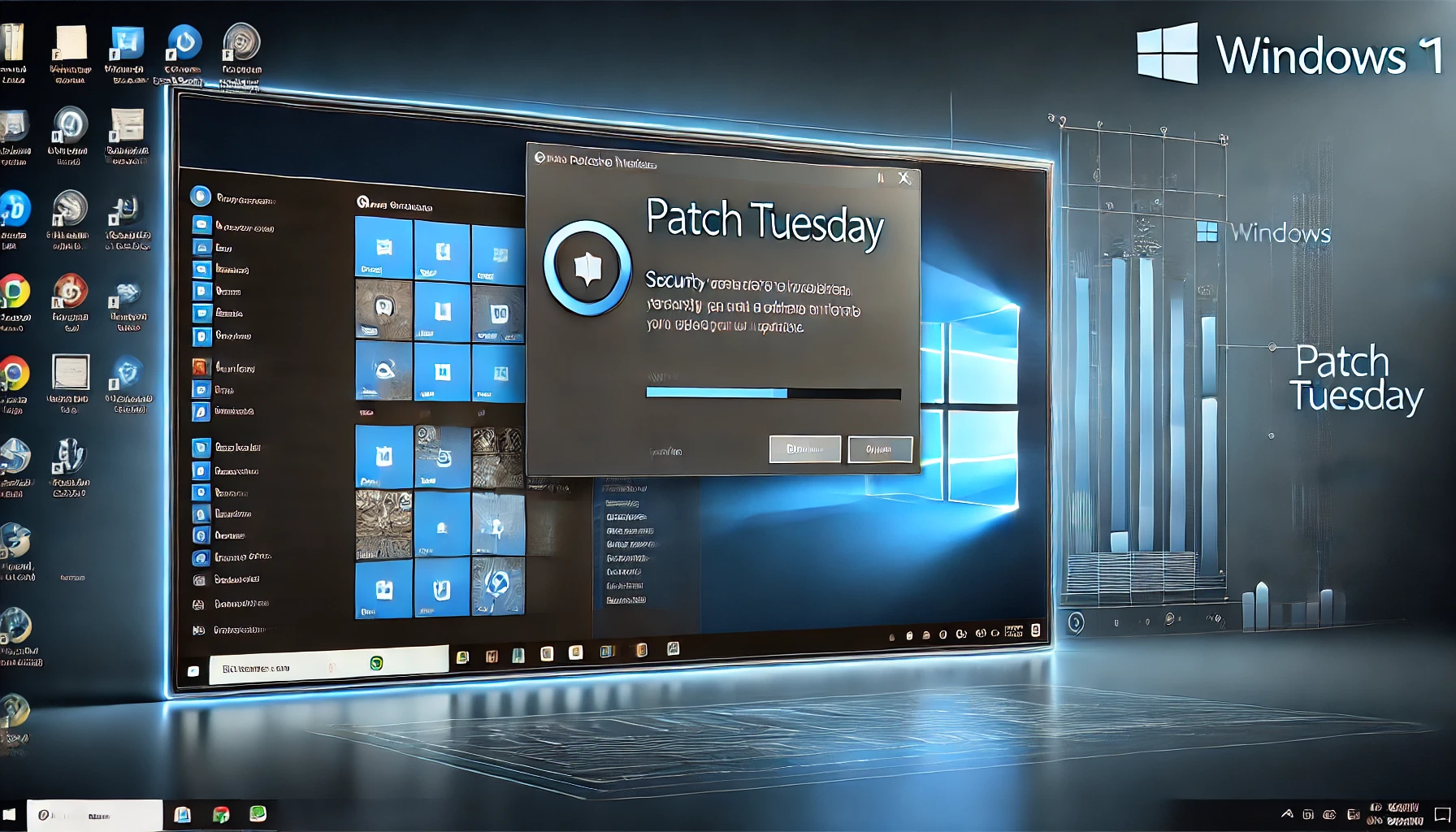
Ah, Patch Tuesday—the monthly ritual where Microsoft sprinkles updates across our Windows systems like clockwork. This August, we’ve got updates for three versions of Windows 11: 23H2, 22H2, and 21H2. Whether you’re an IT pro managing a fleet of machines or just someone who wants to stay on top of their system’s health, here’s what you need to know in a straightforward and digestible manner.

What’s New?

This month’s updates, particularly KB5041585, focus on a mix of security improvements and new features that enhance the overall user experience. If you’re running 23H2 or 22H2, you’ll get the KB5041585 update, and for 21H2, it’s KB5041592. These updates bump your build numbers up to 22621.4037 for 23H2, 22631.4037 for 22H2, and 22000.3147 for 21H2.

Why Should You Care?

Security might not be the most exciting topic, but it’s critical. These updates address several vulnerabilities that, if left unchecked, could expose your system to a variety of threats. One of the more significant fixes in this update is for the BitLocker issue affecting users who have encryption enabled. The previous bug caused the BitLocker recovery screen to appear unexpectedly, which is the last thing you want on a Monday morning.

Beyond just security, Microsoft has also introduced some usability improvements. One notable new feature is the ability to automatically adjust your PC’s time zone based on your location. This might seem like a small change, but it’s a handy feature for those who travel frequently or manage systems across different regions.

Key Highlights by Version

For 23H2 and 22H2:

  • BitLocker Issue: As mentioned, a pesky BitLocker screen might show up after restarting your device. If you’re affected, you’ll need to fetch your recovery key from your Microsoft account.
  • New Features: The update brings in some useful features, such as time zone auto-detection and enhancements to the cloud PC experience.
  • Lock Screen Wi-Fi Connect: The option to connect to Wi-Fi from the lock screen using your Windows account is now gone, all in the name of security (CVE-2024-38143, to be precise).
  • Secure Boot Changes: If you’re dual-booting Windows and Linux, pay attention. The Secure Boot Advanced Targeting (SBAT) update could prevent older Linux ISOs from booting. Time to chat with your Linux vendor for an updated image.

For 21H2:

  • End of Service: October 8, 2024, marks the end of the line for Windows 11 version 21H2. After that, you’ll be on your own with no more monthly updates, which means no security fixes, leaving your system vulnerable. The message here is simple: Update to a newer version if you want to stay protected.
  • Security Tweaks: The update brings in several security changes, including modifications to the Protected Process Light (PPL) protections and updates to the Windows Kernel Vulnerable Driver Blocklist file. These adjustments are part of Microsoft’s ongoing effort to clamp down on threats like Bring Your Own Vulnerable Driver (BYOVD) attacks.

Other Fixes and Improvements

Beyond the major highlights, there are also a number of smaller tweaks that are worth mentioning. Microsoft has resolved an issue where IMEs (Input Method Editors) would sometimes stop responding. This bug was particularly annoying for anyone who needed to switch between different input languages.

Gamers can also rejoice as this update addresses crashes experienced when launching certain games. This fix should ensure a smoother gaming experience post-update, free from those frustrating interruptions.

Servicing Stack Update (SSU)

No update would be complete without a tweak to the servicing stack, which is the backbone of Windows Update. This SSU makes sure that future updates roll out smoothly, so you don’t have to worry about your system throwing a fit the next time Patch Tuesday rolls around.

Known Issues

Here’s some good news: Microsoft hasn’t reported any new issues with these updates. That means you can apply them with a little more peace of mind. However, for 21H2 users, there’s a minor hiccup with changing user account profile pictures, but it’s a limited issue and shouldn’t affect most users.

Final Thoughts

Keeping your system updated is more than just ticking a box—it’s about ensuring you’re protected against the latest threats and maintaining the smooth running of your machine. While these updates may not be packed with shiny new features, they are crucial for maintaining the security and stability of your Windows 11 system.

If you haven’t updated yet, now’s the time. You can do this directly via Windows Update, or if you prefer to handle things manually, you can download the updates for offline installation from the Microsoft Catalog website.

Remember, staying updated is like brushing your teeth—it’s a small step that prevents big problems down the road. Happy updating!

Let’s face it: when it comes to new regulations, most small and micro business owners would rather watch paint dry than dive into another set of rules. But before you glaze over at the mention of the Cyber Security and Resilience Bill, let’s break it down into bite-sized chunks—no techno-jargon, just the essentials. You’ll thank me later when you’re not part of some terrifying hacking headline.

What Is the Cyber Security and Resilience Bill?

The UK’s Cyber Security and Resilience Bill is the latest government initiative to enhance cyber security standards across all industries. This new legislation aims to make businesses, including small and micro enterprises, more resilient against the increasing threats of cyber-attacks. The bill outlines clear guidelines and requirements that businesses must follow to protect themselves and their customers from potential cyber threats.

Why Should Small and Micro Businesses Care?

You might be thinking, “This is just another hoop for big corporations to jump through, right?” Wrong. The reality is that cyber criminals don’t discriminate based on business size. In fact, small businesses are often seen as low-hanging fruit because of their perceived weaker defences.

Ignoring the bill isn’t an option. Non-compliance could lead to not just a slap on the wrist, but potentially hefty fines, reputational damage, and, in worst-case scenarios, the end of your business. The bill also includes measures that might soon become the norm for doing business—so getting ahead of it could be a smart move for your small or micro business.

What Does the Cyber Security and Resilience Bill Require?

The Cyber Security and Resilience Bill mandates several critical requirements, but for small and micro businesses, here’s what you really need to know:

  1. Minimum Security Standards: The bill sets out basic security measures that every business must have in place. These aren’t wildly complex, but they’re essential—think secure passwords, regular software updates, and firewalls.
  2. Incident Reporting: If you suffer a cyber-attack, you’ll be required to report it to a national body. This not only helps the government understand the threat landscape better but also ensures you’re taking the necessary steps to recover and prevent future attacks.
  3. Supplier Security: If you work with third-party suppliers, you’ll need to ensure they’re up to scratch too. This means checking that they’re following good security practices. If they slip up, it could come back to haunt you.

Cyber Essentials: Your Starting Point for Compliance

If you’re wondering where to begin with all this, the government’s Cyber Essentials scheme is a great starting point. Think of Cyber Essentials as the training wheels for your cyber security journey. It’s a simple, cost-effective way to ensure your business is protected against the most common cyber threats.

Cyber Essentials covers the basics—like secure configurations, boundary firewalls, and user access controls—that the bill also pushes for. By achieving Cyber Essentials certification, you’re not just ticking a compliance box; you’re taking a significant step towards safeguarding your business. Plus, having that certification can be a real trust-booster when working with clients or partners who are concerned about security.

The Impact: Costs, Time, and Peace of Mind

Now, I’m not going to sugar-coat it—there will be costs involved in meeting these requirements. For a small or micro business, that might mean investing in new software, training staff, or even hiring a consultant to get your security where it needs to be.

Yes, it’s an upfront expense. But weigh that against the potential cost of a data breach: fines, lost customers, and the time it takes to rebuild trust. Suddenly, investing in cyber security doesn’t seem so bad.

Time is another factor. You’ll need to allocate some time to get your systems in order, especially if you’re starting from scratch. But here’s the silver lining: once you’ve got these measures in place, you’ll be more resilient, not just to cyber-attacks, but to any other business disruptions too. It’s about building a business that can weather storms—not just cyber ones, but the general chaos that seems to be part and parcel of running a business these days.

How Equate’s Experts Can Help

Feeling overwhelmed? You’re not alone. Navigating the complexities of cyber security under the new bill can feel like being lost in a maze. That’s where Equate’s experts come in.

At Equate, we understand the unique challenges that small and micro businesses face. Our team can guide you through the process of achieving Cyber Essentials certification, ensuring that your business meets the necessary standards without unnecessary hassle. We’ll help you implement the security measures required by the bill, so you can focus on what you do best—running your business.

What’s the Bottom Line?

The Cyber Security and Resilience Bill might feel like just another bureaucratic hurdle, but it’s more than that. It’s a wake-up call for small and micro businesses to take cyber security seriously. Compliance isn’t just about avoiding fines; it’s about protecting your livelihood.

So, let’s get ahead of the curve. Start small, maybe with a cyber security audit or a chat with an expert. Make a plan. Implement the basics. The bill is here to stay, and the businesses that embrace it will be the ones that not only survive but thrive in an increasingly digital world.

Remember, in the grand scheme of things, a little resilience goes a long way. And who knows? One day, you might even find yourself thankful for this bill that made your business stronger, safer, and ready for anything. And if you need a hand getting there, Equate’s got your back.

Artificial intelligence (AI) is rapidly transforming industries. It offers businesses innovative solutions and automation capabilities. But with this progress comes a growing concern: AI data breaches. As AI becomes more integrated into our systems, the risks increase. The data it collects, analyzes, and utilizes becomes a target.

A recent study on AI security breaches revealed a sobering truth. In the last year, 77% of businesses have experienced a breach of their AI. This poses a significant threat to organizations. A breach can potentially expose sensitive data as well as compromise intellectual property and disrupt critical operations.

But wait before you hit the panic button. Let’s explore why AI data breaches are on the rise and what steps you can take to safeguard your company’s valuable information.

Why AI Data Breaches are Growing in Frequency

Several factors contribute to the increasing risk of AI data breaches:

  • The Expanding Attack Surface: AI adoption is increasing fast. As it increases, so does the number of potential entry points for attackers. Hackers can target vulnerabilities in AI models and data pipelines. As well as the underlying infrastructure supporting them.
  • Data, the Fuel of AI: AI thrives on data. The vast amount of data collected for training and operation makes a tempting target. This data could include customer information, business secrets, and financial records. And even personal details of employees.
  • The “Black Box” Problem: Many AI models are complex and opaque. This makes it difficult to identify vulnerabilities and track data flow. This lack of transparency makes it challenging to detect and prevent security breaches.
  • Evolving Attack Techniques: Cybercriminals are constantly developing new methods to exploit security gaps. Techniques like adversarial attacks can manipulate AI models. This can produce incorrect outputs or leak sensitive data.

The Potential Impact of AI Data Breaches

The consequences of an AI data breach can be far-reaching:

  • Financial Losses: Data breaches can lead to hefty fines, lawsuits, and reputational damage. This can impact your bottom line significantly.
  • Disrupted Operations: AI-powered systems are often critical to business functions. A breach can disrupt these functionalities, hindering productivity and customer service.
  • Intellectual Property Theft: AI models themselves can be considered intellectual property. A breach could expose your proprietary AI models, giving competitors a significant advantage.
  • Privacy Concerns: AI data breaches can compromise sensitive customer and employee information. This can raise privacy concerns and potentially lead to regulatory action.

Protecting Your Company from AI Data Breaches: A Proactive Approach

The good news is that you can take steps to mitigate the risk of AI data breaches. Here are some proactive measures to consider.

Data Governance

Put in place robust data governance practices. This includes:

  • Classifying and labeling data based on sensitivity
  • Establishing clear access controls
  • Regularly monitoring data usage

Security by Design

Integrate security considerations into AI development or adoption. Standard procedures for AI projects should be:

  • Secure coding practices
  • Vulnerability assessments
  • Penetration testing

Model Explainability

Invest in techniques like explainable AI (XAI) that increase transparency in AI models. This allows you to understand how the model arrives at its results and identify potential vulnerabilities or biases.

Threat Modeling

Conduct regular threat modeling exercises. This identifies potential weaknesses in your AI systems and data pipelines. This helps you rank vulnerabilities and allocate resources for remediation.

Employee Training

Educate your employees about AI security threats and best practices for data handling. Empower them to identify and report suspicious activity.

Security Patch Management

Keep all AI software and hardware components updated with the latest security patches. Outdated systems are vulnerable to known exploits, leaving your data at risk.

Security Testing

Regularly conduct security testing of your AI models and data pipelines. This helps identify vulnerabilities before attackers exploit them.

Stay Informed

Keep yourself updated on the latest AI security threats and best practices. You can do this by:

  • Subscribing to reliable cybersecurity publications
  • Attending industry conferences
  • Seeking out online workshops on AI and security

Partnerships for Enhanced Protection

Consider working with a reputable IT provider that understands AI security. We can offer expertise in threat detection as well as a vulnerability assessment and penetration testing tailored to AI systems. 

Additionally, explore solutions from software vendors who offer AI-powered anomaly detection tools. These tools can analyze data patterns. They identify unusual activity that might suggest a potential breach.

Get Help Building a Fortress Against AI Data Breaches

AI offers immense benefits. But neglecting its security risks can leave your company exposed. Do you need a trusted partner to help address AI cybersecurity?

Our team of experts will look at your entire IT infrastructure. Both AI and non-AI components. We’ll help you put proactive measures in place for monitoring and protection. Our team can help you sleep soundly at night in an increasingly dangerous digital space. 

Contact us today to schedule a chat about your cybersecurity.

Featured Image Credit

This Article has been Republished with Permission from The Technology Press.

How Carpetright’s Cyber Breach Could Have Been Avoided: A Call to Action for Businesses

In today’s interconnected digital landscape, the threat of cyberattacks is no longer a distant possibility but an ever-present danger. The recent cyber breach at Carpetright, one of the UK’s leading flooring retailers, serves as a stark warning to businesses everywhere. This breach didn’t just disrupt operations—it exposed significant vulnerabilities that could have been mitigated with the right cybersecurity measures in place.

The Carpetright Cyber Breach: A Cautionary Tale

Carpetright’s cyber breach was not just an isolated incident; it was a loud wake-up call. The attack, which led to operational disruptions and potential data compromises, highlighted the critical need for robust cybersecurity frameworks. For businesses that may think, “It won’t happen to us,” the Carpetright breach is a clear message: It can, and it might.

But the real story here isn’t just about what happened to Carpetright. It’s about what could have been done to prevent it, and more importantly, what your business can do to ensure it doesn’t face a similar fate.

What Went Wrong: The Need for a Structured Cybersecurity Approach

The breach at Carpetright underscores the importance of adopting recognised cybersecurity frameworks such as Cyber Essentials and NIST (National Institute of Standards and Technology) Cybersecurity Framework. These frameworks provide a structured approach to cybersecurity, offering guidelines and best practices that can help businesses protect their digital assets and respond effectively to cyber threats.

Carpetright’s breach likely stemmed from vulnerabilities that could have been addressed by adhering to these frameworks. Both Cyber Essentials and NIST focus on key areas such as identifying risks, protecting systems, detecting threats, responding to incidents, and recovering from breaches. The absence of such structured approaches leaves businesses exposed, increasing the likelihood of successful attacks.

Cyber Essentials: A Basic Defence for UK Businesses

Cyber Essentials is a UK government-backed scheme designed to help organisations protect themselves against common cyber threats. It provides a clear set of guidelines that, when followed, can significantly reduce the risk of a breach.

If Carpetright had implemented the Cyber Essentials framework, it would have covered five critical areas:

  1. Firewalls: Ensuring that only safe traffic can access the network.
  2. Secure Configuration: Ensuring that systems are configured in the most secure way possible.
  3. User Access Control: Ensuring that only authorised users can access systems.
  4. Malware Protection: Ensuring that anti-virus and anti-malware solutions are in place.
  5. Patch Management: Ensuring that software is kept up-to-date with the latest security patches.

These basic yet essential practices could have been the first line of defence against the breach. For any business, adopting Cyber Essentials is not just about compliance; it’s about building a foundation of security that protects both the company and its customers.

NIST Cybersecurity Framework: Building a Robust Cybersecurity Posture

The NIST Cybersecurity Framework, developed in the United States but adopted globally, offers a more comprehensive approach to cybersecurity. It goes beyond the basics, providing a flexible framework that helps organisations of all sizes manage and reduce cybersecurity risk.

The NIST framework focuses on five core functions:

  1. Identify: Understanding and managing cybersecurity risks to systems, assets, data, and capabilities.
  2. Protect: Developing and implementing appropriate safeguards to ensure delivery of critical services.
  3. Detect: Developing and implementing activities to identify the occurrence of a cybersecurity event.
  4. Respond: Developing and implementing activities to take action regarding a detected cybersecurity event.
  5. Recover: Developing and implementing activities to maintain resilience and restore capabilities impaired during a cybersecurity event.

Had Carpetright incorporated the NIST framework, it could have had the systems in place to not only prevent the breach but also to detect it quickly, respond effectively, and recover with minimal disruption.

The Domino Effect of Cyber Incidents

One of the most concerning aspects of the Carpetright breach was the domino effect it had on the company’s operations. The breach didn’t just compromise data; it brought business to a standstill. When IT systems are compromised, the consequences extend far beyond the immediate financial loss. Customer service, supply chain management, and even basic business functions can grind to a halt. The result? Lost revenue, eroded customer trust, and a tarnished brand reputation.

For any business, this should be a wake-up call. The digital age has brought countless opportunities, but it has also introduced new risks. To thrive in this environment, businesses must prioritise cybersecurity as a critical component of their overall strategy.

The Financial and Reputational Toll: Can Your Business Afford It?

The financial impact of a cyber breach can be staggering. Carpetright undoubtedly faced hefty costs associated with managing the breach—hiring cybersecurity experts, restoring systems, and communicating with affected customers. But the long-term financial implications could be even more damaging.

A breach can lead to lost sales, fines for non-compliance with data protection regulations, and the ongoing cost of improving cybersecurity measures. Then there’s the reputational damage. In a competitive market, where customer trust is paramount, a breach can be a death blow to a brand.

For your business, the question is clear: Can you afford the financial and reputational damage of a cyber breach? And more importantly, are you willing to take that risk?

A Better Approach: Proactive Cyber Resilience with Equate Group

The Carpetright breach teaches us one crucial lesson: cyber resilience is not optional—it’s essential. Cyber resilience is about more than just having a strong defence; it’s about being able to respond to and recover from cyber incidents quickly and effectively. And this is where Equate Group can make a difference.

Why Cyber Essentials and NIST Are Your Best Defence

At Equate Group, we understand the complexities of cybersecurity and the importance of adopting proven frameworks like Cyber Essentials and NIST. These frameworks are not just about ticking boxes—they are about creating a security posture that is proactive, comprehensive, and resilient.

By partnering with Equate Group, you can ensure that your business not only meets the requirements of these frameworks but also leverages them to build a stronger, more secure future. We specialise in helping businesses implement these frameworks in a way that aligns with their unique needs and challenges.

Why Wait? Take Action Now

The consequences of the Carpetright breach are clear: no business is immune, and the cost of inaction can be devastating. But the good news is, you don’t have to face these challenges alone. By partnering with Equate Group, you can ensure that your business is not only protected but resilient—ready to face any threat that comes your way.

Don’t wait for a breach to occur. Take proactive steps now to safeguard your business, protect your customers, and preserve your reputation. Contact Equate Group today and discover how we can help you build a stronger, more resilient future.

Conclusion: A Call to Action

The Carpetright cyber breach serves as a stark reminder of the importance of cybersecurity in today’s business environment. It highlights the need for proactive measures, robust defences, and effective incident response plans. But most importantly, it underscores the importance of having the right partner by your side.

At Equate Group, we are committed to helping businesses navigate the complexities of cybersecurity. We believe that every business deserves the peace of mind that comes with knowing they are protected. So why wait? Reach out to Equate Group today and take the first step towards securing your business’s future.

In the ever-evolving world of cybersecurity, inaction is the greatest risk. Let Equate Group be your safeguard against the unknown. Contact us now, and let’s build a future where your business can thrive without fear.

Top Cybersecurity Tips for UK Small Businesses: Protect Your Company in 2024

In the ever-evolving landscape of digital threats, ensuring your small business is cyber-safe isn’t just a precaution—it’s a necessity. With the rise of sophisticated cyber-attacks and increasing regulatory demands, protecting your company’s digital assets is more crucial than ever. So, grab a cup of tea and let’s dive into the top cybersecurity tips that will help keep your UK small business secure in 2024.

1. Understand Your Threat Landscape

Before you can effectively defend against cyber threats, you need to understand what you’re up against. Small businesses are often targeted due to their perceived vulnerability. Cybercriminals see them as low-hanging fruit, thinking they’re less likely to have robust security measures in place.

In the UK, cyber threats can range from phishing scams and ransomware attacks to data breaches and insider threats. Familiarising yourself with these threats is the first step in building a solid defence. Keep abreast of the latest threats and vulnerabilities by following UK cybersecurity news and updates from organisations like the National Cyber Security Centre (NCSC).

2. Implement a Robust Cybersecurity Strategy

A piecemeal approach to cybersecurity is about as effective as using a sieve to catch fish. Instead, develop a comprehensive cybersecurity strategy that addresses all potential weak points in your system. This should include:

  • Network Security: Firewalls, intrusion detection systems, and regular network monitoring.
  • Endpoint Security: Antivirus software, anti-malware programs, and ensuring all devices are regularly updated.
  • Data Protection: Encryption of sensitive data and regular backups.

Make sure your strategy also includes policies for incident response and recovery. In the unfortunate event of a cyber-attack, having a well-documented plan can mean the difference between a minor hiccup and a major disaster.

3. Train Your Team

Your employees are often the first line of defence against cyber threats. However, they’re only effective if they know what they’re looking out for. Regular cybersecurity training should be a staple of your security strategy.

Here’s what training should cover:

  • Recognising Phishing Emails: Teach staff how to identify suspicious emails and avoid falling for scams.
  • Strong Password Practices: Encourage the use of complex passwords and the importance of not reusing them across different sites.
  • Secure Use of Devices: Best practices for securing personal and company devices, including the dangers of public Wi-Fi.

Remember, even the most sophisticated security systems can be undermined by a single careless click. Investing in regular training not only reduces risk but also fosters a culture of security awareness.

4. Keep Your Software Updated

It might seem like a tedious task, but keeping your software updated is crucial. Software updates often include patches for security vulnerabilities that hackers could exploit.

Ensure all your systems—operating systems, applications, and even IoT devices—are running the latest versions. Set up automatic updates where possible, but also be prepared to manually check and apply updates as necessary.

In the UK, companies must also be mindful of compliance with data protection regulations, such as the General Data Protection Regulation (GDPR). Keeping your systems updated helps ensure you remain compliant and avoid hefty fines.

5. Use Multi-Factor Authentication (MFA)

Passwords alone are no longer enough to protect sensitive data. Multi-Factor Authentication (MFA) adds an extra layer of security by requiring a second form of verification in addition to your password.

This could be a text message code, a fingerprint scan, or a security token. MFA drastically reduces the risk of unauthorized access, even if your password is compromised. Implement MFA for all accounts that support it, particularly for critical systems and administrative accounts.

6. Back Up Your Data Regularly

Data loss can be devastating, whether it’s due to a ransomware attack or accidental deletion. Regular backups ensure that, should the worst happen, you can restore your data with minimal disruption.

Consider implementing a 3-2-1 backup strategy: three copies of your data, two of which are local but on different devices, and one copy stored off-site. Cloud backups are an excellent off-site solution, but don’t forget to also have a physical backup for added security.

7. Secure Your Wi-Fi Network

Your Wi-Fi network is a gateway to your entire IT infrastructure. Ensuring it’s secure is fundamental to protecting your business. Start by:

  • Changing Default Passwords: Many routers come with default passwords that are easy for hackers to guess.
  • Using Strong Encryption: Set your Wi-Fi to use WPA3 encryption, which is the latest and most secure standard.
  • Creating a Guest Network: If you need to allow visitors to connect to your Wi-Fi, set up a separate guest network to keep your main network secure.

Regularly check your network for any unusual activity and ensure your router’s firmware is up to date.

8. Conduct Regular Security Audits

Regular security audits help identify potential vulnerabilities and assess the effectiveness of your current cybersecurity measures. These audits can be conducted internally or by hiring external experts.

A good audit should review all aspects of your cybersecurity infrastructure, including your network, endpoints, data protection measures, and employee training. Use the findings to address any weaknesses and continually improve your security posture.

9. Implement Access Controls

Not everyone in your business needs access to every piece of data. Implement access controls to ensure that employees only have access to the information necessary for their role.

This principle of “least privilege” helps limit the damage that can be done if an account is compromised. Regularly review and update access permissions as roles and responsibilities within your company change.

10. Stay Informed and Adapt

Cybersecurity isn’t a set-and-forget deal. The threat landscape is constantly evolving, and so should your security measures. Stay informed about new threats, emerging technologies, and best practices by subscribing to cybersecurity newsletters and attending relevant seminars or webinars.

In the UK, it’s also wise to keep an eye on regulatory changes and updates. The cybersecurity landscape can shift rapidly, and being proactive about adapting your security strategy will help ensure you remain protected.

Conclusion

Protecting your small business from cyber threats in 2024 requires vigilance, preparation, and ongoing commitment. By understanding your threat landscape, implementing a robust cybersecurity strategy, training your team, keeping software updated, and employing measures like MFA and regular backups, you can significantly reduce your risk.

Remember, cybersecurity isn’t just about technology—it’s about creating a culture of security within your business. By staying informed and adapting to new challenges, you’ll be well-equipped to handle whatever the digital world throws your way.

So, here’s to a secure and successful year ahead! And if you need any further advice or support, don’t hesitate to reach out. After all, in the world of cybersecurity, it’s always better to be safe than sorry.

Smart homes seem like something straight out of a sci-fi movie. They have lights that respond to your voice commands and thermostats that auto-adjust. Not to mention robot vacuums that clean your floors while you relax.

It’s all very tempting. But before you rush out and buy the newest gadget, there are some crucial considerations. Here are 7 essential things to ask yourself before diving headfirst into new smart home tech.

1. Does it Solve a Real Problem?

Not all smart home devices are created equal. Some offer genuine solutions to everyday problems. Others might be more novelty than necessity. Think critically about your daily routine. Identify tasks that you could streamline with smart technology. 

For instance, do you constantly forget to turn off the lights when you leave a room? Then, smart bulbs with motion sensors could be a game-changer. But a smart toaster might not be the most practical addition to your kitchen. Especially if your mornings are already a hectic rush.

2. Is It Compatible with Other Devices?

The world of smart home devices can be a bit like a high school cafeteria. Not all device brands play well together. Many smart devices rely on a central hub or app to function. So, ensure the gadget you choose is compatible with the ones you already have or plan to buy. 

Mixing and matching brands can lead to a frustrating user experience. Devices may refuse to communicate or need several apps to manage. Researching compatibility beforehand will save you a lot of headaches. 

PS: Help is on the way in the future. A new Matter standard aims to address cross-brand compatibility.

3. Is Your Wi-Fi Up to the Challenge?

Smart homes are like data-hungry beasts. They rely heavily on a strong and stable Wi-Fi connection to function properly. Is your internet slow, unreliable, or have limited bandwidth? If so, your smart home dreams might quickly turn into a frustrating nightmare. 

Just a few of the potential problems you might face with a weak Wi-Fi connection are:

  • Smart lights flickering on and off
  • Thermostats refusing to adjust
  • Voice assistants lagging behind your commands

Before investing in smart devices, consider upgrading your Wi-Fi router or internet plan. This helps ensure it can handle the increased data traffic.

4. Privacy Concerns Deserve Attention

Smart home devices collect data on your habits and routines. From the times you turn on the lights to the temperature you prefer in your home. These gadgets are constantly gathering information. Some companies may use this data to personalize your experience. But others might sell it to third-party vendors (usually advertisers). 

Before bringing a smart device into your home, take time to read the device’s privacy policy. What data does it collect? How is it used? Do you have any control over how your data is shared? Does the privacy policy raise red flags? Then, it might be best to look for a different device with stronger data protection practices.

5. Security Matters: Protect Your Smart Home

Unfortunately, the convenience of smart homes comes with an increased security risk. These devices connect to your Wi-Fi network. This means they can become vulnerable to hacking attempts. Hackers could potentially gain access to your home’s controls. As well as adjust settings or even steal sensitive data. 

To mitigate these risks, choose devices with strong security features such as encryption and two-factor authentication. Additionally, keep your devices updated with the latest software patches. This is crucial to address any known security vulnerabilities. Consider creating a separate “guest” Wi-Fi network for your smart home devices. This isolates them from your personal computers and other data-rich devices. The isolation gives you an extra layer of security.

6. Future-Proofing Your Smart Home

Technology evolves at a rapid pace. What’s cutting-edge today might be obsolete tomorrow. Before investing in a smart home device, consider the manufacturer’s reputation. You should look for details on software updates and long-term device support. Will the company continue to provide security patches and updates in the years to come?

If a device lacks a history of consistent software updates, it might be wise to look elsewhere. This helps to ensure your smart home doesn’t become outdated quickly.

7. Start Small and Scale Up Gradually

Don’t get carried away and try to automate your entire home overnight. Smart home technology can be a significant investment. It’s wise to take things slow. Start with a few key devices that address specific needs or pain points in your daily routine. 

For example, consider starting with smart lights or a smart thermostat. These help you experience the benefits of smart home technology but before diving into a full-blown home automation setup. This measured approach allows you to assess the usefulness of smart home devices. As well as identify any issues before committing to a larger investment.

Carefully consider these 7 essential questions before buying smart home devices. They’ll help ensure that your foray into the world of home automation is a success.

Need an Expert to Help with Smart Home Setup & Security?

Those “DIY” smart home setups are not always as easy (or secure) as they may sound. If you need help from a friendly technology expert, give us a call. We can help you craft a smart home that’s connected, secure, and truly helpful.


Contact us today to schedule a chat.

Featured Image Credit

This Article has been Republished with Permission from The Technology Press.

Introduction

In today’s digital world, cybersecurity is more important than ever. Small businesses across the UK face increasing threats from cyber criminals who are getting smarter and more dangerous. As we move into the second half of 2024, it’s not just crucial, but urgent to understand the state of cybersecurity, identify the risks, and know what steps to take to protect your business. With the recent change in government, it’s also worth asking if any new policies or support systems could help. This guide is designed to give small businesses a clear and easy-to-understand overview of what’s happening in cybersecurity, what threats are out there, and how to stay safe.

The Cybersecurity Landscape in the UK

The Growing Cyber Threat

Cybersecurity is a big deal for small businesses in the UK. According to a government survey, 38% of small businesses reported a cyber attack last year. That means more than one in three small businesses faced a threat. Cybercriminals often see small businesses as easy targets because they may need strong security measures.

Cyber attacks have changed a lot over the years. They’re not just about annoying viruses anymore. Now, we see more advanced attacks like phishing, ransomware, and social engineering. These attacks are designed to trick employees, lock up important data, or steal sensitive information. For small businesses, dealing with the aftermath of a cyber attack can be not just challenging, but devastating, potentially threatening the very existence of the business.

Navigating the Regulatory Environment

Staying on the right side of the law is not just important, but vital for any business. The General Data Protection Regulation (GDPR) is a crucial piece of legislation in the UK that affects how companies handle personal data. You must follow these rules if your business collects, stores, or processes personal information. Failing to do so can result in hefty fines, which can be detrimental to your business.

In addition to GDPR, the UK has the Network and Information Systems (NIS) Regulations, which aim to protect essential services and digital service providers. While these regulations mainly target larger companies, small businesses must be aware of them, primarily if they work with larger companies or in specific industries.

Has the Change in Government Made a Difference?

With a new government, there’s often hope (or concern) about policy changes. The current government has signalled that cybersecurity is a priority. They’ve talked about investing more in national security, which includes cyber defences. For small businesses, this could mean more resources or guidance becoming available. However, it could also mean new rules or requirements that companies must follow. Understanding these potential changes is crucial for small businesses to adapt their cybersecurity strategies accordingly.

Emerging Cyber Threats in 2024

Ransomware: The Ongoing Threat

Ransomware is malware that locks up your data and demands a ransom to unlock it. It’s one of the biggest threats facing businesses today. For a small business, a ransomware attack can be devastating. It can stop your operations, damage your reputation, and cost you much money.

The problem with ransomware is that it’s constantly evolving. Cybercriminals are always finding new ways to deliver ransomware, whether through phishing emails or exploiting your systems’ weaknesses. The rise of ransomware-as-a-service means that even less tech-savvy criminals can get involved, making this threat more widespread.

The Risk of Supply Chain Attacks

Supply chain attacks are becoming more common. In these attacks, cybercriminals target the suppliers or vendors a business relies on, hoping to find a weak spot to exploit. They can access your systems through a compromised third party if they succeed.

This attack is hazardous for small businesses, which often depend on third-party providers for essential services. If one of your suppliers is hacked, your business could be at risk, too. It’s important to vet your suppliers carefully and ensure they have strong cybersecurity measures.

AI-Powered Cyber Attacks

Cybercriminals are using Artificial Intelligence (AI) to create more advanced attacks. AI can help criminals scan for vulnerabilities, create more convincing phishing emails, and even automate specific attacks. This makes cyber threats more dangerous and more challenging to detect. Understanding the role of AI in cyber attacks is crucial for small businesses to realize the need for more advanced tools and practices to defend against them.

AI-powered attacks are a significant risk for small businesses because they often need more advanced tools to defend against them. As AI technology continues to improve, companies need to stay ahead of these threats by using the right security tools and practices.

Insider Threats: The Enemy Within

Insider threats are when someone within your business, like an employee or contractor, intentionally or accidentally causes a security breach. With more people working from home, the risk of insider threats has increased. This could be due to a lack of oversight, less secure home networks, or human error. The potential impact of insider threats on small businesses is significant, making it crucial to deploy the correct monitoring tools and educate your employees about security risks to reduce the chances of an insider threat causing damage.

Insider threats can be challenging to detect and manage for small businesses. However, by deploying the correct monitoring tools and educating your employees about security risks, you can reduce the chances of an insider threat causing damage.

Cyber Insurance: Is It Worth It?

As cyber threats become more common, many businesses use cyber insurance to protect themselves financially. Cyber insurance can cover a range of incidents, including data breaches, ransomware attacks, and business interruptions caused by cyber events.

However, while cyber insurance can provide peace of mind, it’s not a silver bullet. Insurers increasingly require businesses to have specific security measures before offering coverage. Understanding and choosing the right cyber insurance policy for small businesses can be tricky. Still, it’s an essential part of a comprehensive cybersecurity strategy.

Cybersecurity Solutions for Small Businesses

Zero Trust: Don’t Trust Anyone

Zero Trust is a security model that assumes no one—inside or outside your network—should be trusted by default. Instead, everyone and everything must be verified before gaining access. This model is gaining popularity as businesses seek more robust ways to protect themselves against cyber threats.

Adopting a zero-trust approach may sound complicated for small businesses, but it’s increasingly necessary. Fortunately, there are now security solutions designed specifically for small businesses that make it easier to implement Zero-Trust practices. This approach can better protect your business from both external and internal threats.

Cloud Security: Keep Your Data Safe

More and more businesses are moving their operations to the cloud. While the cloud offers many benefits, such as flexibility and cost savings, it also comes with security challenges. That’s why cloud security is more important than ever.

Small businesses can benefit from easy-to-use and affordable cloud security solutions. Many cloud service providers offer built-in security features, such as encryption and multi-factor authentication, which can help protect data. However, it’s still important to regularly review and update your security settings to ensure they meet your business’s needs.

AI and Machine Learning: Fight Fire with Fire

AI and Machine Learning (ML) aren’t just tools for cybercriminals—they can also protect your business. These technologies can help you spot threats in real time, automate routine security tasks, and even predict and prevent attacks before they happen.

For small businesses, AI-powered security tools can be a game-changer. They can provide insights and automate tasks that would be difficult for a small team to handle alone. Investing in AI and ML security solutions can strengthen your defences against the latest cyber threats, most of the time! You do remember Crowdstrike, right?

Managed Services: Get Expert Help

If managing cybersecurity in-house feels overwhelming, you’re not alone. Many small businesses turn to managed security service providers (MSSPs) for help. MSSPs offer a range of services, from monitoring for threats to responding to incidents, allowing you to focus on running your business.

For small businesses, partnering with an MSSP can be a smart move. These providers offer access to top-notch security expertise and technology without a significant investment. As cyber threats continue to grow, the demand for managed security services will likely increase.

Employee Training: Your First Line of Defense

Training your employees is one of the best ways to improve cybersecurity in your business. Many cyber attacks succeed because of human error, such as clicking on a phishing email or using weak passwords. Educating your team can reduce the risk of these types of attacks.

Employee training can be simple and inexpensive. Regular sessions covering basics such as identifying phishing emails and using strong passwords can significantly impact. As cyber threats constantly change, your training program should also evolve. Keep your team informed and prepared to address any potential threats.

Practical Steps for Small Businesses

Start with a Risk Assessment

The first step in improving cybersecurity is conducting a risk assessment. This means identifying the assets that need protection, the threats they face, and the potential impact of a cyber incident. A risk assessment will help you prioritize your efforts and ensure your resources are used effectively.

Understanding your vulnerabilities allows you to take targeted actions to strengthen your defenses. This might involve upgrading your software, implementing more robust access controls, or investing in cybersecurity tools that address your needs.

Don’t Overlook the Basics

While advanced security solutions are essential, remember the basics of cyber hygiene. This includes:

  • Regularly updating your software.
  • Using strong and unique passwords.
  • Enabling two-factor authentication.
  • Backing up your data.

These simple steps can go a long way in preventing common cyber threats.

Make sure all employees follow these basic practices as well. Use secure connections, such as VPNs, when working remotely. Be cautious when clicking on links or downloading attachments from unknown sources. These every day habits can make a big difference in your overall security.

Have a Response Plan in Place

No matter how strong your defenses are, a cyber attack can always succeed. That’s why it’s important to have a response plan in place. An incident response plan should outline steps to take if there’s a breach, including how to contain the incident, notify affected parties, and restore normal operations.

Test your plan regularly to ensure it works, and update it as needed. A plan can minimize the damage from a cyber attack and quickly get your business back on track.

Secure Your Remote Work Setup

Remote work is here to stay, so securing remote work environments is crucial. Ensure employees use secure connections, like virtual private networks (VPNs), and that company data is encrypted in transit and at rest. Implement access controls and monitor remote access to prevent unauthorized access to sensitive information.

Provide employees with the tools and training to work securely from home. This might include offering secure devices, providing guidance on safe internet use, and encouraging regular software updates.

Stay Updated on Cybersecurity Trends

Cybersecurity constantly changes, and staying informed about the latest threats and best practices is essential. Keep up with industry news, attend cybersecurity seminars and webinars, and subscribe to updates from trusted sources, such as the National Cyber Security Centre (NCSC).

By staying informed, you can ensure your business is prepared to defend against new and emerging threats. This may also involve investing in new technologies or services that enhance your cybersecurity posture.

Conclusion

As we move through 2024, the cybersecurity landscape for small businesses in the UK is challenging and full of opportunities. The threats are real—ransomware, supply chain attacks, and AI-powered exploits—but so are the solutions. From embracing Zero Trust to leveraging AI and managed security services, there’s a lot that small businesses can do to protect themselves.

The change in government might bring new policies and support, but cybersecurity is something every business must take seriously. Small companies can survive and thrive in this digital age by staying informed, investing in the right tools, and fostering a culture of security awareness.

Remember, cybersecurity isn’t just a technical issue—it’s a critical part of your business strategy and resilience. So take it seriously, stay vigilant, and don’t hesitate to ask for help when needed. After all, in the fight against cyber threats, we’re all in this together.