Introduction

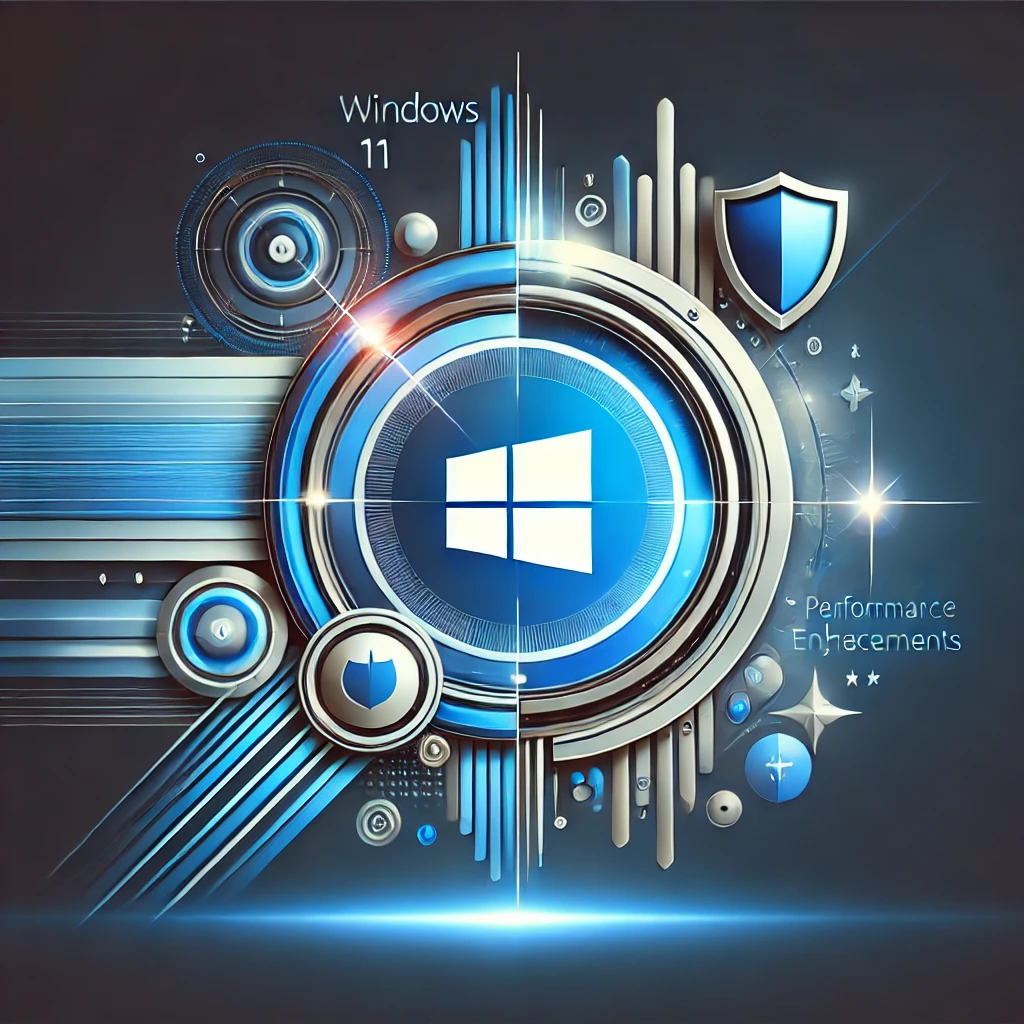
In the world of tech, updates happen all the time. But some are worth paying attention to—like the Windows 11 24H2 update. If you’ve seen the update notification and ignored it, now’s the time to take a closer look. This update isn’t just about fixing bugs. It brings new features and improvements that can make your computer run smoother and faster. Whether you’re a tech pro or just use your PC for basic tasks, understanding this update is important.

What is the 24H2 Update?

The 24H2 update is a big feature update for Windows 11. Microsoft releases these updates twice a year. Unlike smaller updates that happen every month, this one brings noticeable changes. Right now, it’s optional, meaning you can choose when to install it. This gives you time to learn about the new features and decide when you’re ready. But don’t wait too long—this update has a lot to offer.

Why the Quiet Release?

You might wonder why Microsoft didn’t make a big deal out of this update. The reason is simple: they want to avoid problems. By releasing it quietly and as an optional update, Microsoft can gather feedback and fix any issues before making it mandatory. It’s a smart move, especially after past updates caused some headaches for users.

Key Features of the 24H2 Update

So, what’s new in this update? Here are the features that stand out:

  1. Enhanced Start Menu: The Start menu is one of the most used parts of Windows. In this update, it gets a fresh look. You can pin more apps, resize them, and even group them into folders. This makes it easier to find what you need and customize the menu to suit your style.
  2. Improved File Explorer: File Explorer now has tabs! This means you can open multiple folders in one window, making it easier to manage your files. No more cluttered desktops or multiple windows to click through. It’s a simple change, but it makes a big difference in how you work.
  3. Better Snap Layouts and Groups: If you often work with multiple windows open, you’ll love this update. Snap Layouts and Groups help you organize your workspace. The new version makes it even easier to snap windows into place, so you can focus on what’s important.
  4. Performance Boosts: This update isn’t just about looks. It also improves how your computer runs. With better resource management and faster update installs, your PC will feel more responsive. Think of it as giving your computer a tune-up.
  5. Stronger Security: Keeping your data safe is always a priority. The 24H2 update adds more protection against phishing and gives you better control over which apps can access your info. This means you can browse and work with more peace of mind.

Who Should Update?

The 24H2 update is for everyone. Whether you use your PC for work, gaming, or just browsing the web, these new features and improvements can help. If you like staying ahead of the curve, go ahead and install it. If you prefer to wait, that’s okay too—just don’t wait too long, because keeping your system updated is important for security.

How to Install the Update

Installing the update is easy. Go to Settings > Windows Update and check for updates. If the 24H2 update is available, you’ll see the option to download and install it. Since it’s a feature update, it might take longer than usual, so be sure to start it when you have some time.

What to Watch For

No update is perfect. Some users might experience issues with certain apps or hardware. If you rely on specific programs for work, check if they’re compatible with the new update before installing it. And as always, make sure to back up your data just in case.

Looking to the Future

The 24H2 update is more than just a set of new features. It shows where Microsoft is heading with Windows 11. The focus on customization, multitasking, and security suggests that more exciting changes are on the horizon. This update is laying the groundwork for future innovations that will keep Windows 11 fresh and relevant.

Conclusion

The Windows 11 24H2 update is a solid step forward. It’s not just about fixing bugs—it’s about making your experience better, whether that means a faster PC, a more organized workspace, or stronger security. While the update is optional now, it’s worth considering sooner rather than later. Explore the new features and enjoy a smoother, more secure Windows experience. Your PC—and your productivity—will thank you.
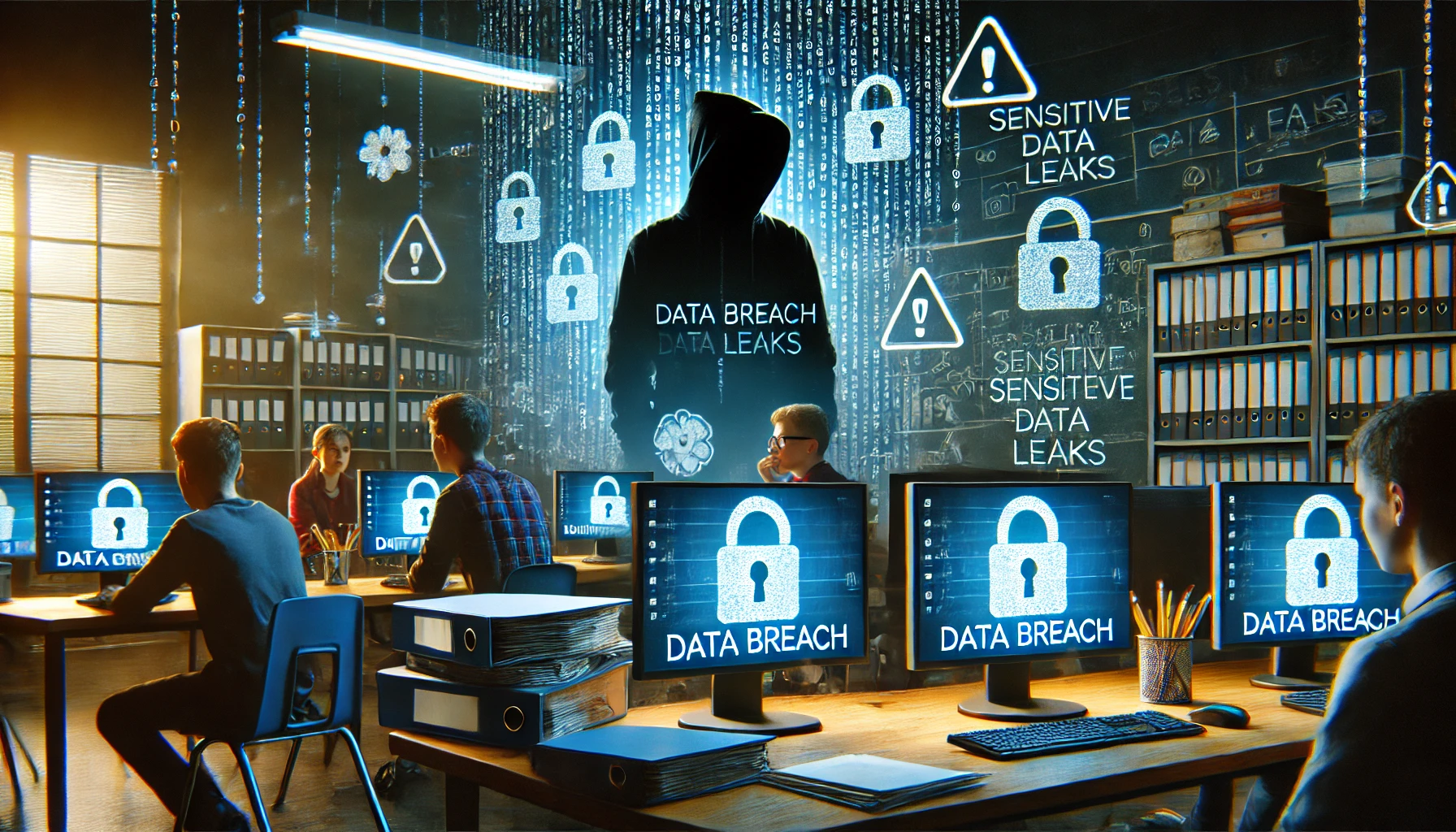
In January 2024, Frances King School of English, located in central London, suffered a serious data breach after cybercriminals gained access to its internal systems. Sensitive student data, including personal details and financial records, was stolen and leaked online, causing significant concern among parents and staff.

The breach, which compromised the personal information of hundreds of students, led the school to contact all affected individuals and work with cybersecurity experts to address the incident. An investigation is underway to determine how the hackers gained access and to assess the full extent of the damage.

This incident is part of a broader trend of cyberattacks targeting educational institutions across the UK. Schools are often seen as vulnerable due to their reliance on outdated IT infrastructure and insufficient cybersecurity measures. In the case of Frances King School, the attack has highlighted the importance of regularly updating security protocols and implementing strong data protection measures.

The school’s management has since vowed to enhance its cybersecurity defenses and to provide additional training to staff on how to identify and prevent phishing attacks—the most likely entry point for the breach. The incident has been reported to the Information Commissioner’s Office (ICO), as required under GDPR regulations.

Educational institutions, particularly those in the private sector, are increasingly becoming prime targets for cybercriminals seeking to exploit weaknesses in security systems. This breach serves as a reminder of the growing need for schools to prioritize cybersecurity and ensure they have adequate defenses in place to protect against future attacks.

The fallout from the breach is ongoing, but Frances King School is determined to learn from the incident and take necessary steps to prevent a recurrence.

Imagine this: you leave your house for vacation. You live in a shady neighborhood but feel confident your locks are secure, but you also don’t check
them daily. Are they really locked and safe? A tiny crack or hidden weakness could have occurred. It’s a disaster waiting to happen.

That’s the risk of neglecting continuous cybersecurity monitoring. Cyber threats are constantly evolving, and traditional security measures are no longer enough. Continuous monitoring acts as your vigilant digital guard. It’s constantly checking for weaknesses. It sounds the alarm before attackers exploit them.

Why Continuous Monitoring Matters

There are several reasons you need to watch your network. It’s not just a “good to have.” Here’s why continuous monitoring is a cybersecurity must for businesses of all sizes.

Breaches Happen Fast

Cyberattacks can happen in seconds. They exploit vulnerabilities before you even know they exist. Continuous monitoring provides real-time insights. It allows you to identify and respond to threats swiftly, minimizing potential damage.

Advanced Threats Need Advanced Defenses

Hackers are constantly developing sophisticated techniques. Some can bypass traditional perimeter defenses. Continuous monitoring delves deeper. It analyzes network traffic, user behavior, and system logs. It uncovers hidden threats lurking within your network.

Compliance Requirements Often Mandate It

Many industry regulations and data privacy laws require organizations to have continuous monitoring. Failure to comply can result in hefty fines and reputational damage.

Peace of Mind and Reduced Costs

Continuous monitoring helps prevent costly breaches and downtime. It also reduces the workload for security teams. It automates routine tasks, allowing them to focus on strategic initiatives.

What Does Continuous Monitoring Look Like?

Continuous monitoring isn’t a single tool. It’s a holistic approach that combines different elements. These include:

  • Log Management: Security logs are collected and analyzed for suspicious activity. Logs come from firewalls, devices, and applications.
  • Security Information and Event Management (SIEM): SIEM systems collect security data. They tap into various sources. They provide a centralized view of your security posture and identify potential threats.
  • Vulnerability Scanning: Regular scans identify weaknesses in your systems and applications. This allows you to patch them before attackers exploit them.
  • User Activity Monitoring: Monitoring user behavior can identify suspicious activity. For example, unauthorized access attempts or data exfiltration.
  • Network Traffic Analysis: Monitoring network traffic can reveal several risks:
    • Malware
    • Suspicious communication patterns
    • Attempts to breach your network defenses

Benefits Beyond Threat Detection

Continuous monitoring offers advantages beyond just identifying threats. Here are some extra benefits.

Improved Threat Detection Accuracy

Continuous monitoring reduces false positives. It does this by analyzing vast amounts of data. This allows your security team to focus on genuine threats.

Faster Incident Response

Continuous monitoring provides real-time alerts. This enables a quicker response to security incidents, minimizing potential damage.

Enhanced Security Posture

Continuous monitoring aids in identifying vulnerabilities. It helps you rank patching and remediation efforts. This proactively strengthens your security posture.

Compliance Reporting

Continuous monitoring systems can generate reports. This helps you prove compliance with relevant regulations. It also saves you time and resources during audits.

Getting Started with Continuous Monitoring

Implementing continuous monitoring doesn’t have to be overwhelming. You can begin with a few common-sense steps.

Assess Your Needs

Identify your organization’s specific security needs and compliance requirements. Have a cybersecurity assessment done. This is the best way to identify vulnerabilities you should address.

Choose the Right Tools

Select monitoring tools that align with your needs and budget. Consider managed security service providers (MSSPs) for a comprehensive solution. We can help you ensure a holistic cybersecurity strategy. Plus, we can tailor solutions for your budget.

Develop a Monitoring Plan

Define what your monitoring plan will look like. This helps ensure that things don’t get missed. Here are some things to include in your plan:

  • How you will track data
  • How you will handle alerts
  • Who handles responding to incidents

Invest in Training

Train your security team on how to use the monitoring tools as well as how to effectively respond to security alerts. Include training on reporting from monitoring systems. Ensure your team knows how to understand the insights they offer.

Continuous Monitoring: Your Cybersecurity Lifeline

In today’s threat landscape, continuous monitoring is not a luxury. It’s a security necessity. Proactive monitoring of your systems and data has many benefits. You can identify threats early and respond swiftly, as well as reduce the impact of cyberattacks.

Don’t wait for a security breach to be your wake-up call. Embrace continuous monitoring and take control of your cybersecurity posture. An ounce of prevention is worth a pound of cure, especially in the digital world.

Need Help with Your Cybersecurity Strategy?

Monitoring is one part of a holistic approach to cybersecurity. We’ll be happy to help you protect your business. We can customize a plan that works for your needs and budget.

Contact us today to discuss your needs.

Featured Image Credit

This Article has been Republished with Permission from .

In June 2024, Billericay School in Essex declared a “critical incident” after a ransomware attack brought its systems to a standstill. The school, which serves over 1,500 students, found itself grappling with compromised IT infrastructure and the potential exposure of sensitive data.

The attack, which encrypted large portions of the school’s network, forced administrators to temporarily shut down all systems as they attempted to assess the full scale of the breach. With operational chaos in full swing, students and staff were left unable to access vital online platforms for teaching, communication, and administrative tasks.

Ransomware attacks have become an increasingly common threat to educational institutions, as schools and universities often hold valuable data and are perceived to have limited cybersecurity resources. In the case of Billericay School, the ransomware threat included the possibility of sensitive student information being leaked unless a ransom was paid. The school has not confirmed whether any payment demands were made.

In the immediate aftermath of the attack, Billericay School sought external cybersecurity assistance to help regain control of its network. The school’s IT team worked in coordination with law enforcement agencies and cybersecurity experts to identify the point of entry for the attack and begin the arduous process of restoring systems.

The National Cyber Security Centre (NCSC) has repeatedly warned that ransomware attacks on the education sector are on the rise. With budgets stretched thin, schools are often less equipped to implement the multi-layered security frameworks necessary to prevent these types of attacks. However, there are critical steps every institution can take to protect itself, such as implementing multi-factor authentication (MFA), ensuring regular system updates, and conducting frequent security audits.

This incident underscores the urgent need for schools to review and strengthen their cybersecurity policies. While Billericay School is expected to fully recover, the attack serves as a stark reminder of the ever-growing cybersecurity challenges facing the education sector.

Staying ahead of threats is a challenge for organizations of all sizes. Reported global security incidents grew between February and March of 2024. They increased by 69.8%. It’s important to use a structured approach to cybersecurity. This helps to protect your organization.

The National Institute of Standards and Technology (NIST) created a Cybersecurity Framework (CSF). It provides an industry-agnostic approach to security. It’s designed to help companies manage and reduce their cybersecurity risks. The framework was recently updated in 2024 to NIST CSF 2.0.

CSF 2.0 is a comprehensive update that builds upon the success of its predecessor. It offers a more streamlined and flexible approach to cybersecurity. This guide aims to simplify the framework. As well as make it more easily accessible to small and large businesses alike.

Understanding the Core of NIST CSF 2.0

At the heart of CSF 2.0 is the Core. The Core consists of five concurrent and continuous Functions. These are: Identify, Protect, Detect, Respond, and Recover. These Functions provide a high-level strategic view of cybersecurity risk, as well as an organization’s management of that risk. This allows for a dynamic approach to addressing threats.

Here are the five Core Functions of NIST CSF 2.0:

  1. Identify
    This function involves identifying and understanding the organization’s assets, cyber risks, and vulnerabilities. It’s essential to have a clear understanding of
    what you need to protect. You need this before you can install safeguards.
  2. Protect
    The protect function focuses on implementing safeguards. These protections are to deter, detect, and mitigate cybersecurity risks. This includes measures such as firewalls, intrusion detection systems, and data encryption.
  3. Detect
    Early detection of cybersecurity incidents is critical for minimizing damage. The detect function emphasizes the importance of detection, as well as having mechanisms to identify and report suspicious activity.
  4. Recover
    The recover function focuses on restoring normal operations after a cybersecurity incident. This includes activities such as data restoration, system recovery, and
    business continuity planning.
  5. Respond
    The respond function outlines the steps to take in the event of a cybersecurity incident. This includes activities such as containment, eradication, recovery, and
    lessons learned.
  6. Recover
    The recover function focuses on restoring normal operations after a cybersecurity incident. This includes activities such as data restoration, system recovery, and
    business continuity planning.

Profiles and Tiers: Tailoring the Framework

The updated framework introduces the concept of Profiles and Tiers. These help organizations tailor their cybersecurity practices. They can customize them to their specific needs, risk tolerances, and resources.

Profiles

Profiles are the alignment of the Functions, Categories, and Subcategories. They’re aligned with the business requirements, risk tolerance, and resources of
the organization.

Tiers

Tiers provide context on how an organization views cybersecurity risk as well as the processes in place to manage that risk. They range from Partial (Tier 1) to
Adaptive (Tier 4).

Benefits of Using NIST CSF 2.0

There are many benefits to using NIST CSF 2.0, including:

  • Improved Cybersecurity Posture: By following the guidance in NIST CSF 2.0, organizations can develop a more comprehensive and effective cybersecurity program.
  • Reduced Risk of Cyberattacks: The framework helps organizations identify and mitigate cybersecurity risks. This can help to reduce the likelihood of cyberattacks.
  • Enhanced Compliance: NIST aligned CSF 2.0 with many industry standards and regulations. This can help organizations to meet compliance requirements.
  • Improved Communication: The framework provides a common language for communicating about cybersecurity risks. This can help to improve communication between different parts of an organization.
  • Cost Savings: NIST CSF 2.0 can help organizations save money. It does this by preventing cyberattacks and reducing the impact of incidents.

Getting Started with NIST CSF 2.0

If you are interested in getting started with NIST CSF 2.0, there are a few things you can do:

  • Familiarize yourself with the framework: Take some time to read through the NIST CSF 2.0 publication. Familiarize yourself with the Core Functions and categories.
  • Assess your current cybersecurity posture: Conduct an assessment of your current cybersecurity posture. This will help you identify any gaps or weaknesses.
  • Develop a cybersecurity plan: Based on your assessment, develop a cybersecurity plan. It should outline how you will put in place the NIST CSF 2.0 framework in your organization.
  • Seek professional help: Need help getting started with NIST CSF 2.0? Seek out a managed IT services partner. We’ll offer guidance and support.

By following these steps, you can begin to deploy NIST CSF 2.0 in your organization. At the same time, you’ll be improving your cybersecurity posture.

Schedule a Cybersecurity Assessment Today

The NIST CSF 2.0 is a valuable tool. It can help organizations of all sizes manage and reduce their cybersecurity risks. Follow the guidance in the framework. It will help you develop a more comprehensive and effective cybersecurity program.

Are you looking to improve your organization’s cybersecurity posture? NIST CSF 2.0 is a great place to start. We can help you get started with a cybersecurity assessment. We’ll identify assets that need protecting and security risks in your network. We can then work with you on a budget-friendly plan. Contact us today to schedule a cybersecurity assessment.

Featured Image Credit

This Article has been Republished with Permission from .

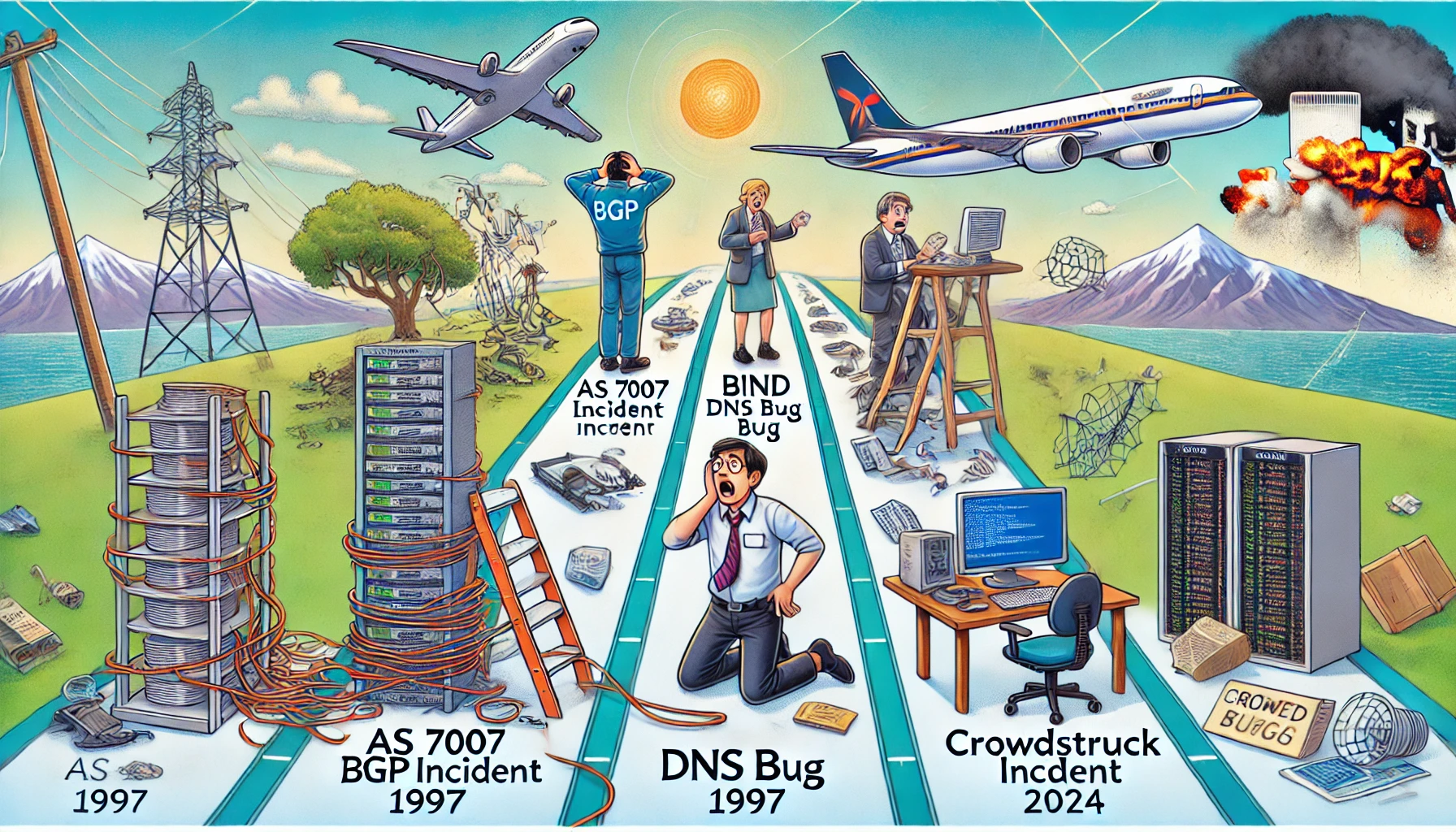
Ah, the internet. Our modern marvel, a tool of endless possibilities, and occasionally, a gigantic, flaming dumpster fire of confusion and chaos. As someone who’s been around to witness the legendary internet catastrophes of 1997 and the recent CrowdStrike debacle of 2024, allow me to take you on an amusing stroll through these digital disasters. Strap in, because it’s going to be a bumpy ride!

The AS 7007 Incident: April 25, 1997

It was a simpler time. The Spice Girls were telling us what we really, really wanted, and the internet was still in its awkward teenage phase. Enter AS 7007, a small ISP in Florida that decided it wanted to be the most popular kid in school—by announcing to the entire internet that it was the best route for every IP address. For a few hours, this misconfiguration turned the global internet into a confused, congested mess. Network engineers around the world were in a panic, trying to untangle the spaghetti mess of routing paths. It was a lesson in humility and the importance of double-checking your BGP configurations. Think of it as the internet’s version of giving everyone the wrong postcode, causing global mail chaos.

The BIND Bug: July 17, 1997

As if 1997 hadn’t had enough excitement, we got hit again, this time by a software bug in the Berkeley Internet Name Domain (BIND). This bug caused DNS servers to fail at their one job: resolving domain names to IP addresses. Suddenly, the internet was like a librarian who had lost the index cards to every book in the library. Websites? Good luck finding them. It was a frustrating day of “server not found” errors, and a stark reminder that even the backbone services of the internet needed regular health check-ups. Imagine trying to explain to your boss that the internet was broken because the digital equivalent of the librarian had gone on strike.

The CrowdStruck Incident: July 19, 2024

Fast forward to the age of cloud computing, IoT, and AI, and you’d think we’d have it all figured out. Think again. On July 19, 2024, CrowdStrike, the cybersecurity giant, rolled out an update to its Falcon sensor for Windows. Intended to beef up security, this update instead turned millions of computers into paperweights, crashing them with a blue screen of death. Flights were grounded, financial transactions halted, and IT professionals around the globe had a collective meltdown. The issue? A logic error in a configuration file. The fix? Manually rebooting and repairing each affected system—a Herculean task in today’s hyper-connected world. Yes, ladies and gentlemen, we had an epic fail on our hands, proving once again that BCDR (Business Continuity and Disaster Recovery) plans are not just for show.

Lessons Learned (Or Not)

What do these incidents teach us? First, that the internet, in all its glory, is still a fragile construct. Whether it’s a misconfigured router, a buggy DNS server, or a faulty security update, it takes just one tiny error to bring down vast swathes of our digital infrastructure.

Second, redundancy and robust recovery plans are not just nice-to-haves—they’re essential. The 1997 outages were a wake-up call for better network management practices, while the 2024 CrowdStrike incident underscored the need for rigorous testing and swift crisis response mechanisms. If ever there was a time to brush up on your GRC (Governance, Risk, and Compliance) strategies, this was it. Remember, having a Plan B (or C, or D) is what keeps the lights on when everything else goes dark.

Finally, transparency and communication are key. During each of these crises, confusion and misinformation compounded the problems. Clear, timely updates and accessible explanations can make all the difference in managing the fallout and restoring trust. And let’s face it, nothing screams “we’ve got this under control” like a well-crafted email explaining why your system has gone belly-up.

So here’s to the next generation of IT professionals: may you learn from our past mistakes, build stronger systems, and always, always triple-check your configurations. And to my fellow veterans of the digital trenches—raise a glass, because we’ve seen some things, haven’t we?

Stay connected, stay vigilant, and remember: the next internet meltdown is just a misconfigured update away. Cheers!

Microsoft Copilot has been heading up the business AI charge. It’s used in Word, Excel, Edge, Windows, and more. This genAI-powered app is also showing up in
various function-related activities. The latest of which is finance processes.

Microsoft Copilot for Finance is a game-changer. It injects the power of next-generation AI into the heart of your everyday workflow. Imagine having an AI companion that understands the intricacies of finance as well as collaborates seamlessly with you.

It can help a seasoned financial analyst or a curious learner. It automates repetitive tasks and provides real-time insights. Copilot is poised to revolutionize how we navigate the fiscal realm.

Read on to see why this innovative tool should be on your financial radar.

What Is Microsoft Copilot for Finance?

First, let’s have an overview of this new application. Copilot for Finance is a new Copilot experience in Microsoft 365. It features AI-assisted help for financial professionals. It does this from within productivity apps they use every day.

Microsoft Copilot for Finance connects to business financial systems such as Dynamics 365 and SAP. It provides finance-based insights and guided actions in:

  • Outlook
  • Excel
  • Teams
  • Other Microsoft 365 Applications

Benefits of Using Copilot for Finance

Breaking Free from the Manual Grind

Finance professionals are drowning in repetitive tasks. These include data entry, review cycles, and report generation. Copilot for Finance throws a lifeline to finance professionals. It automates these mundane activities and frees up valuable time for strategic thinking. Imagine a world where you can focus on high-impact tasks: tasks like financial planning, risk analysis, and driving business growth.

AI-Powered Insights at Your Fingertips

Copilot for Finance isn’t just about automation; it’s about intelligence. This AI assistant learns your organization’s financial data and behavior. It surfaces insights you might have missed.

Imagine uncovering hidden trends and predicting cash flow issues as well as identifying areas for cost optimizations– all powered by AI that works seamlessly
within your existing Microsoft 365 environment.

Tailored for Your Team

Copilot for Finance isn’t a one-size-fits-all solution. It caters to the specific needs of different financial roles. Imagine streamlining audits with a simple prompt or simplifying collections with automated communication and payment plans. It can also speed up financial reporting with effortless variance detection. Copilot for Finance empowers every member of your finance team. It does this with role-specific workflows and features.

Seamless Integration for a Frictionless Experience

Copilot for Finance integrates effortlessly with your existing Microsoft 365 tools. Such as Excel, Outlook, and Teams. This means no more jumping between applications. No more struggling to import data. Imagine accessing insightful financial insights directly within your familiar workflow. This eliminates silos and streams communication across your team.

Built with Trust in Mind

Security and compliance are paramount in the world of finance. Copilot for Finance inherits the robust security features you trust from Microsoft 365. Imagine leveraging a solution that adheres to the strictest data privacy regulations. This gives you peace of mind and ensures your financial data remains secure.

A Glimpse into the Future of Finance

Copilot for Finance represents a significant leap forward in financial technology. It’s more than just automation. It’s about harnessing the power of AI to augment human expertise as well as transform the way finance operates.

Imagine a future where tedious tasks are a thing of the past. They’re replaced by a world of data-driven insights and strategic decision-making, all at the click of a button or text prompt.

Getting Started with Copilot for Finance

Microsoft Copilot for Finance is currently available for early adopters. Do you want to experience its transformative potential? Here’s how to get started:

  • Visit the Copilot for Finance website: This website provides a wealth of information. This includes product details, functionalities, and more.
  • Review Requirements: Ensure you meet the licensing requirements. These include specific Microsoft 365 subscriptions as well as browser specifics, and other guidelines.
  • Connect with Your IT Provider: We can offer support to set up Copilot for Finance. We’ll ensure it’s integrated and secured and also train your team on its helpful features.

The Future is Now: Embrace the Power of AI

The world of finance is evolving rapidly. Microsoft Copilot for Finance empowers you to embrace this change. As well as navigate the future with confidence. Copilot for Finance offers AI-powered insights, streamlined workflows, and seamless integration. It could soon become an indispensable tool for every
finance professional.

Get Expert Microsoft 365 & Copilot Guidance

AI tools in Copilot are dominating business transformations. You can join, or risk missing out on what AI has to offer. We can help you unlock the full potential of Copilot in Microsoft 365. As well as propel your business forward with AI power.

Contact us today to see how we can help your business.

Featured Image Credit

This Article has been Republished with Permission from .

Let’s face it, iPhones are amazing devices. But even the sleekest, most powerful iPhone can succumb to the dreaded slowdown. Apps take forever to load and scrolling feels sluggish. Pretty soon, simple tasks become frustrating ordeals.

If your iPhone has gone from speedy sidekick to sluggish snail, don’t despair! We are sharing some easy tips to get your iPhone back in tip-top shape.

Give it a Restart: The Digital Power Nap

This might seem like a no-brainer, but you’d be surprised! How long has it been since you’ve turned off your device? Just like us, iPhones need an occasional reboot. Restart your phone. This clears temporary files, closes lingering apps, and frees up memory. It’s a quick and easy way to give your iPhone a much-needed refresh.

Clean Out the Digital Clutter

Our iPhones can become digital packrats, hoarding photos, videos, and apps we no longer use. Do you really need all those selfies? This clutter can slow things
down. Take some time to declutter your digital life.

Photos and Videos

Review your photo and video library. Delete blurry pics, duplicates, and anything you don’t need anymore. Consider using cloud storage services like iCloud Photos or OneDrive. These store precious memories without clogging up your device’s storage space. Many also have an automated upload feature when you snap a new pic.

Unused Apps

Be honest, how many apps do you use daily? Identify apps you haven’t touched in months and delete them. This frees up phone storage space. It can also reduce background activity and improve battery life.

Offload Unused Apps & Keep Data (iOS 11 and later)

This nifty feature lets you free up storage space by keeping an app’s data while deleting the app itself. When you need the app again, you can simply download it without losing any saved data.

Remove Unneeded Podcasts

Many podcasts download to your device without you realizing it. This allows you to listen without a direct connection but can fill up your device fast! If you listen to several podcasts, they all can be taking up valuable space. Review your iPhone’s storage and remove unnecessary podcast downloads.

Tame Background App Refresh

Background App Refresh allows apps to fetch new content. This happens even when you’re not actively using them. It can be helpful for staying up-to-date but it can also drain your battery and slow down your phone.

Review your Background App Refresh settings. Turn it off for apps you don’t need constantly refreshing in the background.

Not Every App Needs to Know Where You Are

Many apps constantly track your location. They do it even when you’re not using them. This location tracking can drain your battery and impact performance. Review your Location Services settings. Restrict access for apps that don’t need constant location awareness.

Reduce Motion Effects

Apple’s fancy motion effects include things like app parallax and zoom animations. They can be beautiful, but they can also be resource-intensive. Turn off iPhone motion effects. This can free up processing power and make your iPhone feel snappier.

Update Your Apps and iOS

App and iOS updates often include performance improvements and bug fixes. Make sure you’re running the latest versions of your apps and iOS. This ensures
optimal performance and security.

Disable Automatic Downloads

Automatic app and iOS updates are convenient, but they can sometimes happen at inconvenient times, slowing down your phone. Consider disabling automatic downloads. Update apps and iOS manually when you have time and a good Wi-Fi connection. Make this a recurring task on your calendar. These updates are important for security, so you don’t want to forget them.

Nuclear Option: Reset Your iPhone

If all else fails, a factory reset might be necessary. This wipes your iPhone clean and restores it to its original settings. It can be the most effective way to clear out bugs that might be causing slowdowns.

But be careful with this nuclear option. Before doing a factory reset, be sure to back up your iPhone. Also, sign out of iCloud. This ensures you avoid losing important data.

Check Your Battery Health

A degraded battery can also contribute to slowdowns. Head to Settings > Battery > Battery Health. Here you can see your iPhone’s maximum battery capacity. If
it’s below 80%, your phone might be throttling performance to conserve battery life. In this case, consider replacing your battery for optimal performance.

Follow these simple tips. They’ll help you diagnose the cause of your iPhone’s sluggishness as well as get it running smoothly again. A little maintenance goes
a long way in keeping your iPhone happy and fast!

Need Help with a Smartphone or Tablet?

When your smartphone isn’t working right, it can be a real pain. Don’t struggle. Get help from the pros. Our team can diagnose internal and external smartphone issues as well as help with tablets, laptops, and other devices.

Contact us today to see how we can help.

Featured Image Credit

This Article has been Republished with Permission from .