
Buying a used laptop can be a great way to save money. But it comes with risks. You need to be careful and thorough in your evaluation. Otherwise, you could end up wasting your money. 

You can’t only look at the outside when evaluating technology. This guide will help you understand what to look for when buying a used laptop (or desktop PC). These steps can keep you from losing money on a bad tech decision. 

Determine Your Needs

Identify Your Purpose

First, identify why you need the laptop. Are you buying it for work, gaming, or general use? Your purpose will dictate the specifications you need. For example, gaming laptops need powerful GPUs. Business laptops focus on reliability and battery life.

Set a Budget

Decide how much you are willing to spend. Setting a budget helps narrow down your choices. Remember, used laptops vary greatly in price. Knowing your budget beforehand prevents overspending.

Check the Laptop’s Condition

Inspect the Physical Condition

Examine the laptop carefully. Check for any visible damage like cracks, dents, or scratches. Inspect the hinges to ensure they are not loose. A well-maintained exterior often indicates the care the laptop received.

Test the Keyboard and Touchpad

The keyboard and touchpad should work flawlessly. Type a few sentences to see if all keys respond. Test the touchpad for responsiveness and accuracy. These are crucial components, and any issues can be annoying.

Look at the Screen

Turn on the laptop and check the screen. Look for dead pixels, discoloration, or flickering. Ensure the brightness levels adjust properly. A damaged screen can be costly to replace.

Inspect the Ports

Check all the ports on the laptop. Test USB ports, headphone jacks, and charging ports. These should all function correctly. Non-working ports can be inconvenient and limit the laptop’s usability.

Check the Battery Life

Ask About the Battery

Ask the seller about the battery life. An old battery may not hold a charge well. Turn on the laptop and see how long it lasts on battery power. Replacing a battery can be expensive, so ensure the current one meets your needs.

Check Battery Health

Use software to check the battery’s health. Some operating systems have built-in tools for this. A healthy battery should keep most of its original capacity. Poor battery health might mean it needs a replacement soon.

Assess the Internal Components

Processor

The processor determines the laptop’s performance. Check the processor model and speed. Compare it with current standards. Older processors might struggle with modern applications.

RAM

RAM affects multitasking capabilities. Ensure the laptop has enough RAM for your needs. 8GB is the minimum for general use, while 16GB or more is ideal for gaming or heavy multitasking.

Storage

Look at the storage type and capacity. SSDs are faster and more reliable than HDDs. Make sure the laptop has enough storage for your files and programs. An SSD with at least 256GB is recommended.

Graphics Card

If you need the laptop for gaming or graphic design, check the GPU. Ensure it meets the requirements for your applications. Integrated graphics are fine for general use. But dedicated GPUs are better for demanding tasks.

Verify the Software and Operating System

Pre-installed Software

Check what software comes pre-installed. Ensure there are no unnecessary or malicious programs. A fresh installation of the operating system is ideal.

Operating System License

Verify the operating system is genuine and licensed. This ensures you receive updates and support. Ask for proof of sale or license keys if necessary.

Research the Seller

Check Seller’s Reputation

Research the seller’s reputation. Look for reviews and ratings from previous customers. A reputable seller is more likely to provide a quality product and good customer service.

Ask Questions

Don’t hesitate to ask the seller questions. Inquire about the laptop’s history, reason for selling, and any past issues. Honest sellers will provide clear and detailed answers.

Test the Laptop

Perform a Thorough Test

Before finalizing the sale, test the laptop thoroughly. Run different applications to check performance. Connect to Wi-Fi and test the internet connection. Play a video to ensure the speakers and display work well.

Use Diagnostic Tools

Use diagnostic tools to test hardware components. These tools can identify any hidden issues. They help ensure you don’t encounter problems later.

Consider Upgradability

Check Upgrade Options

Some laptops allow easy upgrades. Check if you can upgrade the RAM or storage. This can extend the laptop’s lifespan and improve performance. Upgradable laptops offer more flexibility and value.

Cost of Upgrades

Consider the cost of potential upgrades. Calculate if upgrading an older laptop is worth it compared to buying a new one. Sometimes, the cost of upgrades can approach the price of a new laptop.

Compare Prices

Research Market Prices

Research the market prices for similar models. Ensure you are getting a fair deal. Compare prices from different sellers. A lower price isn’t always better if the laptop has issues.

Factor in Extra Costs

Include extra costs in your budget. These might include new batteries, chargers, or software. Factor these into the total cost to avoid surprises.

Looking for a Good, Affordable Computer? Contact Us 

Buying a used laptop can be a smart choice if you do your homework. But it can also be a nightmare if you buy one from the wrong person. If you’re looking for reliable hardware for business or home, we’re here to help. We have some great options for value and performance.

Contact us today to learn more.

Featured Image Credit

This Article has been Republished with Permission from The Technology Press.

The office landscape is undergoing a dramatic transformation. Gone are the days of sterile cubicles and monotonous routines. Today’s smart offices are hubs of innovation. They’re designed to empower employees, optimize workflows, and foster collaboration.

This shift is driven by technology. Including smart features that seamlessly integrate into the physical workspace. But with so many options available, where do you begin? 

Here are the top six smart office trends you should consider adopting. They can power productivity and boost employee satisfaction.

1. Internet of Things (IoT) Devices

Connected Office Equipment

IoT devices are revolutionizing the workplace. These devices connect office equipment, allowing them to communicate and operate more efficiently. For example, smart printers can alert you when they need more paper or toner. Smart coffee machines can ensure a fresh brew is ready when you arrive. IoT devices help automate mundane tasks, saving time and reducing stress.

Smart Lighting and Climate Control

Smart lighting and climate control systems can adjust based on occupancy and time of day. These systems use sensors to track the environment and make adjustments. This ensures optimal comfort while reducing energy costs. Employees work better in a well-lit, comfortable space. Automating these adjustments improves office efficiency.

Enhanced Security

IoT devices can also enhance office security. Smart locks and cameras provide real-time monitoring and control. You can grant access remotely or receive alerts if something unusual occurs. This provides peace of mind and ensures your office remains secure.

2. Artificial Intelligence (AI) and Machine Learning

Personalized Workspaces

AI can create personalized workspaces. It learns employees’ preferences and adjusts settings accordingly. This includes desk height, lighting, and even digital workspace layout. Personalized environments improve comfort and productivity.

Virtual Assistants

AI-powered virtual assistants help manage tasks and schedules. They can set reminders, book meetings, and provide information on demand. Virtual assistants like these streamline daily activities. This allows employees to focus on more critical tasks.

Predictive Maintenance

AI can predict when office equipment will need maintenance. This reduces downtime and ensures everything runs smoothly. Predictive maintenance extends the lifespan of equipment and prevents unexpected breakdowns.

3. Collaborative Technologies

Unified Communication Platforms

Unified communication platforms integrate messaging, video conferencing, and email. This simplifies communication and ensures everyone stays connected. Platforms like these reduce the need to juggle several apps and streamline workflows.

On average, employees waste nearly 4 hours each week reorienting after an app switch.

Digital Whiteboards

Digital whiteboards enhance collaboration during meetings. They allow team members to share ideas in real time, regardless of location. Digital whiteboards save and share notes instantly, improving meeting efficiency and follow-up.

Project Management Tools

Project management tools keep everyone on the same page. They track tasks, deadlines, and progress. These tools provide visibility into project status. This helps ensure nothing falls through the cracks. By using project management software, teams can work more efficiently. As well as meet deadlines consistently.

4. Remote Work Solutions

Cloud-Based Services

Cloud-based services enable remote work. They allow employees to access files and applications from anywhere. This flexibility is crucial in today’s work environment. Cloud services also provide robust security and backup solutions, ensuring data remains safe.

Virtual Private Networks (VPNs)

VPNs secure remote connections. They encrypt data and protect against cyber threats. VPNs ensure that employees can work safely from any location. Implementing a VPN is essential for maintaining security in a remote work setup.

Video Conferencing Tools

Video conferencing tools promote communication with remote teams. They provide face-to-face interaction, which is vital for team cohesion. High-quality video and audio ensure effective communication. These tools also offer features like screen sharing and recording, enhancing their utility.

5. Smart Furniture

Ergonomic Designs

Smart furniture includes ergonomic designs that promote health and productivity. Adjustable desks and chairs can be customized to fit each employee. This reduces the risk of injury and improves comfort. Ergonomic furniture is an investment in employee well-being.

Integrated Technology

Some smart furniture integrates technology, such as wireless charging and built-in sensors. Desks with integrated charging stations keep devices powered without clutter. Sensors can remind employees to take breaks or adjust their posture. These features contribute to a more efficient and healthy workspace.

Modular Furniture

Modular furniture offers flexibility. It can be easily reconfigured to fit changing needs. This is ideal for dynamic work environments. Modular furniture supports collaboration. I can also be adapted as teams grow or projects change.

6. Data Analytics

Performance Metrics

Data analytics tools track performance metrics. They provide insights into productivity, workflow efficiency, and employee satisfaction. By analyzing this data, managers can make informed decisions. This leads to improved processes and better resource allocation.

Space Utilization

Analytics can also optimize the use of space. Sensors and software track how office space is used. This information helps in designing more efficient layouts. Optimizing space reduces costs and creates a more functional work environment.

Predictive Insights

Predictive analytics forecast trends and potential issues. This allows businesses to proactively address problems before they escalate. Predictive insights can improve everything from inventory management to employee scheduling.

Contact Us for Help Optimizing Your Technology

Adopting smart office trends can transform your workplace. By integrating these trends, businesses can create a more productive work environment. Stay ahead of the curve and embrace these innovations to improve your workflow. 

The future of work is smart, and the time to start is now. Need some help from our IT optimization experts?

Contact us today to schedule a chat.

Featured Image Credit

This Article has been Republished with Permission from The Technology Press.

Apple’s new macOS Sequoia, the latest operating system update, has arrived with all the bells and whistles you’d expect. But while users are excited about the shiny new features and enhanced security, many cybersecurity professionals are clutching their heads in frustration. Why? Because this update is wreaking havoc on third-party security tools that businesses rely on. From Microsoft Defender to CrowdStrike, key cybersecurity software is struggling to keep up. What’s going on? And more importantly, what should you do about it?

The Breakdown: Why Sequoia is a Headache for Cybersecurity

To start, macOS Sequoia is no ordinary OS update. Apple has taken significant steps to harden security across the board. Sounds great, right? In theory, yes. But in practice, the new kernel protections and API changes introduced in Sequoia are making life difficult for the security tools businesses rely on.

Here’s where the chaos begins. These tools, like Microsoft Defender and CrowdStrike, need to interact with the OS at a deep level to monitor for threats and suspicious behaviour. But Apple’s tightened security means that these applications are no longer able to operate as smoothly, if at all, without updates to their codebase. (Source: TechCrunch )

Apple’s new sandboxing model has also been enhanced, limiting what applications can do unless they’re explicitly given permission. While this adds another layer of security, it’s also creating compatibility issues. Security apps that need to monitor your system continuously are getting stuck in a virtual sandbox prison.

The Impact: Your Security on the Line?

What does this mean for the average user or business? Let’s be clear: with incompatible security software, your system could be exposed to threats that were previously well-contained. If your antivirus or endpoint protection software isn’t running, or worse, crashing intermittently, you’re at risk.

And it’s not just small issues. These security tools aren’t just malfunctioning—they’re effectively breaking. There are widespread reports of these tools failing to initialize or running into errors that leave users unprotected for hours or days, depending on how quickly a patch comes through.

Beyond the obvious security risks, there are also performance issues cropping up. When a security tool can’t function correctly, it doesn’t just give up—it often tries to work harder. This has led to spikes in CPU usage, sluggish system performance, and an overall degraded user experience.

Vendor Response: The Race to Patch

Of course, security vendors aren’t sitting idly by. Microsoft and CrowdStrike, to name just two, have acknowledged the problem and are actively working on patches to make their software compatible with macOS Sequoia. The trouble is that this isn’t a quick fix.

Because Apple’s changes affect how these security applications interact with the kernel, many vendors have had to go back to the drawing board, reworking significant portions of their code to adapt. That’s a time-consuming process, and until updates are rolled out, users are left in limbo.

For businesses, this can be a serious operational headache. You rely on these tools to protect sensitive data, prevent ransomware attacks, and maintain compliance with regulations. But now, some of your primary tools are out of commission just as cyber threats are at an all-time high.

Did Apple Know? The Big Question

There’s speculation that Apple knew about the potential issues with third-party cybersecurity tools well before Sequoia’s release. It has been reported that companies like Microsoft and CrowdStrike had raised concerns during the beta phase, flagging that their tools might not be fully compatible by the time of Sequoia’s official release. Despite these warnings, Apple pressed ahead.

The reasoning? It seems likely that Apple, in its quest to push forward with system-level security enhancements, made a calculated decision. They opted to prioritise the long-term security of the OS itself, even at the cost of temporarily breaking compatibility with some of the most widely-used security software on the market. This isn’t entirely new behaviour for Apple, which has a history of favouring innovation, even when it disrupts third-party ecosystems.

For some, this feels like a risky move. In a world where cybersecurity is more critical than ever, taking chances with security software—particularly enterprise-grade tools—is a gamble that could leave users exposed. Apple’s response has been to work closely with vendors to accelerate the release of patches, but for businesses, this may not be quick enough.

What Apple’s Trying to Do

Let’s not paint Apple as the villain here. In fact, the changes they’ve made with macOS Sequoia are all in the name of better security. From a purely technical standpoint, the stricter controls on system resources and sandboxing are steps in the right direction. They help prevent malware from exploiting vulnerabilities and lock down sensitive areas of the system.

However, the knock-on effect on third-party security tools was, perhaps, an underestimated consequence. Apple has also been collaborating with security vendors to help ease the transition. Documentation has been provided, and Apple is offering more support to help vendors update their tools more quickly.

So, What Should You Do?

Now, the big question: how should you handle this as a business or even a home user?

Stay Informed
The first step is keeping your finger on the pulse. Regularly check for updates from your security software provider. Many companies are already rolling out beta versions of patches, and if you’re comfortable testing these, it could be worth jumping on board early.

Back Up Your Data
If you haven’t already implemented a regular backup routine, now is the time. If things go sideways and you experience system crashes or issues, having a full backup will save you a lot of stress and downtime.

Explore Temporary Alternatives
If your current security tools are no longer working and no patch is immediately available, consider using a temporary alternative. Tools like Malwarebytes or Sophos may offer similar levels of protection until your primary software is fixed.

Monitor System Performance
Pay attention to your system’s performance. If you notice a significant slowdown or unexplained crashes, it could be related to these compatibility issues. Keeping an eye on system health can help you catch problems before they escalate.

Apple’s Balancing Act

macOS Sequoia is both a step forward and, for the moment, a step back in terms of third-party security tools. While Apple’s enhanced security measures should be celebrated, the hiccups they’ve caused for cybersecurity vendors are real and pressing. There’s also a strong argument to be made that Apple knew the risks but released Sequoia anyway, confident that the long-term benefits outweigh the temporary disruption.

For now, it’s a balancing act—enjoy the new features of macOS Sequoia but keep an eye on your security setup. It’s going to be a bumpy ride until the patches arrive. As with all new versions of operating systems, if in doubt don’t update on day one, wait a week or 2.

The Final Countdown Has Begun

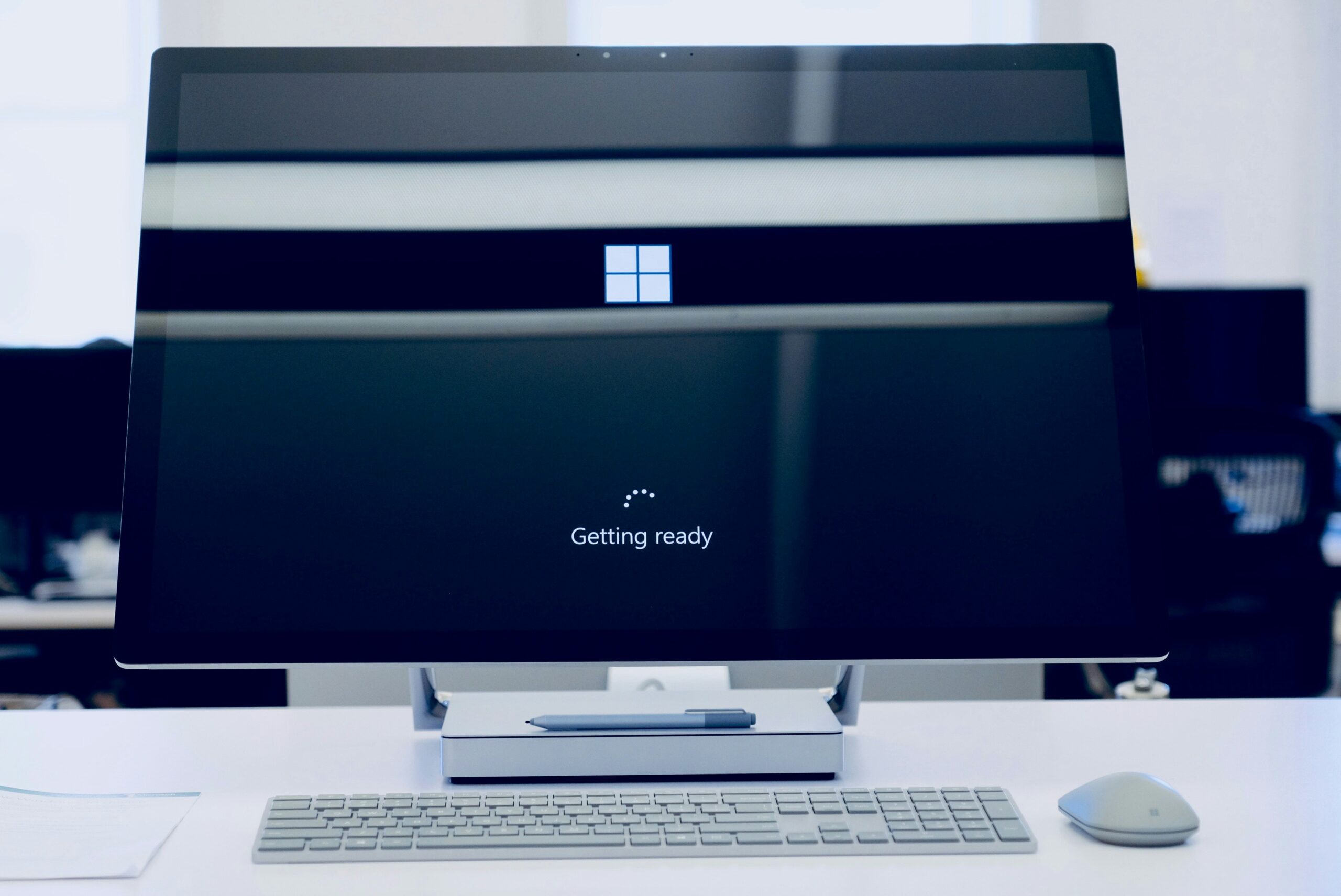
If you’re still relying on Windows 10, the clock is ticking. Microsoft is officially winding down support for the beloved OS as it goes end of life, and while 14th October 2025 may seem far off, it’s really just around the corner. Let’s be honest: putting off that upgrade isn’t going to do your business any favours.

What Does Windows 10 End Of Life Actually Mean?

When Microsoft says “end of life,” it’s not just some vague doomsday proclamation. It means no more security updates, no more patches, and no more technical support. Think of your system like a castle, with Windows 10 as the crumbling wall around it. Without support, that wall deteriorates, leaving your precious data exposed to threats—hackers, malware, and who knows what else. Staying on Windows 10 is like leaving your front door wide open.

Why Businesses in Buckinghamshire Need to Act Now

If your SMB in Buckinghamshire is still running Windows 10, now is the time to act and our IT Support team are a call away! “But our systems are working just fine!” is something we hear all the time. Sure, everything might seem dandy now, but with the ticking time bomb that is Windows 10 End Of Life, you’re setting yourself up for future chaos.

The lack of updates, doesn’t mean there are not any vulnerabilities in Windows 10, so will leave your business vulnerable to cyber-attacks, and if you’re in a regulated industry—well, non-compliance could hit your pocket hard. Are you thinking you’ll just “wing it” past 2025? Brace yourself for security breaches, data loss, and system failures.

Windows 10 is dead? Enter Windows 11

Upgrading to Windows 11 isn’t just about keeping the lights on—it’s about future-proofing your business. Enhanced security features like TPM 2.0, more robust encryption, and zero-trust architecture ensure your business stays safe in an ever-evolving digital landscape. The hardware requirements are significantly greater than Windows 10, we recommend a minimum of 16GB ram (yes we knoe Microsoft say 4gb but if you want to run anything other than solitare you will need more – Talk to our IT Support team

Not to mention the productivity perks! Windows 11’s sleek interface helps teams collaborate more efficiently. Features like Snap Layouts and Desktops make multitasking a breeze. Let’s be real, who doesn’t need a bit more organisation in their workday?

How Equate Group’s IT Support Team Can Help

Upgrading your systems can feel like a daunting task, especially when you’re juggling the day-to-day operations of running a business. That’s where we come in. At Equate Group, we specialise in IT support and services across Buckinghamshire, and we can help you assess your current setup, plan your transition, and execute a seamless upgrade to Windows 11. Whether it’s migrating your data, ensuring software compatibility, or providing ongoing support, we’ve got you covered.

Don’t Wait Until It’s Too Late

Delaying your upgrade could put your business at risk, both in terms of security and operational efficiency. Don’t be the company that waits until disaster strikes. Start planning your Windows 11 migration today, and ensure your business stays secure and efficient well into the future.

If you need help navigating the upgrade process or want to know how Windows 10 End Of Life affects your business, get in touch with Equate Group. We’re here to provide expert IT Support across Buckinghamshire, ensuring your technology keeps pace with your ambitions.

The Countdown Has Begun. Are You Ready?

Let’s face it—if Transport for London (TfL), with its £214 million tech budget, can get hit with a cyber attack that disrupts key services and forces in-person password resets for 30,000 employees, the rest of us need to pay attention. Despite investing £0.8 million last year specifically into cyber security, they’ve still had to scramble to manage the fallout​(The Stack)​(Transport for London).

And it’s not just password resets—TfL’s incident delayed their rollout of contactless payments at 47 new stations, highlighting the operational and financial consequences of a cyber breach​(Transport for London)​(Transport for London).


The Costs of Cyber Attacks: Why Cyber Essentials Matters

Handling a cyber attack at TfL’s scale requires huge resources. Think about it: coordinating 30,000 password resets alone is a logistical nightmare. IT teams had to be deployed across multiple locations, overtime costs stacked up, and productivity dropped as employees waited in line for manual identity verification. These aren’t problems that just “go away” quickly​(Transport for London)​(Transport for London).

If TfL, with all their resources, struggled to contain this, what happens to small and medium-sized businesses (SMBs) that don’t have the luxury of massive budgets and IT teams?

This is where Cyber Essentials comes into play. It’s not just a box to tick—it’s the first line of defence against common cyber threats, helping businesses mitigate the risks before a breach hits. For businesses looking to secure contracts with organisations like TfL, Cyber Essentials and Cyber Essentials Plus certifications are mandatory. You won’t even be able to bid on tenders without these certifications in place.


How Equate Can Help

At Equate, we understand the challenges SMBs face when it comes to cyber security. Based in Buckinghamshire, we provide Cyber Essentials Consultancy across the nation, helping businesses get certified and secure themselves against attacks. We work closely with businesses to guide them through the certification process, making sure you’re fully compliant and protected from threats. Whether you’re looking to obtain Cyber Essentials or step up to Cyber Essentials Plus to bid for public contracts like those with TfL, we’ve got you covered.


What’s Your Next Step?

Don’t wait until your business is scrambling like TfL—protect yourself now. Get Cyber Essentials certified and ensure your business is secure, compliant, and ready for the future. The costs of a breach, both financial and reputational, are too high to ignore.

Ready to get Cyber Essentials certified? Contact Equate today and let’s safeguard your business before it’s too late. Whether you’re in Buckinghamshire or anywhere else in the UK, we’re here to help make sure your business never faces the chaos TfL is dealing with right now.


#CyberSecurity #TFLUpdate #CyberEssentials #ProtectYourBusiness #EquateITSupport

The UK faces a major technological overhaul. The upcoming shutdown of both the 3G mobile network and traditional copper landlines is more than just a shift in infrastructure—it’s an opportunity to modernise your business and stay ahead of the competition. Failing to act quickly could leave your business scrambling to adapt at the last minute, causing disruption, downtime, and potential revenue loss. But here’s the good news: you can ensure a smooth transition and gain a competitive edge by acting now.

At Equate Group, we’ve helped countless businesses future-proof their operations, and we’re ready to do the same for you. With the impending switch-offs, we’re here to make sure your business stays connected and primed for growth. Let’s break down why this change matters, and more importantly, how you can benefit from it.

The Big 3G Switch-Off: What It Means for You

The 3G network, once revolutionary, is being phased out by the end of 2024. It’s a necessary move to make room for faster, more powerful 4G and 5G networks. If your business still relies on 3G for devices like payment terminals, security systems, or older IoT (Internet of Things) tech, this switch-off could disrupt critical operations. Imagine the chaos of a retail business unable to process payments or a logistics company losing real-time tracking capabilities because their devices are suddenly obsolete.

Now, imagine how easily you could avoid this situation. Equate Group specialises in assessing your current infrastructure, identifying any 3G-dependent technology, and providing seamless upgrades to 4G and 5G solutions. Why wait for a problem to arise when you can be ahead of the curve?

Why 5G is the Future—and Why You Should Care

5G isn’t just another upgrade; it’s a transformation. With speeds up to 100 times faster than 4G and significantly lower latency, 5G allows businesses to adopt cutting-edge solutions that enhance efficiency and productivity. Whether it’s enabling real-time data processing for IoT devices or supporting next-gen technologies like augmented reality (AR), 5G will reshape how you operate.

For industries like healthcare, transport, and manufacturing, where every second counts, the benefits of 5G are clear. But even if your business is more traditional, upgrading to 5G could streamline operations, boost customer experiences, and give you the flexibility to adapt to future technologies.

Equate Group understands that every business is unique, which is why we don’t offer one-size-fits-all solutions. We’ll assess your specific needs, recommend the best 5G upgrades, and ensure a smooth transition. Our experts will also train your team, ensuring you maximise the potential of your new technology.

The Copper Line Switch-Off: What You Need to Know

The copper telephone lines that have connected businesses for over a century are also being replaced by fibre-optic lines. While this may sound like a daunting change, the benefits of fibre are undeniable: faster speeds, more reliable connections, and the ability to handle the data demands of modern business.

For those still using copper-based broadband or analogue phone systems, the switch to fibre isn’t just a nice-to-have—it’s a necessity. Failing to upgrade will result in service interruptions and reduced efficiency, especially as the digital landscape continues to evolve.

The Equate Group team is highly experienced in transitioning businesses from outdated copper systems to future-proof fibre networks. We manage everything from initial assessments to final installations, so you can focus on running your business while we handle the technical details.

What This All Means for Your Business

Both the 3G and copper line switch-offs are part of a larger effort to modernise the UK’s digital infrastructure. If your business embraces this change early, you can ensure smoother operations and increased reliability, positioning yourself as a leader in your industry.

However, waiting until the last minute to upgrade could lead to unforeseen complications and costs. Businesses that don’t prepare for these changes may experience serious disruptions, from dropped calls to payment failures, potentially damaging your reputation and costing you customers.

But here’s where the opportunity lies. By acting now, you’ll not only avoid these issues but also place your business at the forefront of digital transformation. Equate Group offers tailored solutions to ensure your systems are ready for the future. We’re not just here to help you keep up—we’re here to help you get ahead.

Act Now: Avoid the Disruption, Reap the Benefits

The shift to 5G and fibre networks is inevitable, but how your business handles it is up to you. Rather than waiting until your systems fail or scrambling to upgrade after the switch-off, you can take proactive steps to ensure a seamless transition.

When you partner with Equate Group, you’re not just investing in a service—you’re investing in the future of your business. We’ll audit your current technology, provide expert recommendations, and manage the entire upgrade process, allowing you to focus on what you do best. Our solutions are scalable, meaning we can support you whether you’re a small business or a large enterprise.

Let’s be honest: the businesses that embrace these changes now will have a significant advantage over those that wait. So, are you ready to future-proof your operations and stay ahead of your competitors? The time to act is now.

Contact Equate Group today to discuss how we can help you navigate the 3G and copper line switch-offs and ensure your business is ready for the next generation of connectivity. Don’t let these changes catch you off guard—let us help you turn them into an opportunity for growth.

Want to know more request a FREE consultation below.

Apple dropped iOS 18 Yesterday, 16th September 2024, and it’s not just another incremental update – it’s a digital makeover with customisation options and an AI that promises to make your phone smarter than ever (maybe even smarter than you – but don’t worry, it won’t judge your questionable search history). This latest iOS release is buzzing in the tech world, with many claiming it’s one of the most ambitious updates Apple has ever attempted​.

Customisation? You Bet!

Gone are the days of staring at a monotonous grid of apps. iOS 18 is here to give your phone a complete Home Screen overhaul. Users can now arrange their apps, widgets, and even lock screen buttons however they see fit. Think of it as having the power to Marie Kondo your iPhone – arrange your apps in a way that sparks joy. More importantly, this update lets you control your lock screen shortcuts, adding that extra dash of convenience for when you need to access essential features in a hurry,

But that’s not all. Alongside the visual improvements, iOS 18 brings a redesigned Control Centre, offering more intuitive functionality. Apple is doubling down on personalisation, and the redesign means easier access to your most-used tools. Suddenly, your iPhone feels like it was made just for you. And honestly, at these prices, shouldn’t it?

Meet Apple Intelligence: Your New Best Friend (Sort Of)

Perhaps the biggest headline feature of iOS 18 is Apple Intelligence – a new AI system that promises to make your iPhone smarter than your average personal assistant. Now, we’re not talking about your mate Steve, who shows up late to meetings; this is proper, machine learning-driven intelligence. While it won’t be fully live until the iOS 18.1 update, it’s poised to add some serious brains to your device​.

So, what exactly does this AI do? Well, imagine predictive assistance that doesn’t just guess what you want but knows it. Based on your habits, preferences, and even time of day, Apple Intelligence will suggest apps, recommend tasks, and streamline your iPhone experience in ways you didn’t think were possible. Picture this: you’re leaving the office, and your phone automatically preps your favourite podcast and adjusts your smart lights at home. It’s like having a digital butler who’s also brilliant at multitasking​.

But… What’s the Catch?

Like every great superhero, iOS 18 comes with its limitations (cue the groans). Unfortunately, this AI-powered magic won’t be making its way to all iPhones. Devices older than the iPhone XR are being left out in the cold, meaning iPhone X and anything before it won’t be eligible for the update. To put it another way, if your phone still has a home button, it’s time to start thinking about an upgrade​.

The full compatibility list includes devices from the iPhone XR to the iPhone 16 (because yes, Apple has already launched another one – we’re still catching our breath from the iPhone 15). So, if you’re holding onto a relic of the past, now might be the moment to hop on the future train, or at least hitch a ride with a friend who has a newer model​.

Why Does This Matter?

So, why should you care about iOS 18, besides it being the next shiny update on your software screen? The fact is, iOS 18 isn’t just about visual flair – it’s setting the stage for a more connected and intuitive tech ecosystem. From the increasing focus on AI-driven automation to a design that allows users more control, Apple is pushing toward a future where your phone doesn’t just serve you – it understands you. The blend of personalisation and AI-enhanced usability means that your iPhone becomes less a tool and more an extension of yourself, capable of predicting your needs before you even realise them​.

For businesses and tech enthusiasts alike, iOS 18 is a wake-up call. It shows that Apple is serious about staying ahead in the AI race, making the iPhone a key player in the automation era. Whether you’re managing a fleet of devices for your team or simply looking for the next step in personal tech, iOS 18 is setting a new benchmark for what smartphones can do.

Should You Update?

Absolutely. Unless, of course, you like being left behind (and no one likes that). The customisation features make this update worth it. Still, when you factor in Apple Intelligence, iOS 18 becomes a must-have for anyone looking to make their device more intuitive and user-friendly. If your iPhone can handle it, get ready for an AI-powered ride.

And if you’re one of the unlucky few stuck on an older iPhone model, well, maybe it’s time to start dropping those subtle hints for an upgrade. Trust us: if iOS 18 is the future, then you won’t want to miss it. Just ask your iPhone when it starts suggesting things before you even think about them.

Now, go forth and update – your smarter iPhone awaits.

Feeling like you’re slipping behind in today’s digital race? You’re not alone—and more importantly, you don’t have to be.

In this fiercely competitive business environment, merely “keeping up” isn’t enough. The world no longer tolerates mediocre technology or outdated processes.

The solution? It’s time to turn your tech into the engine of your growth—but adopting tech without a strategy is a recipe for disaster. This is where smart tech acceleration steps in.

What is smart tech acceleration?

Smart tech acceleration isn’t just about upgrading your systems or following trends. It’s about transforming your technology into a strategic asset that propels your business forward. This isn’t a quick-fix solution. It’s about playing the long game and ensuring your tech strategy evolves with your business.

The days of being held back by outdated tech are over. With smart tech acceleration, you’ll steer your company into a future where growth and resilience go hand in hand.

The business-boosting benefits of smart tech acceleration

Smart tech acceleration isn’t just a buzzword—it delivers tangible, measurable benefits that put you ahead of the competition. Here’s why:

Adaptability and resilience:
The business world moves fast. With smart tech, you’re ready to pivot at a moment’s notice. When market conditions change, your business will be ready—not just to survive but to thrive.

Whether it’s an economic downturn, shifting customer preferences, or unforeseen obstacles, smart tech acceleration means you’ll stay agile, responsive, and ahead of the curve.

Operational efficiency:
Streamlining your technology means more than just saving time—it’s about slashing operational costs and boosting productivity to levels you didn’t think possible. Automation takes the manual grind off your plate, letting you focus on the big picture.

Imagine a world where your team isn’t bogged down by routine tasks but is instead free to innovate, strategise, and grow. That’s what smart tech acceleration delivers: a smarter, more efficient business that can do more with less.

Unmatched competitive advantage:
Incorporating cutting-edge solutions will give your business the edge that sets you apart. It’s not just about being different—it’s about being better, faster, and more innovative than anyone else in your space.

By staying ahead of the tech curve, you’re not just keeping up—you’re future-proofing your business, ensuring that customers see you as the trailblazer they want to partner with.

Transformative customer experience:
In a world where customer expectations are constantly rising, smart tech acceleration gives you the tools to exceed them. Personalised, data-driven experiences delight customers, keep them coming back, and turn them into brand advocates.

Imagine creating customer experiences so seamless, so tailored, that each client feels your services were made just for them. That’s not just service—that’s loyalty-building magic.

Innovation that drives growth:
Smart tech acceleration doesn’t just support your existing business—it unlocks new revenue streams. By embracing the latest technology, you open the door to new products, services, and markets.

This isn’t about chasing shiny new gadgets. It’s about strategically integrating tech in ways that excite your market and meet needs in ways no one else has thought of. It’s about leading, not following.

Partner with us for success

Ready to transform your business through smart tech acceleration? Our experts are on standby to help you unlock the full potential of your technology.

We’ll conduct a full assessment of your current setup, identify key opportunities for improvement, and create a tailored strategy that positions you to grow, innovate, and lead.

Don’t wait for the future—build it. Get in touch with us today for your personalised consultation and let’s start accelerating your success.

Traveling with technology has become a necessity. Whether for work, communication, or entertainment, we rely heavily on our devices. But traveling exposes these gadgets to various risks. Theft, damage, and loss are common concerns. 

We’ve put together some helpful tips to mitigate the risk of any tech mishaps on your next trip. Follow these eight best practices to ensure your devices remain safe when traveling.

1. Use Protective Cases

Invest in quality protective cases. They shield your gadgets from bumps, drops, and scratches. Look for cases that are sturdy and provide a snug fit. For laptops and tablets, consider hardshell cases. For smartphones, use cases that cover the edges and have raised bezels. This simple step can save you from costly repairs.

2. Leverage Tracking Apps

Install tracking apps on your devices. These apps help you locate your devices if they are lost or stolen. Many operating systems have built-in tracking features. Enable them before you travel. For example, use “Find My” for Apple devices or “Find My Device” for Android. These tools provide the location of your devices. They also offer remote locking and wiping capabilities.

3. Keep Devices Close

Always keep your devices within reach. Avoid placing them in checked luggage. Carry them in your personal bag. Use a backpack or a crossbody bag with secure compartments. If you need to leave your device unattended, store it in a hotel safe. The less exposure your gadgets have, the lower the risk of theft or damage.

4. Use Strong Passwords

Protect your devices with strong passwords. This includes smartphones, laptops, and tablets. Use a combination of letters, numbers, and special characters. Avoid using easily guessable information like birthdays or common words. Enable two-factor authentication for an added layer of security. Strong passwords help protect your data if your device falls into the wrong hands.

5. Be Cautious with Public Wi-Fi

Public Wi-Fi networks are convenient but risky. Avoid accessing sensitive information on public networks. If you must use public Wi-Fi, use a Virtual Private Network (VPN). A VPN encrypts your data, making it harder for hackers to intercept. Turn off automatic connections to public networks. Always verify the legitimacy of the Wi-Fi network before connecting.

6. Back Up Your Data

Regularly back up your data before you travel. Use cloud storage or external hard drives. This ensures that you don’t lose important information if your device is lost or stolen. Set up automatic backups to simplify the process. Backing up your data protects you from data loss. It also ensures continuity even if something goes wrong.

7. Be Mindful of Your Surroundings

Stay alert to your surroundings. Crowded places are hotspots for theft. Be particularly cautious in airports, train stations, and tourist attractions. Don’t leave your devices unattended. Keep a firm grip on your bag. When using your gadget in public, avoid displaying it for long periods. Awareness and vigilance go a long way in protecting your gadgets.

8. Use Anti-Theft Accessories

Invest in anti-theft accessories. These include items like locks and cables for laptops. Anti-theft backpacks have hidden zippers and cut-proof materials. They make it difficult for thieves to access your belongings. Consider using RFID-blocking wallets to protect against electronic pickpocketing. Anti-theft accessories provide extra security for your gadgets.

Extra Considerations

Besides the main tips, consider following the measures below. They can enhance the safety of your gadgets while traveling.

Insure Your Devices

Consider getting insurance for your gadgets. Many insurance companies offer policies that cover theft, loss, and damage. Check the coverage details and ensure it fits your needs. Insurance provides financial protection and peace of mind. This is especially true when traveling with expensive devices.

Customize Your Device Settings

Before you travel, adjust your device settings for added security. Enable remote wiping capabilities. This allows you to erase your data if a thief steals your device. Turn off Bluetooth and location services when not in use. This reduces the risk of unauthorized access and tracking.

Keep a Record of Your Devices

Document the make, model, and serial numbers of your gadgets. Keep this information in a secure place. If you have your device lost or stolen, these details are useful for reporting and recovery. They also help when filing insurance claims.

Be Prepared for Customs Inspections

Be aware that customs officials may inspect your gadgets. Have them easily accessible in your carry-on luggage. Be ready to turn them on if requested. Ensure your devices are fully charged before you travel. Compliance with customs inspections prevents unnecessary delays and complications.

Practical Scenarios

Let’s look at some practical scenarios where you can apply these tips.

Scenario 1: Airport Security

At airport security, remove your laptop from your bag. Place it in a separate bin for screening. Keep a close eye on your belongings as they pass through the X-ray machine. After screening, quickly retrieve and secure your devices before moving on.

Scenario 2: Hotel Room

In your hotel room, store your gadgets in the room safe when not in use. If there is no safe, use a portable lockbox. Avoid leaving your devices out in the open, especially when housekeeping is scheduled. This minimizes the risk of theft.

Scenario 3: Public Transport

On public transport, keep your gadgets close and secure. Use a bag with anti-theft features. Avoid using your devices near exits where they can be easily snatched. Be discreet when taking out your gadgets and put them away securely after use.

Contact Us for Help Securing Your Devices

Technology is indispensable for modern travelers. Protecting your devices requires proactive measures and vigilance. Would you like some help beyond these tips? 

Contact us today to schedule a chat about beefing up your device security.

Featured Image Credit

This Article has been Republished with Permission from The Technology Press.
Cybersecurity isn’t just a technical issue anymore—it’s a business-critical concern. The Cyber Security Breaches Survey 2024 confirms that businesses in every sector are increasingly vulnerable, with half of all UK businesses reporting some form of cyber attack in the past year. What’s even more concerning is that many business leaders still perceive cybersecurity as an IT issue rather than a core part of risk management. This mindset needs to shift—cybersecurity is about protecting the entire operation, from finances to reputation.

The financial implications of a cyber attack go beyond immediate costs like system recovery. Customer trust, operational downtime, and reputational damage can be far more difficult (and costly) to recover from. In fact, large businesses reported an average loss of £10,830 per breach, but the long-term financial impact often spirals far beyond that figure. This is why cybersecurity must be part of a broader business strategy and not siloed in the IT department.

Cyber Essentials: The Foundation of Cybersecurity

The Cyber Essentials certification provides businesses with an actionable and straightforward framework to protect against the most common cyber threats. It’s an excellent starting point for any organisation looking to enhance its cybersecurity posture without overwhelming complexity. Cyber Essentials covers five key areas:

  1. Firewalls and Internet Gateways: Ensuring all internet connections are secured by properly configured firewalls.
  2. Secure Configuration: Reducing vulnerabilities by ensuring that systems and software are configured securely.
  3. Access Controls: Limiting access to critical data by ensuring only necessary personnel have administrative privileges.
  4. Malware Protection: Keeping systems safe from malicious software using robust anti-malware tools.
  5. Patch Management: Regularly updating software to fix known vulnerabilities.

The benefits of Cyber Essentials go beyond mere compliance; it offers businesses peace of mind by safeguarding critical systems and data, while also enhancing trust with customers and partners. Certification sends a strong message that your business is serious about protecting sensitive information, a factor that’s becoming more important in maintaining supplier relationships.

Additionally, Cyber Essentials can help businesses save on insurance costs, as many insurers are now offering reduced premiums to companies that can demonstrate robust cyber hygiene through certification. This makes Cyber Essentials an economically sound investment as well.

Why Cybersecurity is a Leadership Issue

Despite the technical nature of cyber threats, cybersecurity is a business issue, not just a technical one. It requires executive buy-in and strategic leadership. Senior leaders need to understand the scope of the threat landscape and integrate cybersecurity into their risk management frameworks. Business leaders should be asking: Do we have the right protocols in place? Is our team properly trained? Are we compliant with industry standards?

The Cyber Security Breaches Survey 2024 makes it clear that many attacks stem from basic human error, such as falling for phishing scams. If employees aren’t trained to recognise these threats, even the most sophisticated IT infrastructure can be compromised. This highlights the need for cybersecurity awareness training as a core part of any business’s security strategy.

Involving senior leadership also fosters a culture of cyber awareness throughout the organisation. It ensures that cybersecurity is viewed as a shared responsibility, rather than something left solely to the IT department. Leadership involvement in cybersecurity decisions not only enhances protection but also increases employee buy-in, making it easier to implement security policies.

Case Studies: Cyber Essentials in Action

Several real-world examples from the NCSC underscore the importance of Cyber Essentials in building a resilient business.

  • Manufacturing Firm: A manufacturing business was targeted by a sophisticated malware attack. Thanks to its compliance with Cyber Essentials, particularly its strict access control and malware protection protocols, the company was able to prevent significant downtime and operational disruption.
  • Charity Organisation: A UK-based charity faced a coordinated phishing campaign aimed at senior staff. The charity had recently undergone Cyber Essentials training, which helped employees identify the phishing attempts. This proactive approach saved the organisation from potentially disastrous data loss and reputational damage.

These examples illustrate the tangible benefits of adopting Cyber Essentials as a core part of business operations. By taking preventive action, these organisations avoided significant financial losses and ensured continuity of operations.

Equate Group: Your Partner in Cybersecurity

At Equate Group, we recognise that effective cybersecurity is essential for modern businesses. We provide comprehensive support to help organisations achieve and maintain Cyber Essentials certification, while also offering tailored cybersecurity strategies that go beyond the basics.

Our services include:

  • Cyber Essentials Certification Support: We guide you through the entire process of obtaining Cyber Essentials certification, ensuring your systems meet all necessary requirements.
  • Employee Cybersecurity Training: Our training programmes help employees spot phishing scams, avoid common pitfalls, and enhance overall security awareness.
  • Comprehensive Security Audits: Our audits examine every layer of your business’s digital infrastructure, identifying vulnerabilities and strengthening weak points.
  • 24/7 Monitoring and Threat Detection: Cyber threats don’t wait, and neither do we. Our advanced monitoring systems provide round-the-clock protection for your network, ensuring you’re always one step ahead of potential threats.

The Cost of Doing Nothing

The Cyber Security Breaches Survey 2024 is a stark reminder that no business is immune to cyber threats. Ignoring cybersecurity is not an option. The risk is not just financial—your business’s reputation, customer trust, and operational continuity are all on the line.

Implementing Cyber Essentials is a crucial first step, but don’t stop there. Every business needs a robust cybersecurity strategy tailored to its specific risks and needs. Let Equate help you build a comprehensive security framework that protects your business from today’s threats and tomorrow’s challenges.

Contact us today to start your journey towards a more secure future. Don’t wait until a breach happens—act now.