Feeling like you’re slipping behind in today’s digital race? You’re not alone—and more importantly, you don’t have to be.

In this fiercely competitive business environment, merely “keeping up” isn’t enough. The world no longer tolerates mediocre technology or outdated processes.

The solution? It’s time to turn your tech into the engine of your growth—but adopting tech without a strategy is a recipe for disaster. This is where smart tech acceleration steps in.

What is smart tech acceleration?

Smart tech acceleration isn’t just about upgrading your systems or following trends. It’s about transforming your technology into a strategic asset that propels your business forward. This isn’t a quick-fix solution. It’s about playing the long game and ensuring your tech strategy evolves with your business.

The days of being held back by outdated tech are over. With smart tech acceleration, you’ll steer your company into a future where growth and resilience go hand in hand.

The business-boosting benefits of smart tech acceleration

Smart tech acceleration isn’t just a buzzword—it delivers tangible, measurable benefits that put you ahead of the competition. Here’s why:

Adaptability and resilience:
The business world moves fast. With smart tech, you’re ready to pivot at a moment’s notice. When market conditions change, your business will be ready—not just to survive but to thrive.

Whether it’s an economic downturn, shifting customer preferences, or unforeseen obstacles, smart tech acceleration means you’ll stay agile, responsive, and ahead of the curve.

Operational efficiency:
Streamlining your technology means more than just saving time—it’s about slashing operational costs and boosting productivity to levels you didn’t think possible. Automation takes the manual grind off your plate, letting you focus on the big picture.

Imagine a world where your team isn’t bogged down by routine tasks but is instead free to innovate, strategise, and grow. That’s what smart tech acceleration delivers: a smarter, more efficient business that can do more with less.

Unmatched competitive advantage:
Incorporating cutting-edge solutions will give your business the edge that sets you apart. It’s not just about being different—it’s about being better, faster, and more innovative than anyone else in your space.

By staying ahead of the tech curve, you’re not just keeping up—you’re future-proofing your business, ensuring that customers see you as the trailblazer they want to partner with.

Transformative customer experience:
In a world where customer expectations are constantly rising, smart tech acceleration gives you the tools to exceed them. Personalised, data-driven experiences delight customers, keep them coming back, and turn them into brand advocates.

Imagine creating customer experiences so seamless, so tailored, that each client feels your services were made just for them. That’s not just service—that’s loyalty-building magic.

Innovation that drives growth:
Smart tech acceleration doesn’t just support your existing business—it unlocks new revenue streams. By embracing the latest technology, you open the door to new products, services, and markets.

This isn’t about chasing shiny new gadgets. It’s about strategically integrating tech in ways that excite your market and meet needs in ways no one else has thought of. It’s about leading, not following.

Partner with us for success

Ready to transform your business through smart tech acceleration? Our experts are on standby to help you unlock the full potential of your technology.

We’ll conduct a full assessment of your current setup, identify key opportunities for improvement, and create a tailored strategy that positions you to grow, innovate, and lead.

Don’t wait for the future—build it. Get in touch with us today for your personalised consultation and let’s start accelerating your success.

How Carpetright’s Cyber Breach Could Have Been Avoided: A Call to Action for Businesses

In today’s interconnected digital landscape, the threat of cyberattacks is no longer a distant possibility but an ever-present danger. The recent cyber breach at Carpetright, one of the UK’s leading flooring retailers, serves as a stark warning to businesses everywhere. This breach didn’t just disrupt operations—it exposed significant vulnerabilities that could have been mitigated with the right cybersecurity measures in place.

The Carpetright Cyber Breach: A Cautionary Tale

Carpetright’s cyber breach was not just an isolated incident; it was a loud wake-up call. The attack, which led to operational disruptions and potential data compromises, highlighted the critical need for robust cybersecurity frameworks. For businesses that may think, “It won’t happen to us,” the Carpetright breach is a clear message: It can, and it might.

But the real story here isn’t just about what happened to Carpetright. It’s about what could have been done to prevent it, and more importantly, what your business can do to ensure it doesn’t face a similar fate.

What Went Wrong: The Need for a Structured Cybersecurity Approach

The breach at Carpetright underscores the importance of adopting recognised cybersecurity frameworks such as Cyber Essentials and NIST (National Institute of Standards and Technology) Cybersecurity Framework. These frameworks provide a structured approach to cybersecurity, offering guidelines and best practices that can help businesses protect their digital assets and respond effectively to cyber threats.

Carpetright’s breach likely stemmed from vulnerabilities that could have been addressed by adhering to these frameworks. Both Cyber Essentials and NIST focus on key areas such as identifying risks, protecting systems, detecting threats, responding to incidents, and recovering from breaches. The absence of such structured approaches leaves businesses exposed, increasing the likelihood of successful attacks.

Cyber Essentials: A Basic Defence for UK Businesses

Cyber Essentials is a UK government-backed scheme designed to help organisations protect themselves against common cyber threats. It provides a clear set of guidelines that, when followed, can significantly reduce the risk of a breach.

If Carpetright had implemented the Cyber Essentials framework, it would have covered five critical areas:

  1. Firewalls: Ensuring that only safe traffic can access the network.
  2. Secure Configuration: Ensuring that systems are configured in the most secure way possible.
  3. User Access Control: Ensuring that only authorised users can access systems.
  4. Malware Protection: Ensuring that anti-virus and anti-malware solutions are in place.
  5. Patch Management: Ensuring that software is kept up-to-date with the latest security patches.

These basic yet essential practices could have been the first line of defence against the breach. For any business, adopting Cyber Essentials is not just about compliance; it’s about building a foundation of security that protects both the company and its customers.

NIST Cybersecurity Framework: Building a Robust Cybersecurity Posture

The NIST Cybersecurity Framework, developed in the United States but adopted globally, offers a more comprehensive approach to cybersecurity. It goes beyond the basics, providing a flexible framework that helps organisations of all sizes manage and reduce cybersecurity risk.

The NIST framework focuses on five core functions:

  1. Identify: Understanding and managing cybersecurity risks to systems, assets, data, and capabilities.
  2. Protect: Developing and implementing appropriate safeguards to ensure delivery of critical services.
  3. Detect: Developing and implementing activities to identify the occurrence of a cybersecurity event.
  4. Respond: Developing and implementing activities to take action regarding a detected cybersecurity event.
  5. Recover: Developing and implementing activities to maintain resilience and restore capabilities impaired during a cybersecurity event.

Had Carpetright incorporated the NIST framework, it could have had the systems in place to not only prevent the breach but also to detect it quickly, respond effectively, and recover with minimal disruption.

The Domino Effect of Cyber Incidents

One of the most concerning aspects of the Carpetright breach was the domino effect it had on the company’s operations. The breach didn’t just compromise data; it brought business to a standstill. When IT systems are compromised, the consequences extend far beyond the immediate financial loss. Customer service, supply chain management, and even basic business functions can grind to a halt. The result? Lost revenue, eroded customer trust, and a tarnished brand reputation.

For any business, this should be a wake-up call. The digital age has brought countless opportunities, but it has also introduced new risks. To thrive in this environment, businesses must prioritise cybersecurity as a critical component of their overall strategy.

The Financial and Reputational Toll: Can Your Business Afford It?

The financial impact of a cyber breach can be staggering. Carpetright undoubtedly faced hefty costs associated with managing the breach—hiring cybersecurity experts, restoring systems, and communicating with affected customers. But the long-term financial implications could be even more damaging.

A breach can lead to lost sales, fines for non-compliance with data protection regulations, and the ongoing cost of improving cybersecurity measures. Then there’s the reputational damage. In a competitive market, where customer trust is paramount, a breach can be a death blow to a brand.

For your business, the question is clear: Can you afford the financial and reputational damage of a cyber breach? And more importantly, are you willing to take that risk?

A Better Approach: Proactive Cyber Resilience with Equate Group

The Carpetright breach teaches us one crucial lesson: cyber resilience is not optional—it’s essential. Cyber resilience is about more than just having a strong defence; it’s about being able to respond to and recover from cyber incidents quickly and effectively. And this is where Equate Group can make a difference.

Why Cyber Essentials and NIST Are Your Best Defence

At Equate Group, we understand the complexities of cybersecurity and the importance of adopting proven frameworks like Cyber Essentials and NIST. These frameworks are not just about ticking boxes—they are about creating a security posture that is proactive, comprehensive, and resilient.

By partnering with Equate Group, you can ensure that your business not only meets the requirements of these frameworks but also leverages them to build a stronger, more secure future. We specialise in helping businesses implement these frameworks in a way that aligns with their unique needs and challenges.

Why Wait? Take Action Now

The consequences of the Carpetright breach are clear: no business is immune, and the cost of inaction can be devastating. But the good news is, you don’t have to face these challenges alone. By partnering with Equate Group, you can ensure that your business is not only protected but resilient—ready to face any threat that comes your way.

Don’t wait for a breach to occur. Take proactive steps now to safeguard your business, protect your customers, and preserve your reputation. Contact Equate Group today and discover how we can help you build a stronger, more resilient future.

Conclusion: A Call to Action

The Carpetright cyber breach serves as a stark reminder of the importance of cybersecurity in today’s business environment. It highlights the need for proactive measures, robust defences, and effective incident response plans. But most importantly, it underscores the importance of having the right partner by your side.

At Equate Group, we are committed to helping businesses navigate the complexities of cybersecurity. We believe that every business deserves the peace of mind that comes with knowing they are protected. So why wait? Reach out to Equate Group today and take the first step towards securing your business’s future.

In the ever-evolving world of cybersecurity, inaction is the greatest risk. Let Equate Group be your safeguard against the unknown. Contact us now, and let’s build a future where your business can thrive without fear.


Introduction

In the world of tech, updates happen all the time. But some are worth paying attention to—like the Windows 11 24H2 update. If you’ve seen the update notification and ignored it, now’s the time to take a closer look. This update isn’t just about fixing bugs. It brings new features and improvements that can make your computer run smoother and faster. Whether you’re a tech pro or just use your PC for basic tasks, understanding this update is important.

What is the 24H2 Update?

The 24H2 update is a big feature update for Windows 11. Microsoft releases these updates twice a year. Unlike smaller updates that happen every month, this one brings noticeable changes. Right now, it’s optional, meaning you can choose when to install it. This gives you time to learn about the new features and decide when you’re ready. But don’t wait too long—this update has a lot to offer.

Why the Quiet Release?

You might wonder why Microsoft didn’t make a big deal out of this update. The reason is simple: they want to avoid problems. By releasing it quietly and as an optional update, Microsoft can gather feedback and fix any issues before making it mandatory. It’s a smart move, especially after past updates caused some headaches for users.

Key Features of the 24H2 Update

So, what’s new in this update? Here are the features that stand out:

  1. Enhanced Start Menu: The Start menu is one of the most used parts of Windows. In this update, it gets a fresh look. You can pin more apps, resize them, and even group them into folders. This makes it easier to find what you need and customize the menu to suit your style.
  2. Improved File Explorer: File Explorer now has tabs! This means you can open multiple folders in one window, making it easier to manage your files. No more cluttered desktops or multiple windows to click through. It’s a simple change, but it makes a big difference in how you work.
  3. Better Snap Layouts and Groups: If you often work with multiple windows open, you’ll love this update. Snap Layouts and Groups help you organize your workspace. The new version makes it even easier to snap windows into place, so you can focus on what’s important.
  4. Performance Boosts: This update isn’t just about looks. It also improves how your computer runs. With better resource management and faster update installs, your PC will feel more responsive. Think of it as giving your computer a tune-up.
  5. Stronger Security: Keeping your data safe is always a priority. The 24H2 update adds more protection against phishing and gives you better control over which apps can access your info. This means you can browse and work with more peace of mind.

Who Should Update?

The 24H2 update is for everyone. Whether you use your PC for work, gaming, or just browsing the web, these new features and improvements can help. If you like staying ahead of the curve, go ahead and install it. If you prefer to wait, that’s okay too—just don’t wait too long, because keeping your system updated is important for security.

How to Install the Update

Installing the update is easy. Go to Settings > Windows Update and check for updates. If the 24H2 update is available, you’ll see the option to download and install it. Since it’s a feature update, it might take longer than usual, so be sure to start it when you have some time.

What to Watch For

No update is perfect. Some users might experience issues with certain apps or hardware. If you rely on specific programs for work, check if they’re compatible with the new update before installing it. And as always, make sure to back up your data just in case.

Looking to the Future

The 24H2 update is more than just a set of new features. It shows where Microsoft is heading with Windows 11. The focus on customization, multitasking, and security suggests that more exciting changes are on the horizon. This update is laying the groundwork for future innovations that will keep Windows 11 fresh and relevant.

Conclusion

The Windows 11 24H2 update is a solid step forward. It’s not just about fixing bugs—it’s about making your experience better, whether that means a faster PC, a more organized workspace, or stronger security. While the update is optional now, it’s worth considering sooner rather than later. Explore the new features and enjoy a smoother, more secure Windows experience. Your PC—and your productivity—will thank you.

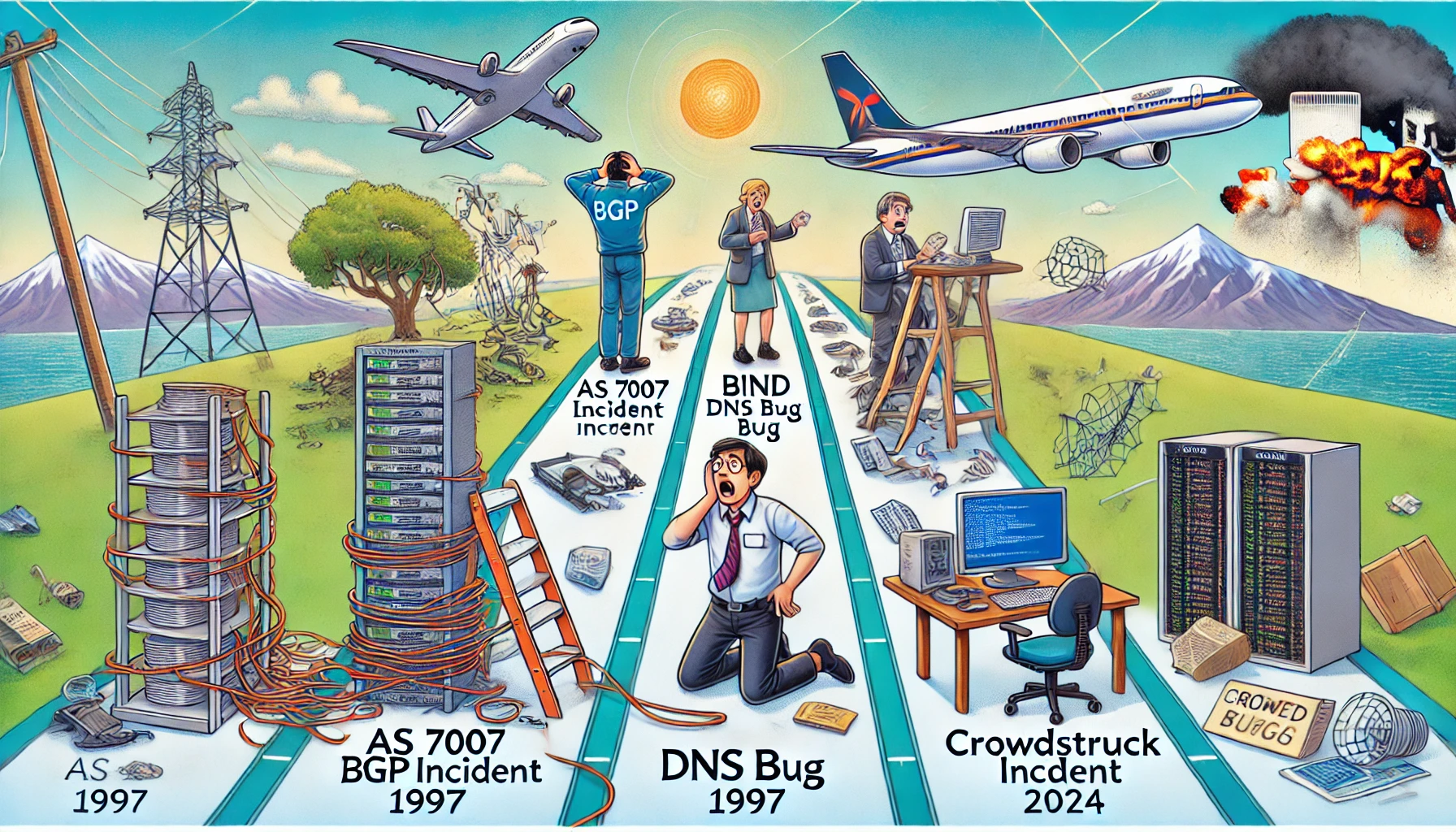
Ah, the internet. Our modern marvel, a tool of endless possibilities, and occasionally, a gigantic, flaming dumpster fire of confusion and chaos. As someone who’s been around to witness the legendary internet catastrophes of 1997 and the recent CrowdStrike debacle of 2024, allow me to take you on an amusing stroll through these digital disasters. Strap in, because it’s going to be a bumpy ride!

The AS 7007 Incident: April 25, 1997

It was a simpler time. The Spice Girls were telling us what we really, really wanted, and the internet was still in its awkward teenage phase. Enter AS 7007, a small ISP in Florida that decided it wanted to be the most popular kid in school—by announcing to the entire internet that it was the best route for every IP address. For a few hours, this misconfiguration turned the global internet into a confused, congested mess. Network engineers around the world were in a panic, trying to untangle the spaghetti mess of routing paths. It was a lesson in humility and the importance of double-checking your BGP configurations. Think of it as the internet’s version of giving everyone the wrong postcode, causing global mail chaos.

The BIND Bug: July 17, 1997

As if 1997 hadn’t had enough excitement, we got hit again, this time by a software bug in the Berkeley Internet Name Domain (BIND). This bug caused DNS servers to fail at their one job: resolving domain names to IP addresses. Suddenly, the internet was like a librarian who had lost the index cards to every book in the library. Websites? Good luck finding them. It was a frustrating day of “server not found” errors, and a stark reminder that even the backbone services of the internet needed regular health check-ups. Imagine trying to explain to your boss that the internet was broken because the digital equivalent of the librarian had gone on strike.

The CrowdStruck Incident: July 19, 2024

Fast forward to the age of cloud computing, IoT, and AI, and you’d think we’d have it all figured out. Think again. On July 19, 2024, CrowdStrike, the cybersecurity giant, rolled out an update to its Falcon sensor for Windows. Intended to beef up security, this update instead turned millions of computers into paperweights, crashing them with a blue screen of death. Flights were grounded, financial transactions halted, and IT professionals around the globe had a collective meltdown. The issue? A logic error in a configuration file. The fix? Manually rebooting and repairing each affected system—a Herculean task in today’s hyper-connected world. Yes, ladies and gentlemen, we had an epic fail on our hands, proving once again that BCDR (Business Continuity and Disaster Recovery) plans are not just for show.

Lessons Learned (Or Not)

What do these incidents teach us? First, that the internet, in all its glory, is still a fragile construct. Whether it’s a misconfigured router, a buggy DNS server, or a faulty security update, it takes just one tiny error to bring down vast swathes of our digital infrastructure.

Second, redundancy and robust recovery plans are not just nice-to-haves—they’re essential. The 1997 outages were a wake-up call for better network management practices, while the 2024 CrowdStrike incident underscored the need for rigorous testing and swift crisis response mechanisms. If ever there was a time to brush up on your GRC (Governance, Risk, and Compliance) strategies, this was it. Remember, having a Plan B (or C, or D) is what keeps the lights on when everything else goes dark.

Finally, transparency and communication are key. During each of these crises, confusion and misinformation compounded the problems. Clear, timely updates and accessible explanations can make all the difference in managing the fallout and restoring trust. And let’s face it, nothing screams “we’ve got this under control” like a well-crafted email explaining why your system has gone belly-up.

So here’s to the next generation of IT professionals: may you learn from our past mistakes, build stronger systems, and always, always triple-check your configurations. And to my fellow veterans of the digital trenches—raise a glass, because we’ve seen some things, haven’t we?

Stay connected, stay vigilant, and remember: the next internet meltdown is just a misconfigured update away. Cheers!

Introduction

In today’s fast-paced business world, staying compliant with laws and industry regulations isn’t just important—it’s crucial. A compliance programme minimises risk, boosts efficiency, and ensures your business operates smoothly. For many small and medium-sized businesses (SMBs), compliance can seem like a daunting task, especially without a dedicated compliance officer. Enter the Business Impact Analysis (BIA). A BIA measures the impact of disruptions on your critical business operations, ensuring you stay compliant and prepared for any eventuality.

Why You Can’t Ignore a Business Impact Analysis

Imagine your business running smoothly, and then suddenly, a disruption hits—be it a cyber incident, natural disaster, or operational failure. Without a BIA, you’re scrambling to understand what went wrong, how it affects your operations, and what to do next. A BIA is your roadmap in these situations. It identifies your critical processes, highlights vulnerabilities, and helps you prepare for recovery. It’s not just about protecting your business; it’s about safeguarding your supply chain and customers as well. Without a BIA, you’re leaving everything to chance.

The Critical Role of Cyber Essentials

Cyber threats are no longer a distant possibility; they are a daily reality. Achieving Cyber Essentials certification is no longer optional—it’s essential. This certification acts as your first line of defence against common cyber threats. It is increasingly required to tender for work with government and other public bodies, and it’s becoming a standard demand from insurance providers and major clients. Without it, your business could miss out on valuable contracts and partnerships.

Taking It a Step Further with Cyber Essentials Plus

Once you have Cyber Essentials, the logical next step is Cyber Essentials Plus. This advanced certification goes beyond the basic protections and includes hands-on technical verification. It demonstrates to your customers and supply chain that you take cyber security seriously. However, without the right help, the process can seem very daunting. This is where partnering with a seasoned IT service provider makes all the difference.

Reputation on the Line

Consider this: “It takes 20 years to build a reputation and few minutes of cyber-incident to ruin it,” says Stéphane Nappo. One cyber incident can lead to significant fines, data breaches, and loss of customer trust. Cyber Essentials certification helps you build a strong defence against these threats, protecting your reputation and giving your clients confidence in your security measures.

Beyond Compliance—Why a Third Party is Essential

Maintaining compliance and managing cyber risks on your own can feel like navigating a labyrinth blindfolded. It’s challenging, especially if you lack the right resources and expertise. Partnering with an experienced IT service provider simplifies this process. We can help you achieve foundational certifications like Cyber Essentials and Cyber Essentials Plus, ensuring you’re not just compliant but also secure. Our expertise means you can focus on what you do best—running your business—while we handle the complexities of compliance and cyber security.

Wrapping Up

In today’s business environment, achieving Cyber Essentials certification should be considered as mandatory as business insurance or other routine compliance requirements. It’s about more than just meeting regulations; it’s about protecting your business, your supply chain, and your customers. Cyber Essentials Plus is the logical second step, showing your customers and partners that you take cyber security seriously. Don’t wait for a cyber incident to realise the importance of compliance. Partner with us to ensure your business is secure, compliant, and ready for anything.

Contact us now to schedule a no-obligation consultation!

Let’s take the first step towards peace of mind, knowing your business, supply chains, and customers are protected and compliant.

Equate Group Ltd has once again successfully renewed our Cyber Essentials Plus Audit certification! 🎉🔒

As a Security First Managed Service Provider (MSP), we consistently strive to uphold the highest standards of cybersecurity. Our commitment to this rigorous certification underscores our dedication to protecting our customers and supply chains from ever-evolving cyber threats.

Why Cyber Essentials Plus Matters: Cyber Essentials Plus is a government-backed, industry-supported scheme that helps businesses of all sizes protect themselves against common online threats. By achieving this certification, we demonstrate our proactive approach to cybersecurity and our commitment to maintaining robust security measures.

Not every MSP can boast of such a certification, and it’s not something that can be taken for granted. Our continuous effort and dedication to cybersecurity set us apart and ensure that we provide only the best for our clients.

Understanding the Difference:

  • Cyber Essentials:
    • Focus: Entry-level certification.
    • Assessment: Self-assessment questionnaire covering key security controls.
    • Scope: Identifies basic security measures to protect against common threats.
    • Ideal For: Small to medium-sized businesses looking to establish a baseline level of cybersecurity.
  • Cyber Essentials Plus:
    • Focus: Advanced certification.
    • Assessment: Involves an independent external audit and vulnerability scan.
    • Scope: Provides a higher level of assurance with hands-on technical verification.
    • Ideal For: Businesses requiring a more rigorous and comprehensive security validation.

Benefits of Cyber Essentials Certification:

  • Enhanced Security: Protect your business from 80% of the most common cyber attacks.
  • Customer Assurance: Show your clients that you take their security seriously.
  • Competitive Advantage: Stand out in your industry with recognized certification.
  • Reduced Risk: Mitigate the risk of cyber incidents and potential financial losses.

Why Choose Equate Group Ltd?

  • Expertise You Can Trust: With years of experience and a deep understanding of cybersecurity, we are equipped to guide your business through the complexities of cyber protection.
  • Guaranteed Pass for Cyber Essentials: We are so confident in our process and expertise that we can guarantee a pass for your business on the base Cyber Essentials certification*.
  • £100k Cyber Insurance: Unlike others who offer only £25k, we provide £100k of Cyber Insurance to further protect your business.
  • Tailored Solutions: Our services are customized to meet the specific needs of your business, ensuring comprehensive protection.
  • Continuous Support: We provide ongoing support to ensure your systems remain secure and up-to-date with the latest defenses.

Our Commitment to You: At Equate Group Ltd, we believe that cybersecurity is not a one-time effort but an ongoing commitment. Our renewal of the Cyber Essentials Plus certification is a testament to our dedication to providing the best possible protection for our clients. We are here to help you navigate the complexities of cybersecurity and ensure that your business is well-protected.

Take the Next Step: Investing in cybersecurity isn’t just for large corporations. Every business, regardless of size, should take steps to protect their data and systems. Don’t wait until it’s too late—secure your business today! Let Equate Group Ltd be your partner in this journey. Contact us now to fortify your cybersecurity and gain the confidence to focus on what you do best.


Stay secure, stay confident with Equate Group Ltd. 💼🔐

*Terms and conditions apply.

#CyberEssentials #CyberSecurity #EquateGroupLtd #SecurityFirstMSP #SecureBusiness #CustomerTrust

Data is the lifeblood of modern businesses. It fuels insights, drives decision-making, and ultimately shapes your company’s success. But in today’s information age, data can quickly become overwhelming.

Scattered spreadsheets, siloed databases, and inconsistent formatting. All these create a data management nightmare. This hinders your ability to leverage this valuable asset.

Let this guide serve as your roadmap to data management success. We’ll explore the challenges of poor data management. Then, outline best practices for improvement. Lastly, we’ll equip you with strategies to transform your company’s data landscape. Read on to go from chaotic clutter to a well-organized, accessible source of truth.

The Pitfalls of Poor Data Management

The consequences of neglecting data management are far-reaching. Here’s how poor data management can cripple your business:

Inefficient Operations

Struggling to find the data you need wastes time and resources. Manual processes for data analysis become cumbersome and error prone. This hurts your ability to operate efficiently.

Seventy-three percent of workers spend an average of 1-3 hours a day trying to find data.

Poor Decision-Making

Inconsistent or inaccurate data leads to flawed insights. Without reliable data, you risk making decisions based on faulty information. This could potentially jeopardize growth opportunities or hold back strategic initiatives.

Compliance Issues

Data privacy regulations are becoming increasingly stringent. Poor data management makes it difficult to comply with these regulations. This could result in hefty fines and reputational damage.

Reduced Customer Satisfaction

Inaccurate customer data leads to poor customer experiences. For example, incorrect contact information can hinder communication. Outdated customer preferences can result in irrelevant marketing campaigns.

Key Principles of Effective Data Management

Developing a robust data management strategy is crucial. It can unlock the true potential of your data. Here are the key principles to keep in mind:

  • Data Governance: Establish clear ownership and accountability for data. Define roles and responsibilities for data creation, storage, access, and maintenance.
  • Data Quality: Install data quality measures. They should ensure data accuracy, consistency, and completeness. Regular data cleansing processes are essential to remove errors and inconsistencies.
  • Data Standardization: Establish data standards. They should ensure consistency in how your organization formats, stores, and defines data. It should be the same across departments and systems.
  • Data Security: Put in place robust security measures to safeguard sensitive data. They should protect data from unauthorized access, breaches, or loss. Encryption, access controls, and regular security audits are critical.
  • Data Accessibility: Make data easily accessible to authorized users. This is for users who need it to perform their jobs. Streamline data access processes. Ensure users have the tools and training to locate and use data effectively.

Strategies for Effective Data Management

Transforming your company’s data management approach requires a strategic plan. Here are some actionable strategies to consider:

  • Conduct a Data Inventory: Identify all the data your company collects, stores, and uses. Understand the purpose of each data set and how the organization is using it.
  • Invest in Data Management Tools: Technology can be your ally in data management. Explore data management solutions. Look for features like data cleansing, data warehousing, and data visualization.
  • Develop Data Policies and Procedures: Document your data management policies and procedures. Outline data collection practices, data retention requirements, and user access protocols.
  • Foster a Data-Driven Culture: Encourage a data-driven culture within your organization. Emphasize the importance of data quality and responsible data usage. Train employees in data management best practices. Empower them to leverage data for informed decision-making.
  • Embrace Continuous Improvement: Data management is an ongoing process. Regularly review your data management practices. Identify areas for improvement. Adapt your strategies as your company’s data needs evolve.

The Benefits of Effective Data Management

Using these data best practices unlocks a world of benefits for your company:

Enhanced Operational Efficiency

Good data management leads to increased operational efficiency and productivity gains. It helps your business:

  • Streamline workflows
  • Improve data access
  • Enjoy accurate data analysis

Data-Driven Decision Making

Reliable data empowers informed decision-making at all levels of the organization. Strategic initiatives become data driven. This leads to improved outcomes and a competitive advantage.

Improved Customer Experience

Accurate customer data allows for personalized marketing campaigns. As well as targeted offerings and better customer service interactions. Up-to-date customer data also drives faster response times for support issues.

Reduced Risk of Compliance Issues

Robust data management practices make it easier to meet data privacy regulations. This minimizes legal risks and potential fines. It also makes it easier to put data security policies in place.

Unleashing the Power of Data Analytics

Clean and organized data fuels powerful data analytics. Gain deeper insights into things like:

  • Customer behavior
  • Operational performance
  • Market trends

This enables you to make informed decisions that propel your business forward.

Get Help Setting Up a Great Data Management System

Don’t let the influx of data bog your company down. Our team can help you set up an effective data management system. One that puts the power of data at your fingertips.

Contact us today to schedule a chat.


Featured Image Credit

This Article has been Republished with Permission from .

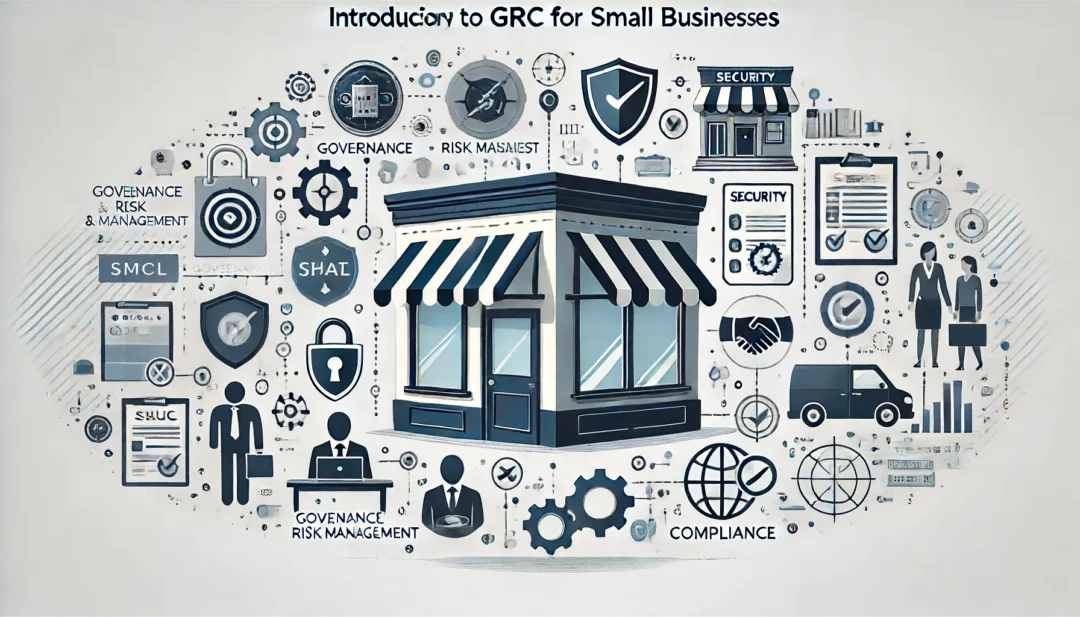
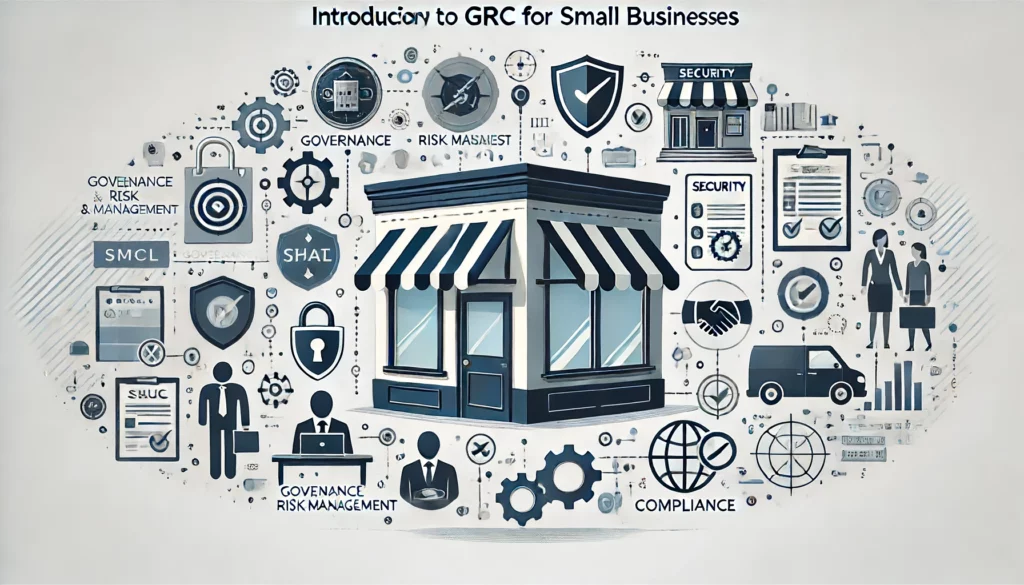
Introduction to GRC for Small Businesses

Mastering GRC: Empowering Small Businesses to Navigate Governance, Risk, and Compliance with Confidence

Introduction

In today’s rapidly evolving digital landscape, small businesses face unique challenges and risks that can significantly impact their operations and reputation. Governance, Risk Management, and Compliance (GRC) provide a structured approach to manage these challenges effectively. For small businesses, adopting frameworks like Cyber Essentials and Cyber Essentials Plus can be a game-changer. These certifications not only enhance security but also build trust with customers and protect the supply chain.

What is GRC?

Governance, Risk Management, and Compliance (GRC) is an integrated approach that ensures an organization meets its objectives, addresses uncertainties, and operates with integrity. Here’s a breakdown of each component:

  • Governance: Establishing policies and procedures that guide the organization’s strategic direction and operational activities.
  • Risk Management: Identifying, assessing, and mitigating risks to minimize potential negative impacts.
  • Compliance: Ensuring adherence to laws, regulations, and internal policies to avoid legal and financial penalties.

Importance of GRC for Small Businesses

Implementing a robust GRC framework is crucial for small businesses for several reasons:

  • Improved Decision-Making: With clear policies and risk assessments, businesses can make informed decisions that align with their goals.
  • Enhanced Operational Efficiency: Streamlined processes and proactive risk management improve overall efficiency.
  • Legal and Financial Protection: Compliance with regulations helps avoid costly fines and legal issues.
  • Building Trust and Reputation: Demonstrating commitment to governance and compliance builds trust with customers, partners, and investors.

Cyber Essentials and Cyber Essentials Plus

Cyber Essentials and Cyber Essentials Plus are UK government-backed certifications designed to help businesses protect themselves against common cyber threats. Here’s a brief overview:

  • Cyber Essentials: A self-assessment certification that helps businesses guard against the most common cyber threats and demonstrate their commitment to cybersecurity.
  • Cyber Essentials Plus: A higher level of certification that includes an independent assessment of the business’s security controls.

Benefits of Adopting Recognized Frameworks:

  • Protection Against Cyber Threats: Implementing these frameworks helps protect the company from the most common cyber attacks.
  • Customer Trust and Confidence: Certifications signal to customers that the business takes cybersecurity seriously.
  • Supply Chain Security: Protecting the supply chain by ensuring that all partners and vendors adhere to high security standards.

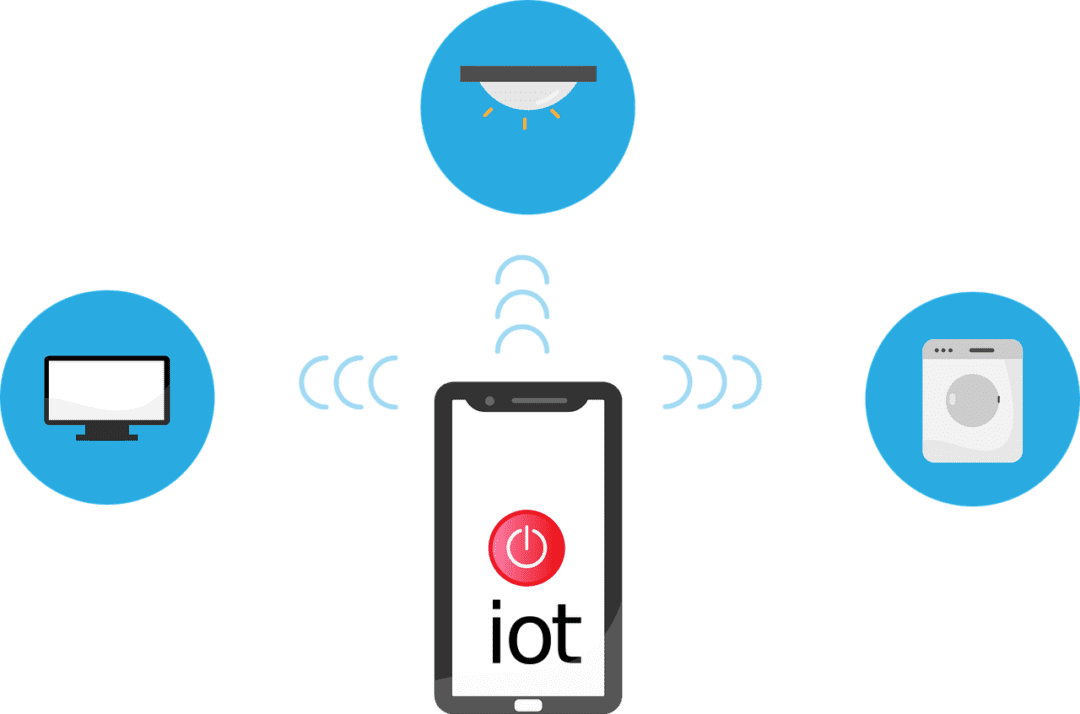
The Internet of Things (IoT) is no longer a futuristic concept. It’s rapidly transforming industries and reshaping how businesses operate. IoT is a blanket term to describe smart devices that are internet enabled. One example is smart sensors monitoring production lines. Connected thermostats optimizing energy consumption is another.

Experts project the number of connected devices worldwide to continue growing. It’s estimated to rise from about 15 billion in 2023 to 21 billion in 2026.

IoT devices are weaving themselves into the fabric of modern business operations. But successfully deploying them on your existing network isn’t always easy. It can feel like navigating a maze.

Have you been struggling with the integration of smart devices? This guide will equip you with the knowledge and steps you need.

Step 1: Define Your Goals and Needs

Before diving headfirst, it’s crucial to have a clear vision of your goals. Ask yourself and your team a few questions. These questions will help ensure you’re aligning smart devices with business needs.

What problem are you trying to solve with IoT?

Are you aiming to improve operational efficiency? Possibly, you want to gain real-time data insights. Or you may want to enhance remote monitoring capabilities.

It’s important to target your IoT device deployment. Defining the issue that it’s meant to solve helps you do that.

What type of data will you be collecting?

Take time to define the nature and volume of data generated by your chosen devices. This is essential for choosing the right network infrastructure.

What level of security do you need?

Security measures depend on the sensitivity of the data collected. You might need specific measures to protect it from unauthorized access.

Go through these questions as a first step. You’ll gain a clearer picture of your specific needs. This enables you to select the most appropriate IoT devices and network solutions.

Step 2: Select the Right Devices and Network Infrastructure

With your goals in mind, it’s time to choose your components. You’ll want to look at both the devices and the infrastructure of the network.

IoT Devices

When choosing smart devices, consider factors like:

  • Compatibility with your existing infrastructure
  • Data security features
  • Scalability
  • Power requirements

Research reputable vendors. Choose devices with strong security protocols in place. Look for good firmware protection.

Network Infrastructure

Your existing network might be lacking. It may not be equipped for the extra traffic and data generated by IoT devices. You may need to upgrade your bandwidth. As well as deploy separate networks for IoT devices. You may also need to invest in dedicated gateways. Ones that can manage communication between devices and the cloud.

Step 3: Focus on Security Throughout the Journey

Security is paramount in the realm of IoT. Compromised devices can become gateways for cyberattacks. Malware attacks on IoT devices increased 77% during the first half of 2022.

Here are some key security considerations.

Secure the Devices

Ensure the chosen devices have strong passwords. They should also be regularly updated with the latest firmware. You want to choose devices that offer features like encryption and secure boot.

Segment Your Network

Create separate networks for IoT devices and critical business systems. This minimizes the potential impact of a security breach on your core operations.

Install Network Access Control (NAC)

Install NAC solutions, such as multi-factor authentication. These controls restrict access to your network only to authorized devices. They also help you enforce security policies automatically.

Track and Maintain

Continuously track your network for suspicious activity. Regularly update your security protocols and software to stay ahead of evolving threats.

Step 4: Deployment and Ongoing Management

You should now have the necessary hardware and security measures in place. It’s time to deploy your IoT devices.

Here are some tips:

  • Follow the manufacturer’s instructions carefully during installation and configuration.
  • Test and confirm the functionality of your IoT devices. You should do this before fully integrating them into your network.
  • Develop a comprehensive management strategy for your IoT devices. It should include regular maintenance, firmware updates, and issue monitoring.

Step 5: Continuous Learning and Improvement

The world of IoT is constantly evolving, and so should your approach. Here are some tips for continuous improvement.

Analyze the Data

Once your IoT devices are operational, analyze the collected data. This helps you gain insights, identify areas for improvement, and refine your strategy.

Embrace Feedback

Encourage feedback from stakeholders within your organization. Use it to constantly refine your implementation and address emerging challenges.

Stay Informed

Keep yourself updated on the latest trends and advancements in the IoT landscape. This empowers you to adapt and leverage new technologies as they emerge.

Successfully deploying IoT on your business network requires careful planning. As well as prioritization of security and a commitment to continuous improvement.

Get Expert Help for Your Network Devices

Need help embracing a proactive approach to IoT adoption? We can help you transform your business operations. As well as unlock the full potential of smart devices at your business.

Contact us today to learn more.


Featured Image Credit

This Article has been Republished with Permission from The Technology Press.

Moving can be a chaotic and stressful time. Especially when it comes to handling your valuable technology. Whether you’re relocating your home or office, it’s essential to take extra care. Both with fragile items and when packing and moving your devices and other tech items.

To help you navigate this process smoothly, we’ve put together a handy checklist. Use this to help ensure your technology remains safe and sound during the move.

Back-Up Everything

Before you start disassembling your technology, make sure to back up all your data. Create copies of important files, documents, photos, and any other irreplaceable information. You can either use an external hard drive, cloud storage, or both. By doing this, you’ll have peace of mind knowing you’ve protected your data. Should something unfortunate happen during the move, your files will be intact.

Organize and Label Cables

We all know the struggle of untangling a mess of cables. This is true especially when you’re eager to set up your devices in the new place. To avoid this headache, take the time to organize and label your cables before packing.

Use cable ties or twist ties to keep them neatly bundled. Attach labels to identify which cable belongs to which device. Trust us; this simple step will save you a lot of time and frustration later on.

Pack Devices Carefully

When packing your devices, opt for their original boxes whenever possible. If you have the storage space, this is why you don’t want to toss those out. The original packaging is designed to provide the best protection during shipping. There are usually specific compartments to secure each component.

If you don’t have the original boxes, use sturdy cardboard boxes. Wrap each device in bubble wrap or anti-static foam to prevent any damage. Fill any empty spaces in the boxes with packing peanuts or crumpled paper to ensure a snug fit.

Remove Ink Cartridges and Batteries

It might seem easier to just load up your printers “as is” to move them. But that’s not a good idea. For printers and devices that use ink, it’s crucial to remove those cartridges. Do this before packing the devices. Ink cartridges can leak or dry out during transit. This can cause a mess or render them useless.

Also, remove batteries from devices such as laptops, cameras, or remote controls. This precaution prevents accidental power-on and potential damage during the move. Pack the cartridges and batteries separately in sealed bags and label them.

Take Photos of Cable Connections

Before unplugging cables from your devices, snap a quick photo of the connections. This visual reference will be very helpful when it’s time to set up everything at your new location. You won’t have to worry about remembering which cable goes where. And won’t need to spend hours trying to figure it out. Simply refer to the photos, and you’ll be back up and running in no time!

Pack Your Wi-Fi Equipment Separately

Reconnecting to the internet is usually one of the first things done for both home and office moves. To make it easier, pack all your Wi-Fi network equipment separately from other items.

This includes your modem, router, ethernet cables, and other network connectors. Clearly label the box “Wi-Fi Equipment” so you’ll know right where to go first to get online.

Secure Fragile Screens

Are you moving devices with delicate screens, such as TVs or monitors? Then take extra precautions to protect them from scratches and cracks.

Place a soft cloth or microfiber cloth over the screen. Secure it with elastic bands or tape. This barrier will shield the screen from any accidental contact during transit. Additionally, make sure to pack these items in a vertical position to reduce the risk of damage.

Inform the Movers about Fragile Items

When enlisting professional movers, be sure to be clear about your technology. Inform them about the fragile nature of your devices and other tech items. Clearly label the boxes containing your valuable devices as “fragile.” Provide any necessary instructions to handle them with care. By communicating your concerns upfront, you reduce the chances of accidents while moving.

Test Everything After the Move

If you’ve moved offices, you don’t want to find out about problems on a busy Monday morning. Once you’ve moved your technology and reconnected cables, turn your devices on. Test them to ensure they work as usual and weren’t damaged.

Something may not look damaged on the outside. But that doesn’t mean that there isn’t internal damage. You want to know this upfront so you can file a claim and call in an IT service professional to help.

Need Help with a Safe Technology Move?

Moving can be a hectic and challenging process, especially when moving office tech. But with the right approach, you can ensure the safety of your devices from point A to point B.

Need help from the pros to move your technology securely? Give us a call today to schedule a chat.


Featured Image Credit

This Article has been Republished with Permission from The Technology Press.